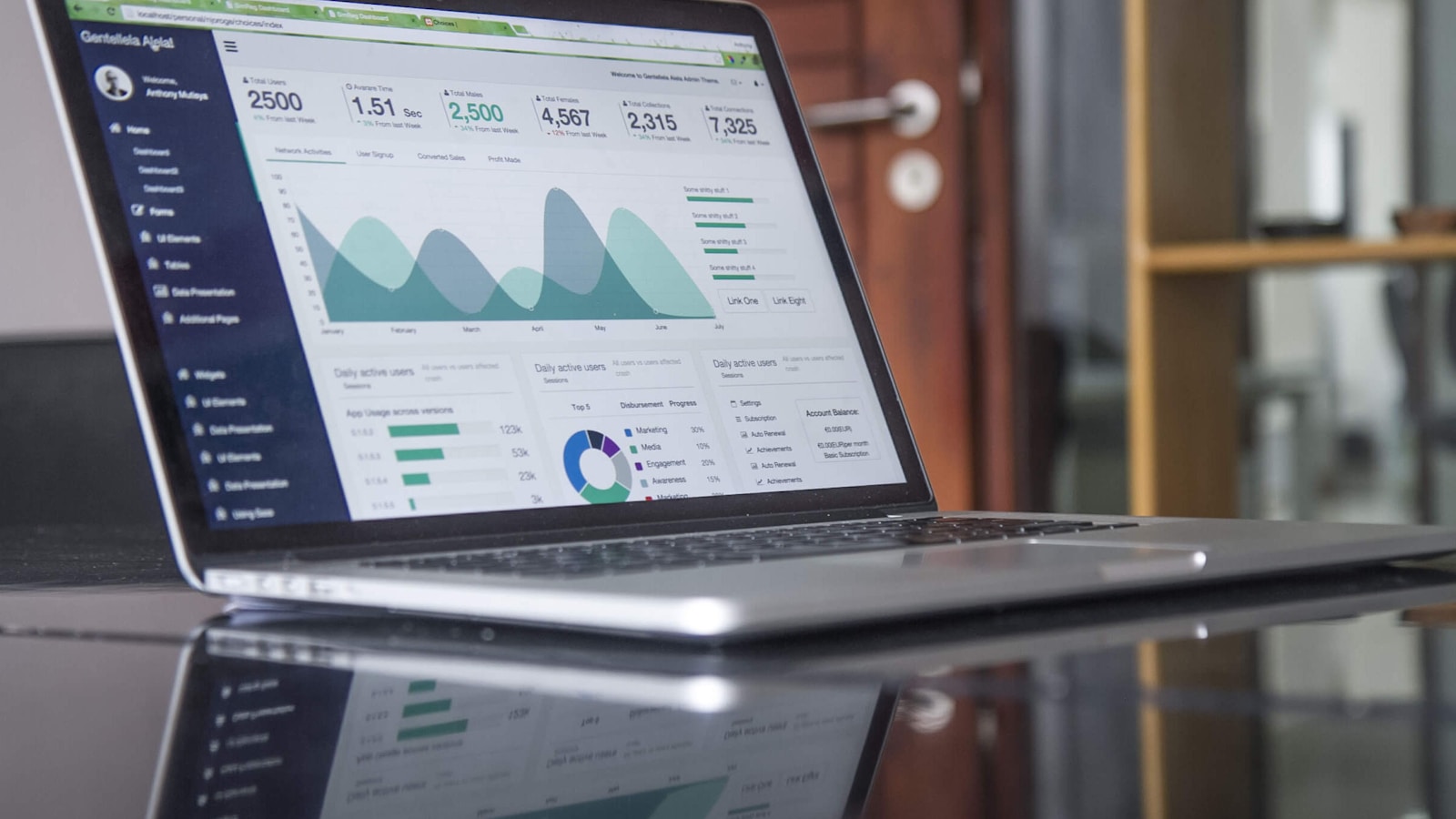
Todas las TVs de tu negocio, cada una ejecutando su propio trabajo.
Da un trabajo a cada TV de tu negocio, desde la cocina hasta la habitación del huésped, y muestra tus propios pedidos, habitaciones y menú a medida que cambian. Controla todas desde un solo lugar, incluso desde tu teléfono.
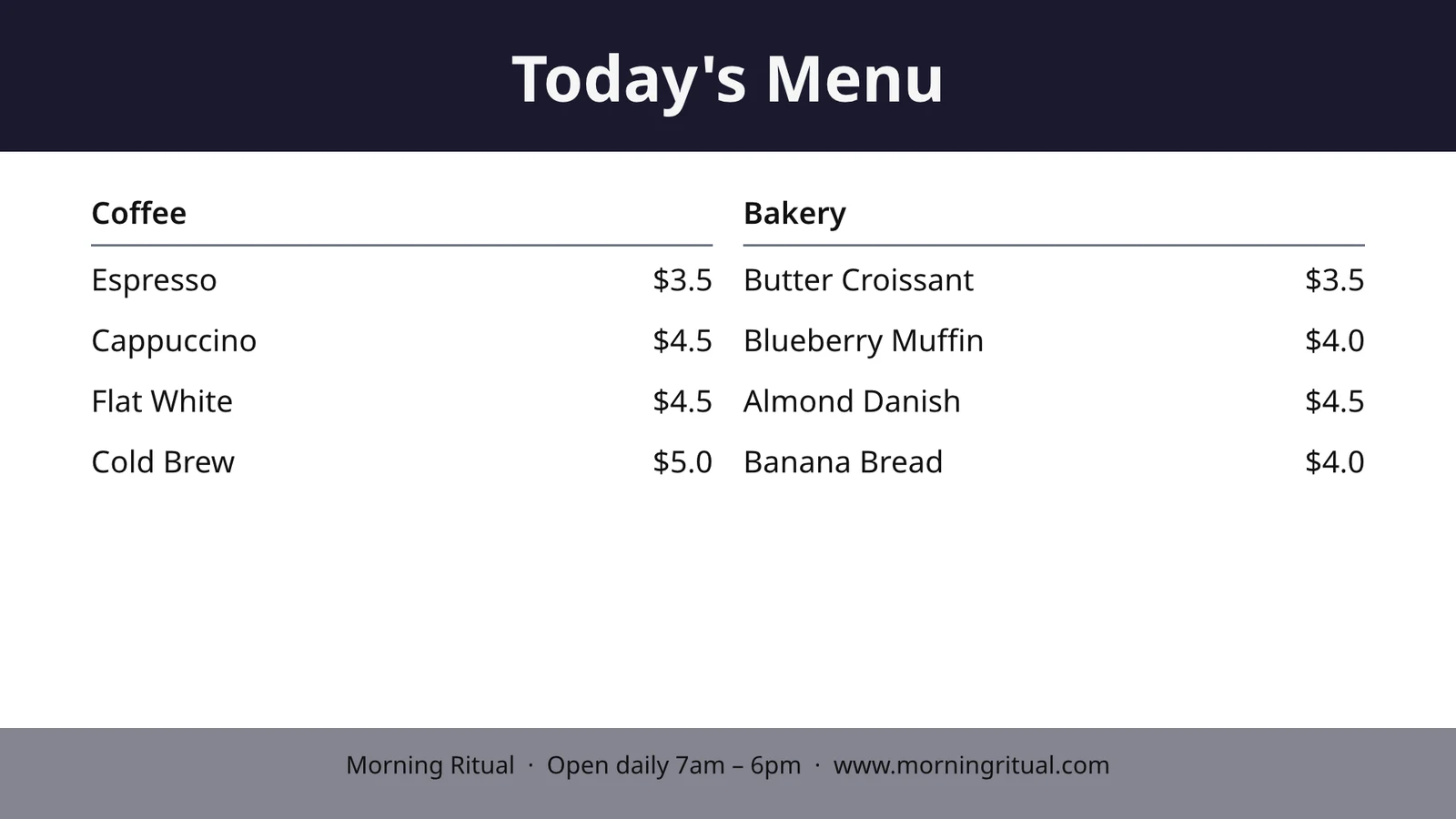
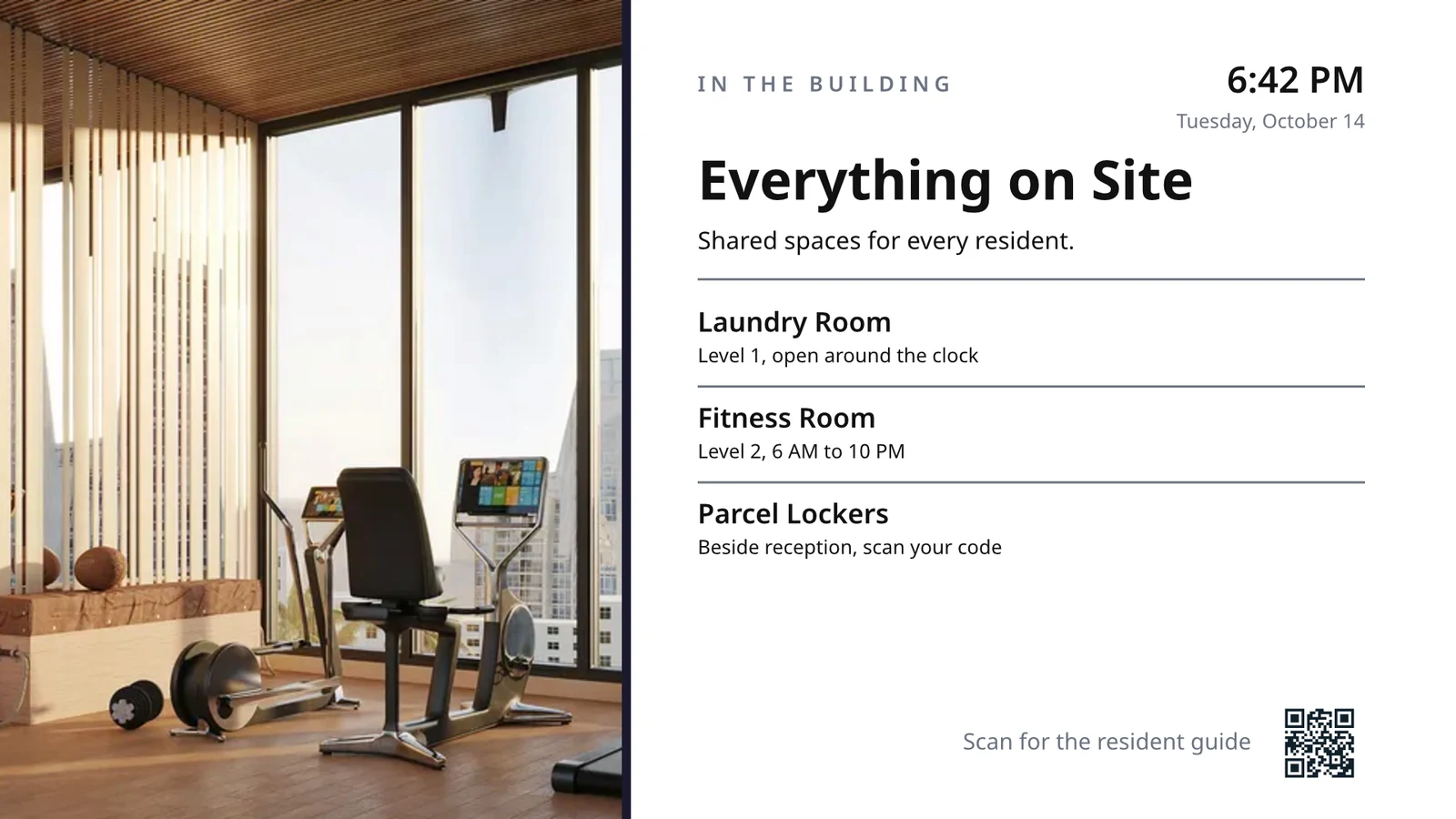
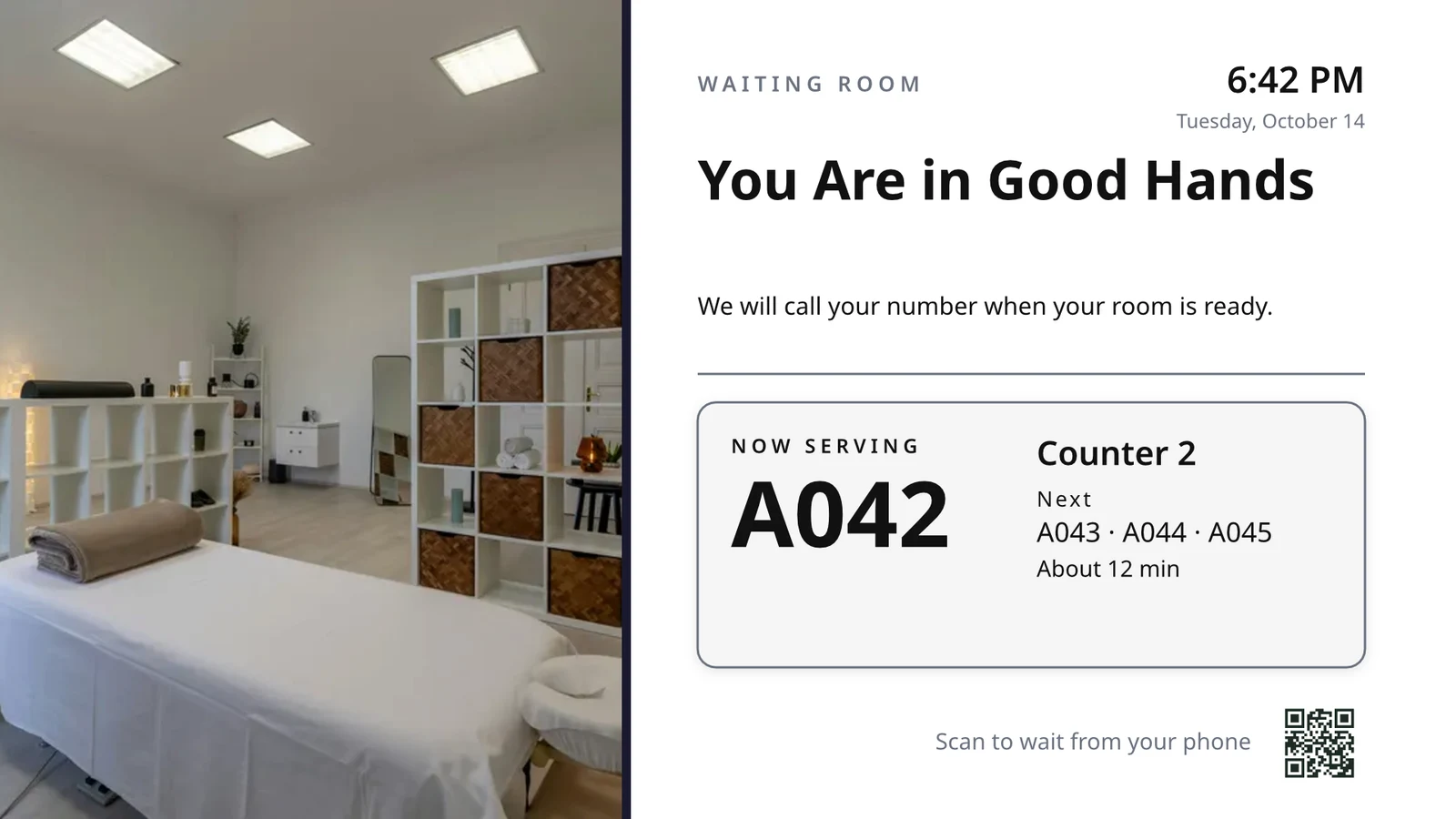
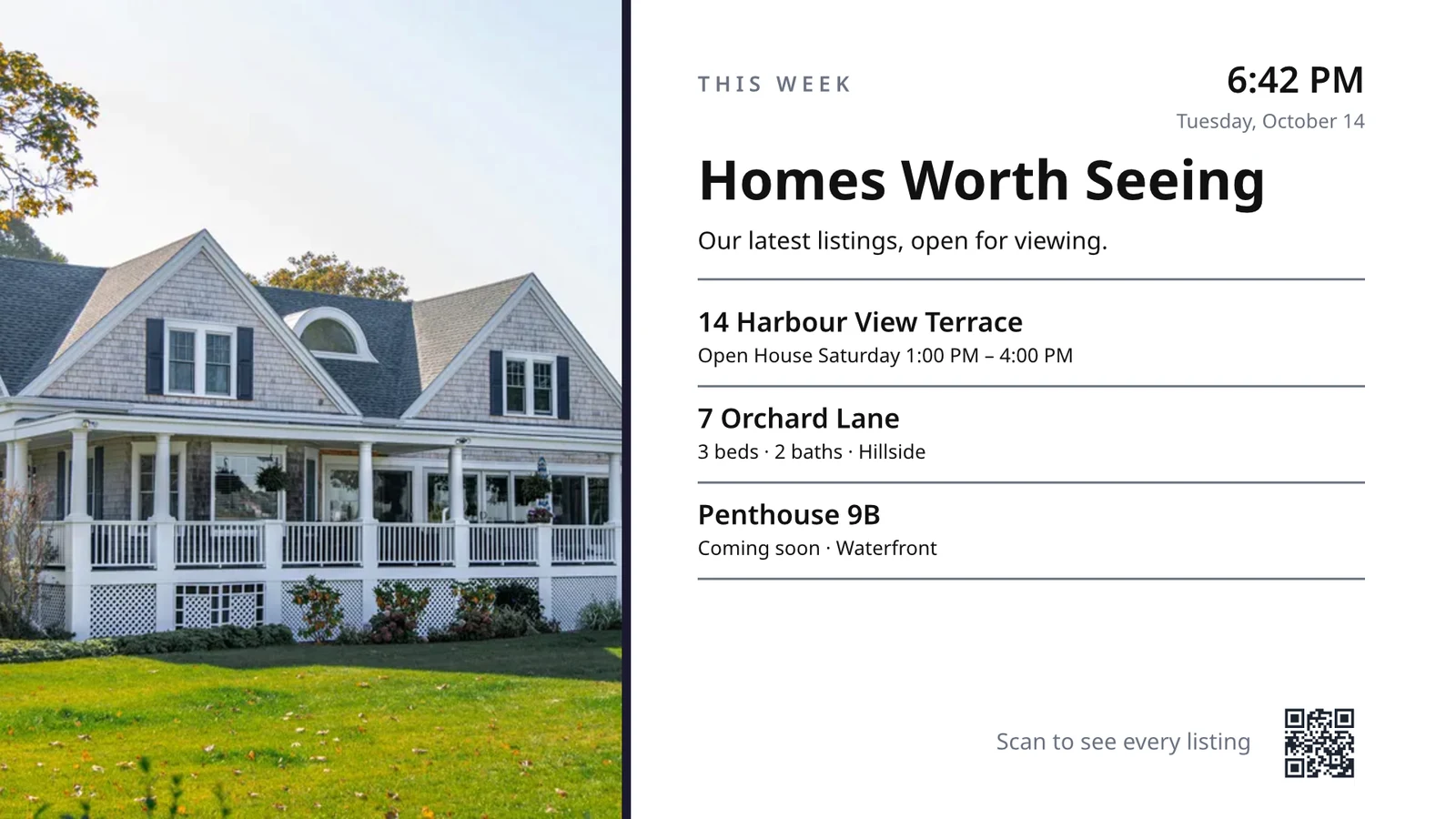
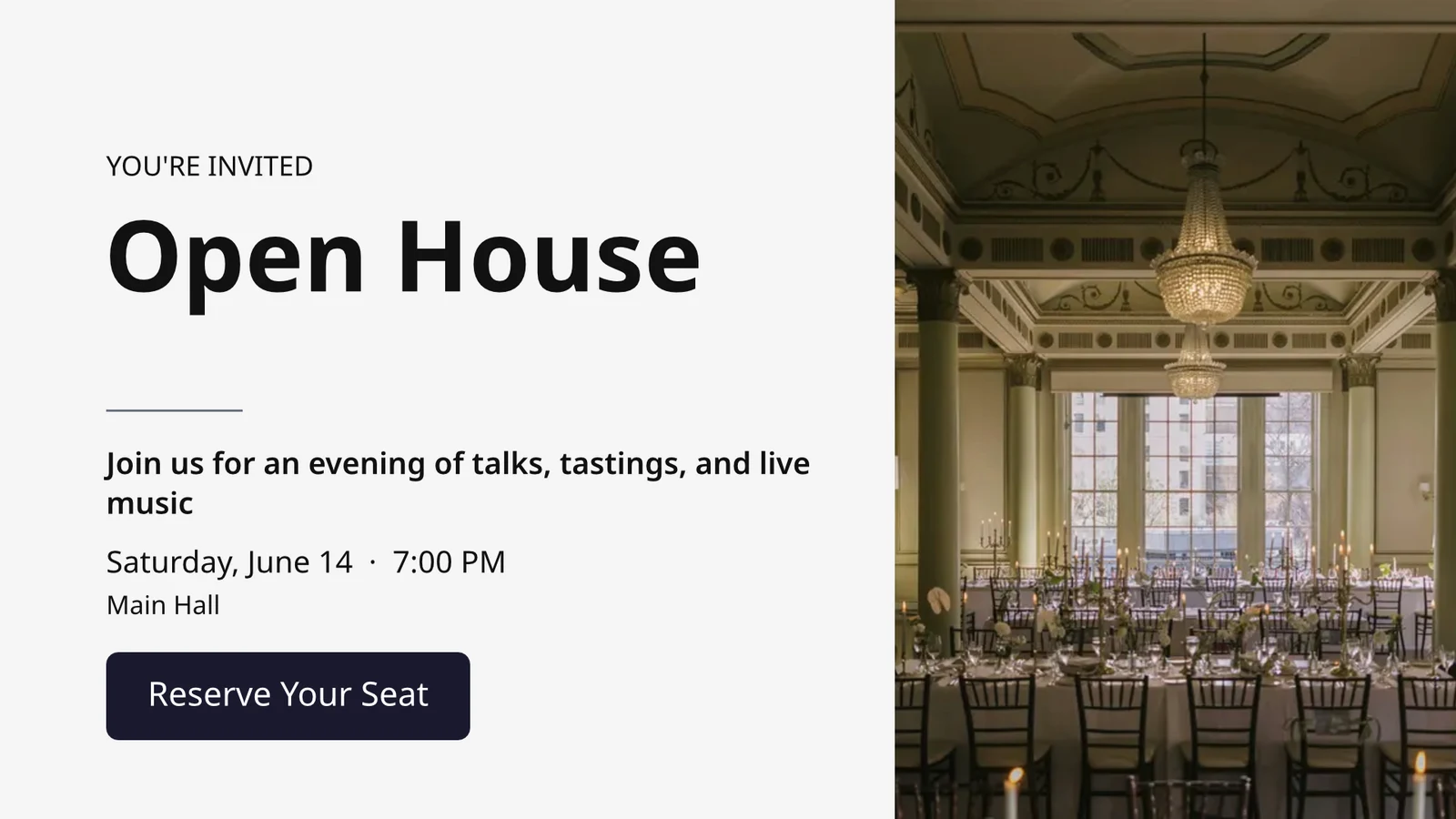
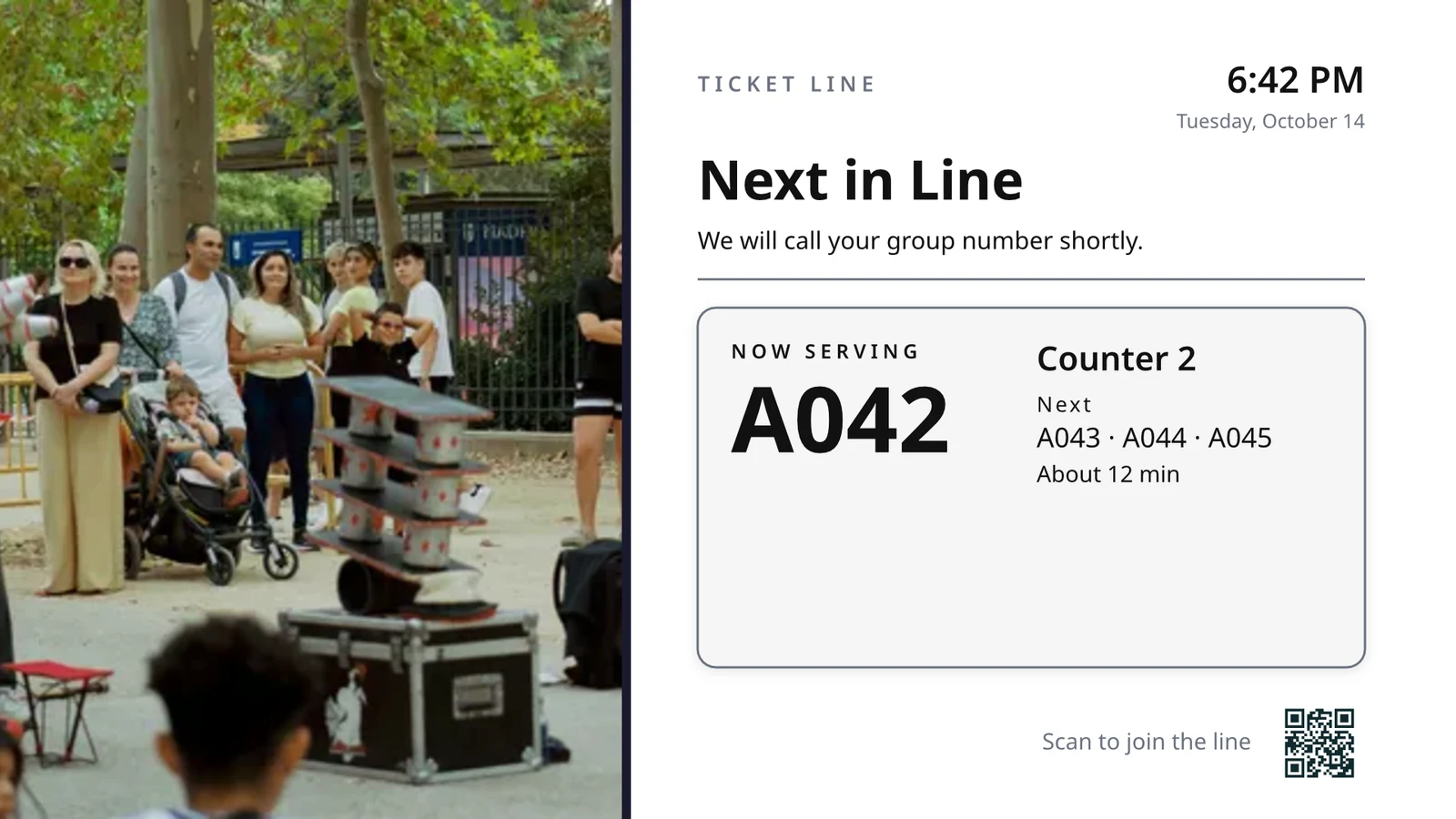
Elige qué hace cada TV, luego ejecuta todas
Cada TV ejecuta una pantalla diseñada para una sola tarea, mostrando lo que ocurre en su negocio en este momento.
Pantallas por Trabajo
Cocina, recogida, cola, huésped, señalización.
Pantallas diseñadas
Tu propio diseño, con datos en vivo.
Sus TVs
Pareado con un código, se ejecuta remotamente.
Horarios
Otra pantalla en la hora adecuada.
Alertas
Un mensaje en cada televisor.
Rendimiento
Lo que se reprodujo y durante cuánto tiempo.
App de TV
Tu propia aplicación en las tiendas de TV.
En un teléfono
Tus TVs desde cualquier lugar.
Elija qué hace cada televisor, desde su trabajo
Elige un trabajo y observa cómo se ejecuta con datos de muestra antes de ir a una TV, los trabajos para tu tipo de negocio primero, o configura todas las pantallas que tu tipo de negocio usa a la vez. Cada pantalla mantiene su propósito, dónde funciona, su contenido, su aspecto, sus TVs y su horario.
¿Qué hará su TV?
Elige el trabajo. Establece dónde funciona. Introduce el Código en la TV y se ejecuta con tus datos en vivo.
Una pantalla de cocina para personal, limpieza y estado de la habitación, la recepción, las citas de hoy, el inicio del golf, un conteo de puertas, cumplimiento de pedidos y objetivos de ventas.
Pantalla de cocina
Tickets por estación con temporizadores. Los cocineros inician, finalizan y cambian; el expositor envía.
Limpieza
El estado de cada habitación (sucia, en limpieza, limpia, inspeccionada) y qué encender primero.
Recepción
Quién llega y se va hoy, qué habitaciones están listas y quién se retrasa en el checkout.
Citas de hoy
Todas las citas de hoy por sillón, habitación o proveedor: quién está aquí, quién es el siguiente.
Golf Starter
Los siguientes grupos a salir, quién ha hecho el check-in, ritmo de juego. Envíelos.
Conteo de puertas
Cuántos están en contra de la capacidad, escaneados por puerta, qué tan rápido avanza la línea.
Cumplimiento de pedidos
Pedidos entrantes y cuánto tiempo tarda cada uno: qué está retrasado, qué es lo siguiente.
Objetivos de ventas
El mes, trimestre o año frente a la meta, el tablero de clasificación y las últimas victorias.
Diseñe una pantalla de tamaño de televisor con datos en vivo en ella
Diseñe una pantalla en el editor que usa Studio, en 16:9 o 9:16, en blanco o desde las plantillas de Calisto para su industria, con fotografías. Live Data coloca su menú, horario, ofertas, listados, reloj, clima, Wi-Fi y el número de personas atendidas, extraídos de sus registros en la TV.
Diseños para tu industria
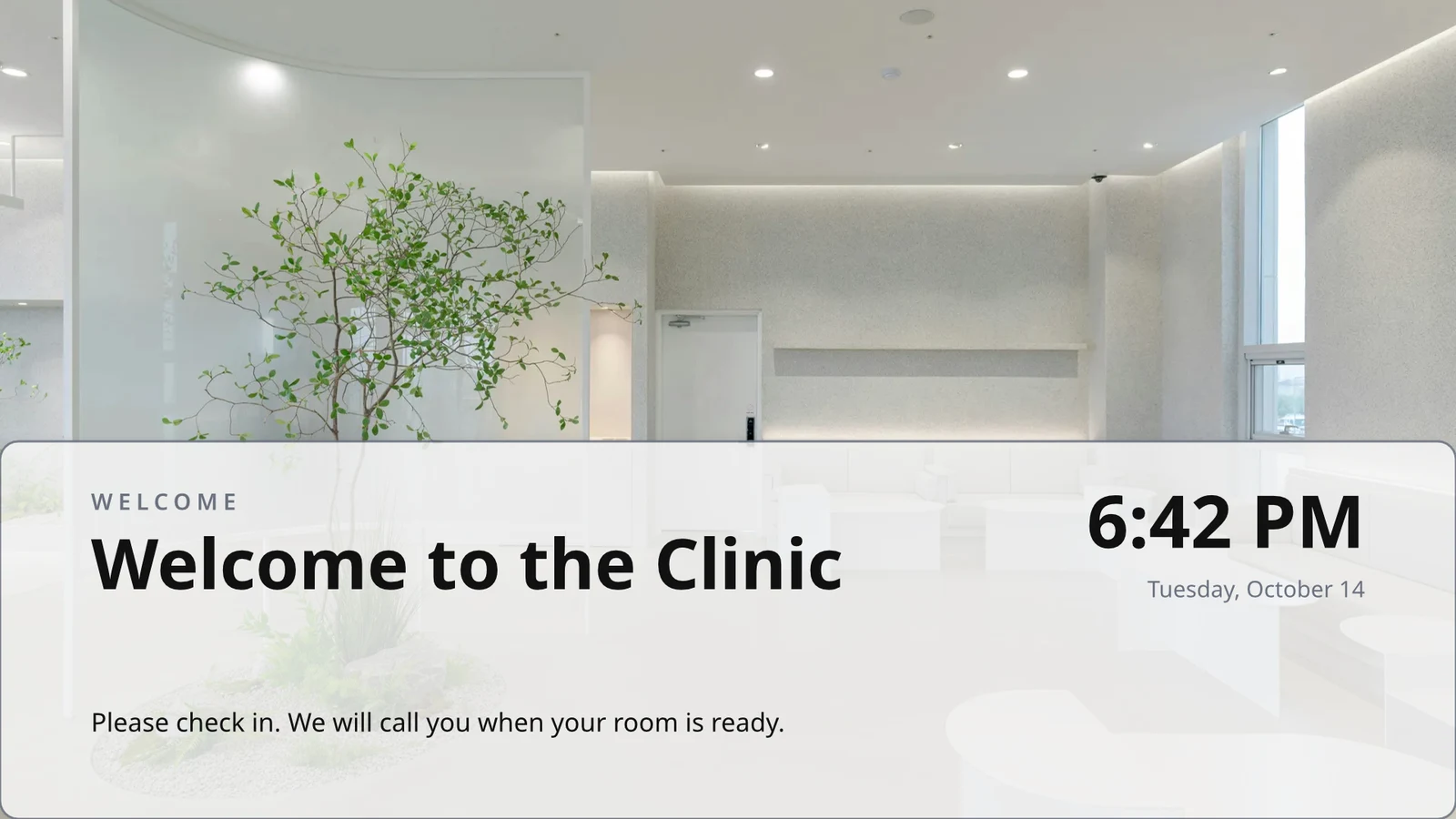
Comience en blanco o desde 160 diseños, en horizontal y vertical, cada uno con fotografías y hechos para una industria, la suya primero.
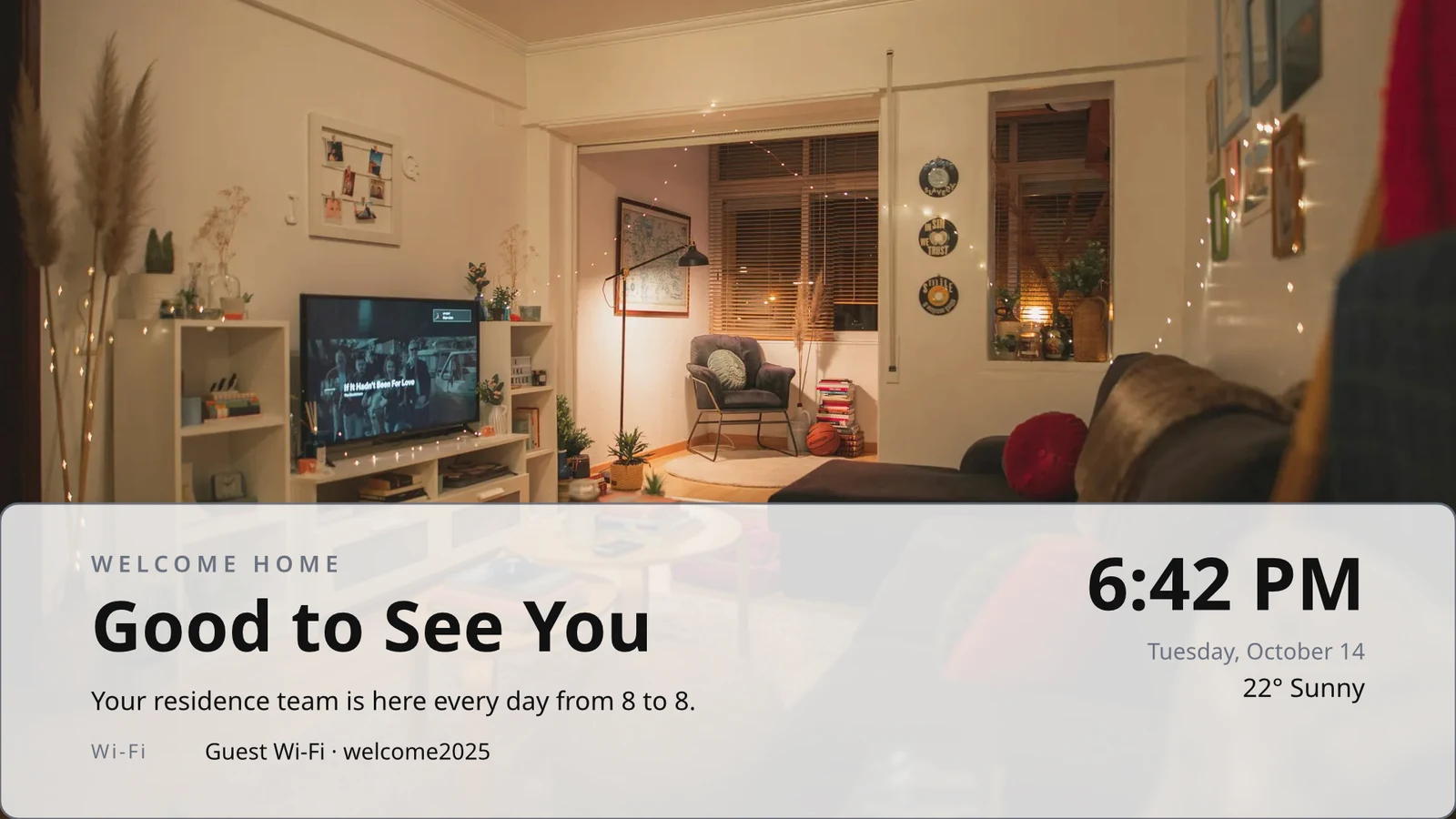
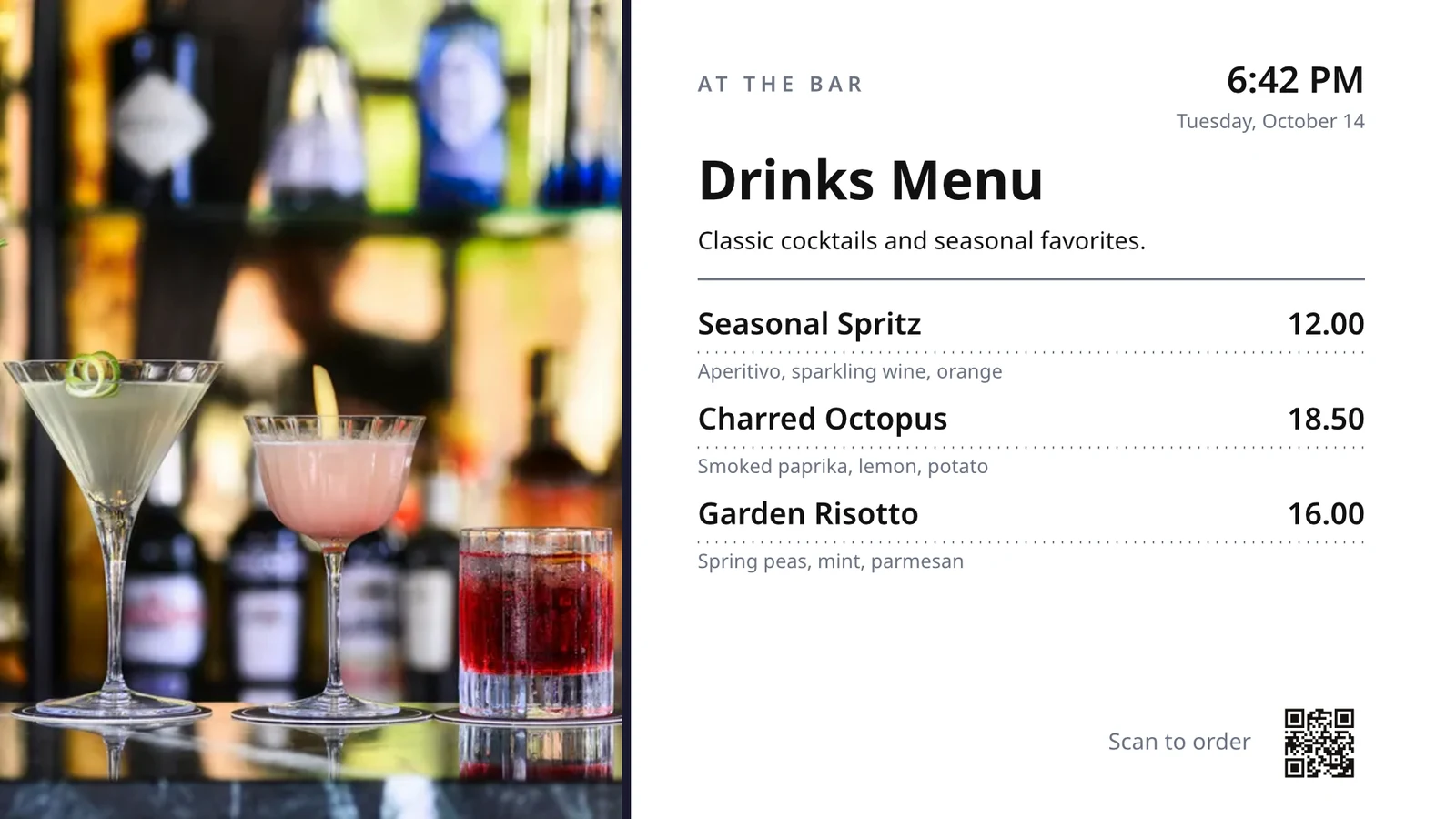
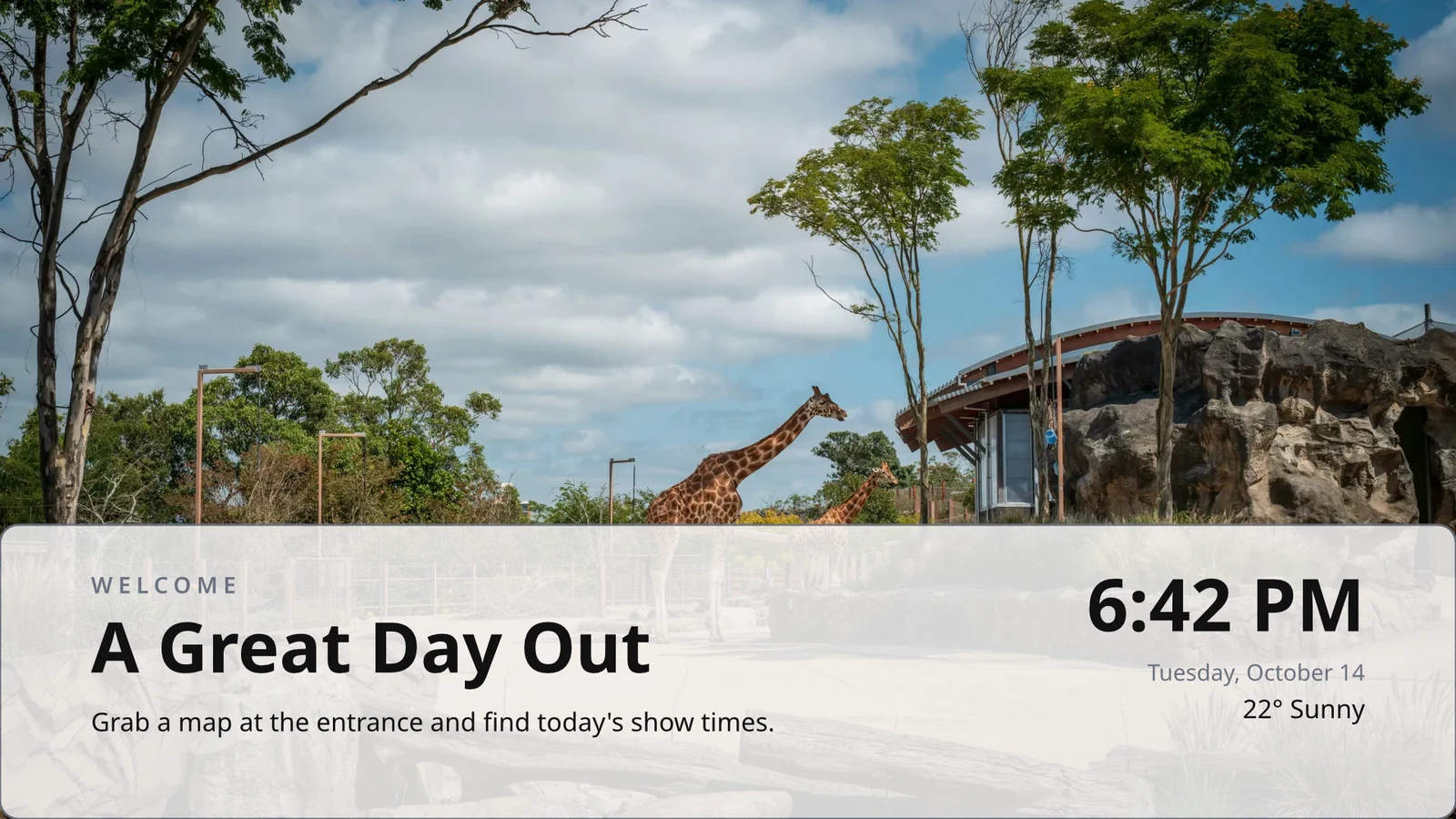
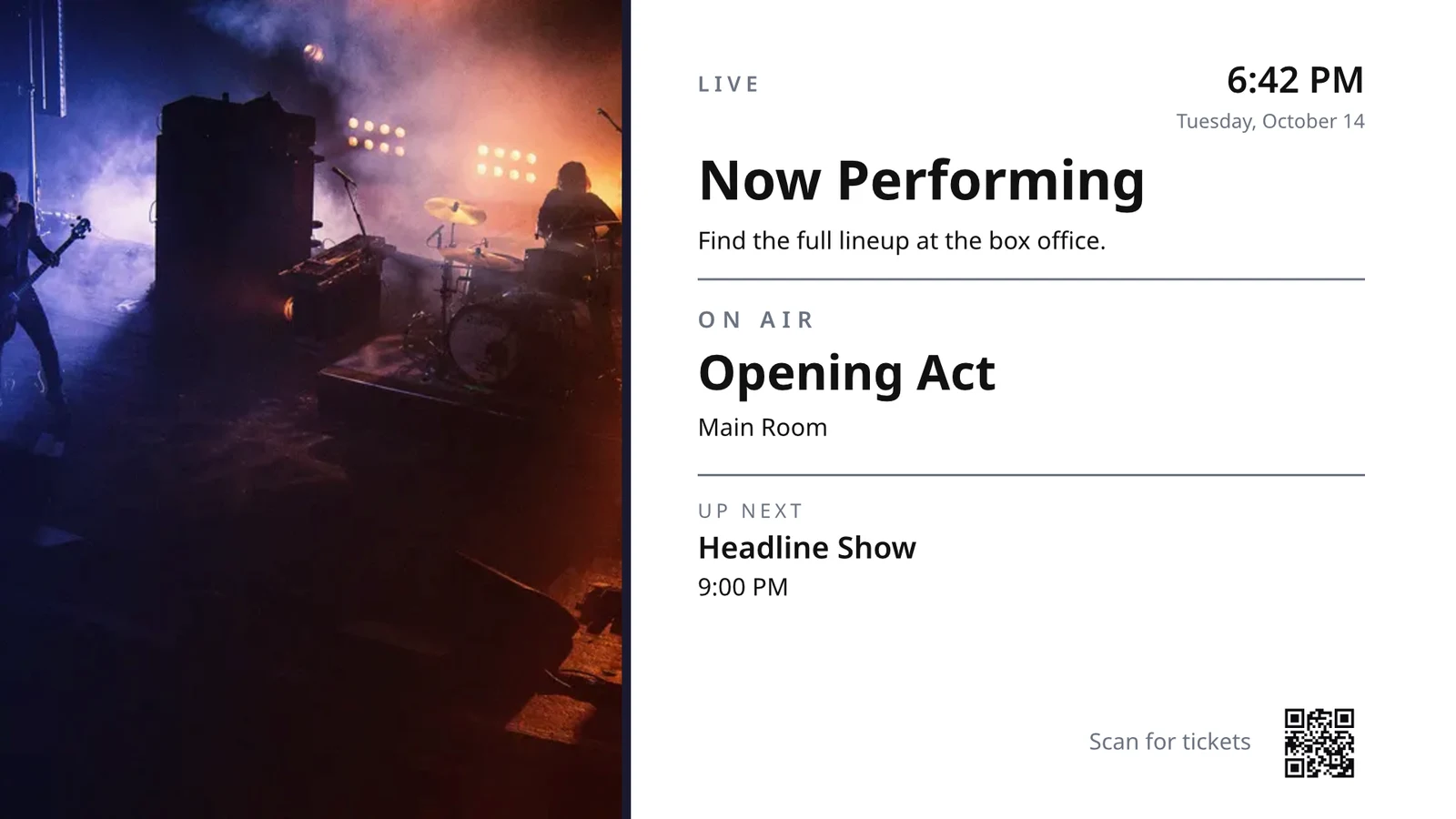
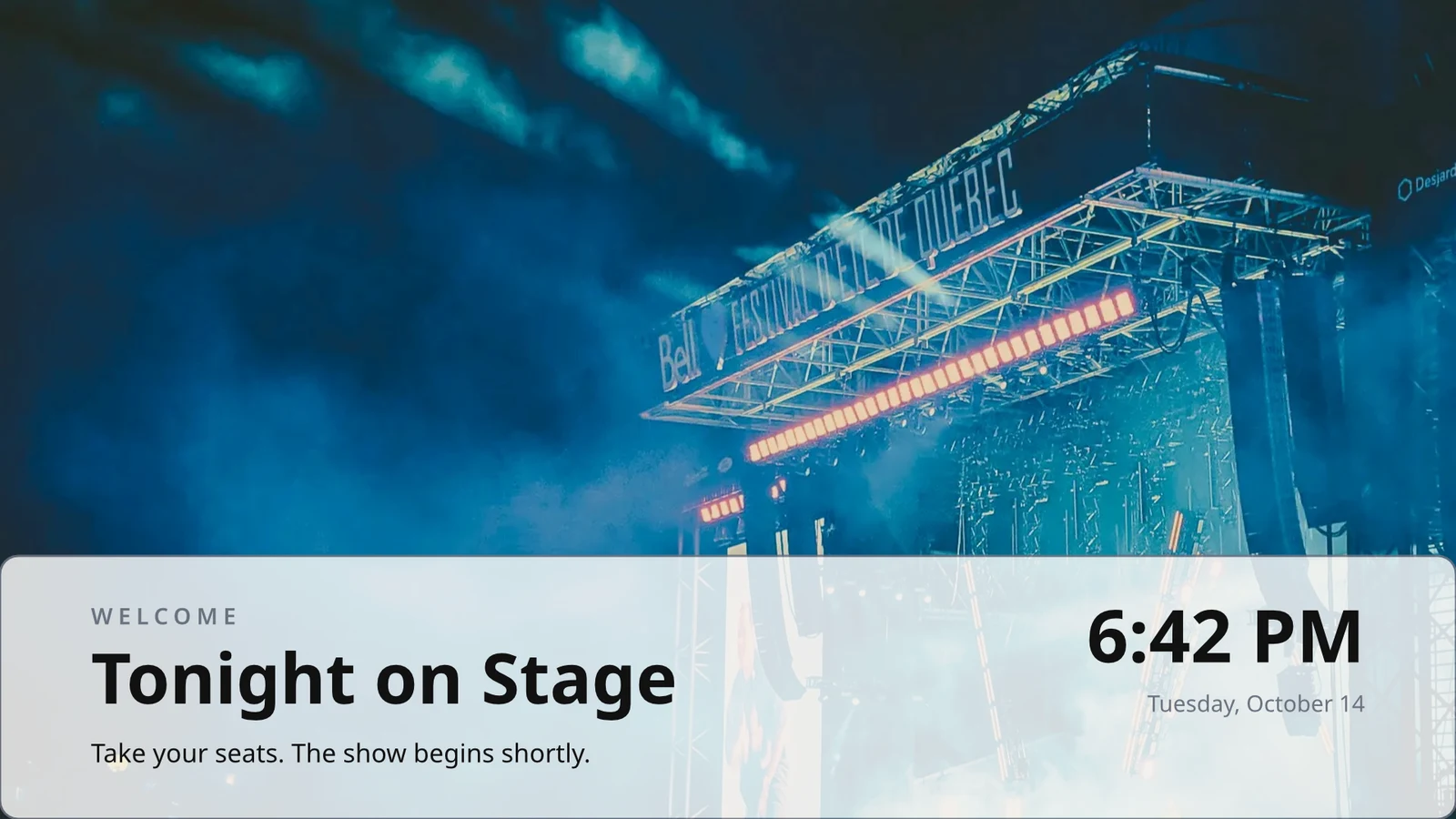
Filas que diseñas una vez
Diseña una fila de un menú, horario o lista de ofertas; la TV la repite para cada registro, página por página.
Temas
Los 48 Temas de Calisto y los tuyos, ajustados según el diseño y guardados como un Tema.
Publicar en pantallas
Cada página se dibuja a 4K; Update Screens llega a cada TV que reproduce el diseño simultáneamente.
123Cada página está dibujada en 4K para tus pantallas. Los datos en vivo, como tu menú, precios y el reloj, permanecen en vivo.
Las páginas giran con la transición que cada una tiene. Cada pantalla gira juntas.
Páginas en movimiento
Una página animada con Animate se reproduce en la TV como un video, por la duración de la página.
Page 2 of 3 · 10 segUna copia para cada ubicación
Cada ubicación recibe su propia copia, que mantiene las partes que bloquea y aplica sus cambios a ellas.
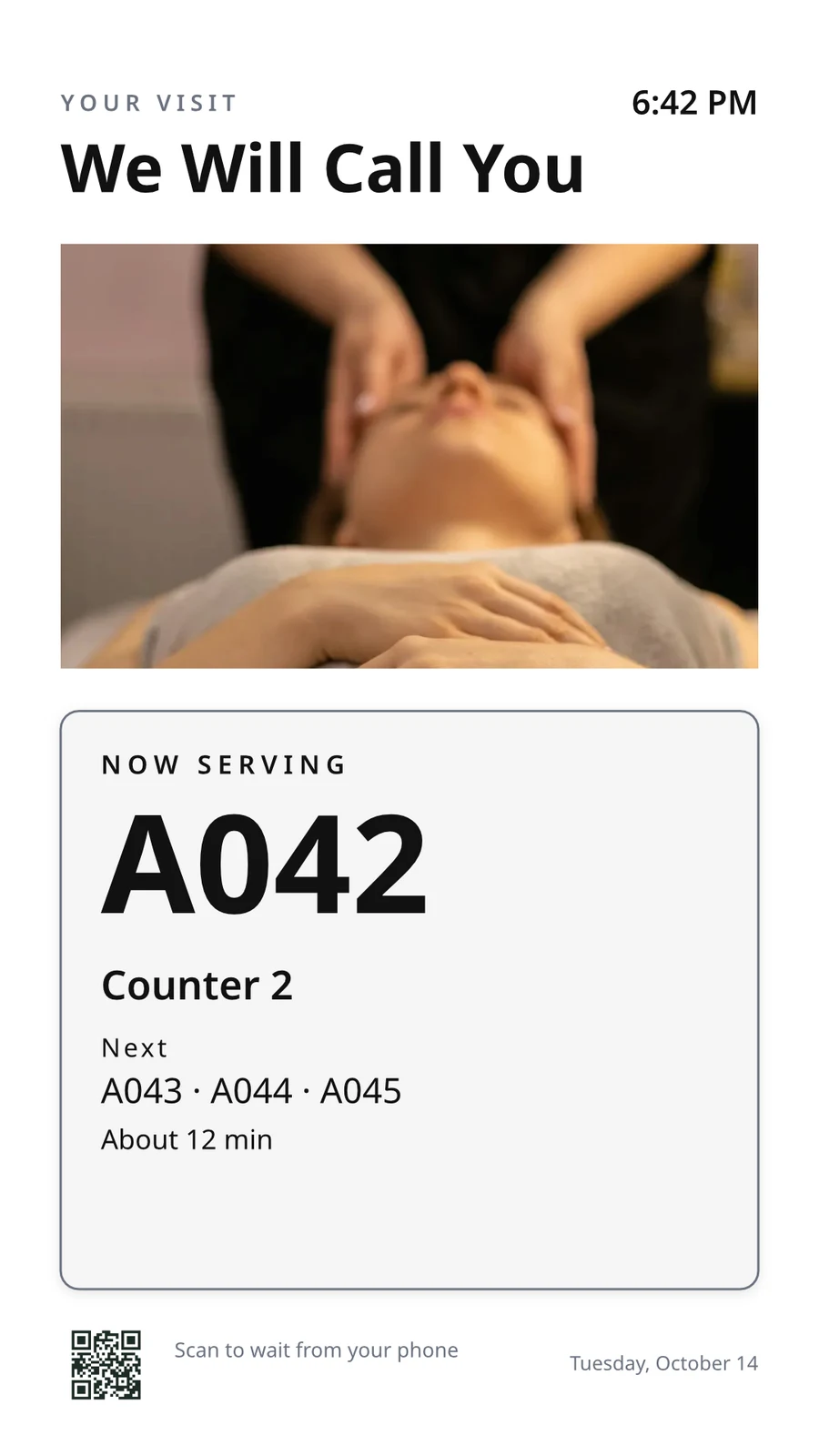 Bloqueado para copiasBloqueado para copias
Asocie un TV por su código y ejecútelo remotamente
La TV muestra un código de seis caracteres, y Añadir una TV lo empareja. Informa su plataforma, panel, táctil, control remoto y sonido. La página de cada TV muestra su estado de salud, su habitación y lo que ejecuta ahora y a continuación, con identificar, captura de pantalla, reiniciar y recargar.
Control remoto
Qué Ejecuta
Lunch menuMenu board · Promote & informEn emisión según el horario "Lunch menu on the pass".Próximo: Dinner menu desde 17:00Salud
- Estado
- Online
- Última vez visto
- 12 seconds ago
- Up Today
- 9 h 41 min
- Mostrando
- Lunch menu
- Plataforma
- Android TV
- Modelo
- 55" UHD panel
- App Version
- 3.14.2
- System Version
- Android TV 12
Qué Puede Hacer
TouchRemotoSoundFacturación
Sin anunciosEn los televisores que tiene
Apple TV, Android TV, Google TV y Fire TV, televisores inteligentes Samsung y LG, o cualquier navegador.
K7QX4MEsta pantalla comenzará automáticamente una vez que sea aprobada.Añadir un televisor
Introduzca el código que muestra su TV para emparejarlo con su cuenta.
Coloque otra pantalla en un televisor a la hora correcta hour
Un horario coloca una pantalla o una lista de reproducción en televisores o grupos de televisores seleccionados entre fechas, en días y horas seleccionados, en la zona horaria de cada televisor. El horario más específico gana. Cuando su negocio solicita aprobación, un horario solo se reproduce después de que alguien lo apruebe.
Horarios
Lo que reproducen tus TVs y cuándo
| Agenda | Descripción | Qué hace | Se Repite | Aprobación | Estado |
|---|---|---|---|---|---|
| Breakfast menu in the restaurant | Weekdays from 6:30 | Play the content chosen below | 3 TVs · 1 TV group | Aprobado | Activo |
| Sunset spa ritual offer | Lobby and pool bar, evenings | Play the content chosen below | 2 TV groups | Pendiente de aprobación | Activo |
| Rainy day activities | Only when it rains | Play the content chosen below | 1 TV group | Aprobado | Activo |
| Weekly restart | Mondays at 4:00 | Restart the TVs when it opens | TVs that run no screen of their own (account default) | Aprobado | Activo |
| Nyepi quiet day | Every TV off for the day of silence | Turn the TVs off for the whole window | 4 TV groups | Aprobado | Activo |
| Cooking class promo | Restaurant TVs, afternoons | Play the content chosen below | <2 TVs> | Devuelto | Inactivo |
| Wedding weekend welcome | Lobby, Friday to Sunday | Play the content chosen below | 1 TV group | Borrador | Inactivo |
| Galungan offerings guide | Lobby and villas, festival week | Play the content chosen below | 2 TV groups | Aprobado | Activo |
| Refresh before check-in | Daily at 13:45 | Refresh the TVs when it opens | 1 TV group | Aprobado | Activo |
| Kids’ club afternoons | Pool bar TVs, 14:00 to 17:00 | Play the content chosen below | <2 TVs> | Pendiente de aprobación | Activo |
Documentos, Hojas de cálculo y Presentaciones
Los PDFs, documentos, hojas de cálculo y presentaciones se reproducen como páginas, y una diapositiva de Slides de nuevo cada vez que se guarda.
Medios
Páginas web y paneles publicados
Una página web pública o un panel publicado en la web, dibujado al tamaño de la TV y actualizado en su intervalo.
Medios
Una página pública: tu sitio web, o un panel compartido por enlace. Se dibuja al tamaño de la TV y se muestra como una imagen.
Dashboards From Your Analytics Tools
Paneles de control de inicio de sesión generados a través de la exportación de imágenes de cada herramienta, con tu propia conexión, manteniendo su secreto sellado.
TV en vivo y transmisiones.
Su propio canal o transmisión de su proveedor de televisión, con su sonido encendido o apagado.
Members’ bar screen
Datos desde una hoja
Filas de una hoja que publicó, o un archivo CSV o JSON, página por página.
Tus publicaciones en redes sociales
Lo que publicó, y sus publicaciones recientes en cada uno de sus canales.
Tu transmisión, en vivo
Su transmisión o webinar mientras está en vivo, con las reacciones de la sala y un código para unirse.
Medios y Listas de reproducción
Fotos y videos en la biblioteca de medios, fotos de stock y listas de reproducción que cronometran cada elemento.
Medios
Aprobar o Enviar de Vuelta
Decidido en el horario, en el panel de aprobaciones o desde la notificación misma.
Fado night on the lobby TVs
Información del horario
- Descripción
- Thursday to Saturday evenings
- Aprobación
- Pendiente de aprobación
- Last Modified
- 21/11 · Inês Carvalho
Ventana
- Daily Window
- 18:00 to 23:00
- Active Days
- Thu, Fri, Sat
- Evaluated in
- Each TV’s own time zone
- Prioridad
- 20
Contenido
- Lista de reproducción
- Fado nights
- Screen content
- Keep each TV’s own content
Dónde
- Plays on
- 2 TVs · 1 TV group
- Grupos de TV
- Lobby TVs
Actividad
Predeterminado de la cuenta
Un horario sin TVs solo se reproduce donde una TV no ejecuta ninguna pantalla propia.
Nuevo horario
Elija qué reproducen sus TVs y cuándo
Dónde
¿Qué televisores reproducen este horario. Déjalo vacío en ambos campos para establecerlo como predeterminado a nivel de cuenta. Entonces se reproducirá en cada televisor que no tenga su propia pantalla.
Solo en algunos climas
Un horario o un elemento de zona solo suena cuando el cielo está despejado o lluvioso, o más cálido o más frío de lo que dices.
Nuevo horario
Elija qué reproducen sus TVs y cuándo
Clima
<Reproducir solo en ciertas condiciones climáticas, donde cada pantalla está configurada. Cuando el clima no puede ser leído, no se reproduce.
Reiniciar o Apagar
Una ventana que reinicia o actualiza los televisores una vez al abrirse, o los apaga hasta que se cierre.
Nuevo horario
Elija qué reproducen sus TVs y cuándo
Qué hace
Coloque un mensaje en cada TV, luego tómele abajo
Una alerta se muestra sobre lo que están reproduciendo los televisores seleccionados hasta que se borre o se agote el tiempo. Guárdela como borrador, actívela cuando sea necesario y bórrala de su página o de la notificación. Su texto aparece tal como está escrito, nunca como código.
Ver qué reprodujo cada TV y durante cuánto tiempo
Cada TV reporta lo que emite en cada entrada. El rendimiento cuenta las reproducciones, los minutos en los que estuvo encendida cada TV y los errores que detectó, por día y por TV, dentro del período que elija. Una TV que se apagó se lee como oscura. Los informes se sitúan junto a ella.
Rendimiento
Impressions, uptime and errors across your TVs, day by day.
| Fecha | TV | Impresiones | Tiempo de actividad (min) | Errores |
|---|---|---|---|---|
| 21/11/2026 | Lobby Welcome TV | 1284 | 1022 | 1 |
| 21/11/2026 | Restaurant Menu TV | 962 | 958 | 2 |
| 21/11/2026 | Front Desk TV | 1118 | 1440 | 1 |
| 21/11/2026 | Room 204 TV | 46 | 312 | 3 |
| 20/11/2026 | Lobby Welcome TV | 1301 | 1031 | 1 |
| 20/11/2026 | Restaurant Menu TV | 977 | 965 | 2 |
| 20/11/2026 | Housekeeping TV | 1440 | 1440 | 1 |
Tiempo de actividad
Crédito de cada entrada de TV, nunca asumido.
Rendimiento
Which TVs stayed up, and which dropped out.
| TV | Tiempo de actividad | Días con errores | Último error |
|---|---|---|---|
| Cold Prep TV | 95.8% | 2 | Yesterday |
| Rider Pickup TV | 97.1% | 1 | 2 days ago |
| Packing TV | 99.2% | 1 | 6 days ago |
| Office TV | 99.6% | 1 | 11 days ago |
| Expo TV | 99.7% | 1 | 19 days ago |
| Grill Line TV | 99.9% | 1 | 26 days ago |
Un Televisor Que Se Detiene
Los administradores son informados una vez cuando una TV se apaga y otra vez cuando vuelve a encenderse.
Sus reglas
Cada aviso es una regla de Automatización que puede cambiar o desactivar.
Automatizaciones
| Automatización | Cuando | Entonces | Últimos 7 días | Última ejecución | Estado |
|---|---|---|---|---|---|
| Tell the admins when a screen stops checking in | La pantalla se oscureció | < Informa a los administradores que una pantalla se apagó | 3 | Hace 2 horas | En |
| Tell the admins when a screen is back | La pantalla está de vuelta | Informa a los administradores que una pantalla está de vuelta | 3 | Hace 1 hora | En |
| Tell the admins when a schedule ends | El calendario ha finalizado | Informe a los administradores que un horario ha terminado | 1 | 9 days ago | En |
| Tell the admins when an alert goes live | Alerta en marcha | Diga a los administradores que una alerta se activó | 2 | Hace 3 días | En |
| Tell the admins when an alert is taken down | Alerta retirada | Diga a los administradores que una alerta se retiró | 2 | Hace 3 días | En |
| Informar a los aprobadores que una agenda espera aprobación | Programar esperas para aprobación | Informar a los aprobadores que una agenda espera aprobación | 4 | Ayer | En |
| Tell the sender their schedule was approved | Horario aprobado | Notificar al remitente la decisión según su horario | 3 | Ayer | En |
| Tell the sender their schedule was sent back | Horario enviado de nuevo | Notificar al remitente la decisión según su horario | 1 | Hace 2 semanas | En |
| Dígale a los administradores que la construcción de la aplicación de TV ha finalizado | Construcción de la aplicación de TV finalizada | Dígale a los administradores que la construcción de la aplicación de TV ha finalizado | 1 | 1 month ago | En |
Prueba de juego
Cada TV archiva lo que emite en cada registro, y una pantalla que falla muestra tu marca de agua de respaldo y se cuenta como un error.
Rendimiento
Proof of play: how often content and ads were on screen.
| Fecha | Impresiones | TV | Impresiones de anuncios | Audiencia por reproducción |
|---|---|---|---|---|
| 21 nov 2026 | 1,421 | Pickup TV | 366 | 14.8 |
| 21 nov 2026 | 1,304 | Menu Board Left | 341 | 12.1 |
| 21 nov 2026 | 1,298 | Menu Board Right | 339 | 12.1 |
| 20 nov 2026 | 1,377 | Pickup TV | 352 | 13.5 |
| 20 nov 2026 | 1,270 | Menu Board Left | 330 | 10.9 |
| 20 nov 2026 | 1,262 | Menu Board Right | 328 | 10.9 |
Audiencia
Cada reproducción cuenta las personas en la sala de la TV donde Access la cuenta, mostrada como el promedio por reproducción.
Rendimiento
Proof of play: how often content and ads were on screen.
| Fecha | Impresiones | TV | Impresiones de anuncios | Audiencia por reproducción |
|---|---|---|---|---|
| 21 nov. 2026 | 612 | Event Hall TV | 148 | 23,6 |
| 21 nov. 2026 | 588 | Floor 2 Lounge TV | 141 | 9,1 |
| 21 nov. 2026 | 541 | Kitchen TV | 129 | 6,8 |
| 21 nov. 2026 | 524 | Reception TV | 126 | 4,2 |
| 20 nov. 2026 | 597 | Event Hall TV | 143 | 31,0 |
| 20 nov. 2026 | 579 | Floor 2 Lounge TV | 139 | 8,4 |
Por pantalla
Cada cifra, una fila por TV, con impresiones y clics de anuncios.
Rendimiento
Every figure, one row per screen.
| TV | Impresiones | Impresiones de anuncios | Clics en anuncios | Tiempo de actividad (h) | Errores |
|---|---|---|---|---|---|
| Departures TV · Bávaro Office | 14,822 | 3,706 | 118 | 712 | 1 |
| Check-in Line TV | 12,406 | 3,101 | 96 | 698 | 1 |
| Dock Pier 2 TV | 11,930 | 2,982 | 74 | 655 | 2 |
| Beach Bar TV | 9,718 | 2,430 | 61 | 640 | 1 |
| Shop Window TV | 8,604 | 2,151 | 48 | 702 | 1 |
| Marina Lobby TV | 6,800 | 1,032 | 15 | 690 | 1 |
Rendimiento
Which TVs stayed up, and which dropped out.
| TV | Tiempo de actividad | Días con errores | Último error |
|---|---|---|---|
| Cold Prep TV | 95.8% | 2 | Yesterday |
| Rider Pickup TV | 97.1% | 1 | 2 days ago |
| Packing TV | 99.2% | 1 | 6 days ago |
| Office TV | 99.6% | 1 | 11 days ago |
| Expo TV | 99.7% | 1 | 19 days ago |
| Grill Line TV | 99.9% | 1 | 26 days ago |
Publica tu propia aplicación en las tiendas de TV stores
El constructor de la TV App diseña tu aplicación de marca para Apple TV, Android TV y Fire TV: su apariencia, su contenido y canales, una vista previa en un televisor, la construcción, la lista de la tienda y sus análisis. Calisto construye la aplicación de cada plataforma, y se te notifica cuando termina una construcción.
App de TV
Your branded app for Apple TV, Fire TV and Android TV. Design, build and publish it.
Diseño y Contenido
Colores, tipo, navegación, video y canales, previsualizados como una TV los dibuja.
App de TV
Your branded app for Apple TV, Fire TV and Android TV. Design, build and publish it.
#7b2cbfColor de fondo#120a1cEstilo de fondoSolidGradientDesenfocarControle sus TVs desde un teléfono
En un teléfono, la pantalla se abre en tus televisores y en los que te necesitan, primero los peores, cualquier alerta en las paredes y los horarios esperando aprobación. Una pantalla y un televisor se abren como sus propias páginas.
Sin Señal
<Hogar, televisores, la página de un televisor y Alertas se abren sin conexión en un dispositivo que elijas.
Estado de la TV
Televisores en línea, televisores que necesitan de usted, alertas mostradas y aprobaciones pendientes, en el Panel de Widgets de Windows.
Compartir fotos dentro
 fine-dining-01.jpgImagen · Hace un momento
 fine-dining-02.jpgImagen · Hace un momento
 restaurant-01.jpgImagen · Hace un momento
 fine-dining-04.jpgImagen · Ayer
 restaurant-03.jpgImagen · Hace 3 días
 restaurant-02.pngImagen · La semana pasadaBistro Kogarashi · Tokyo
Las fotos y videos compartidos desde el teléfono llegan a la biblioteca de medios.
Atajos
TVs, Alertas, Horarios, Añadir una TV, Mis Pantallas y Vista previa en vivo desde el icono de la app.
Alerta Clara o Aprobación desde el Aviso
Resuelve una alerta que otro administrador haya elevado o aprueba un horario que esté esperando, desde la notificación.
Donde Display toca todo lo restante.
4 of these 8 connections are in your plan today; the others are their own apps.
Dine
The kitchen display shows and bumps the kitchen’s own orders, and the menu board reads the menu set up in Dine.
Stays
A guest TV reads the stay in its room, and the housekeeping TV is the same board as Stays’ Housekeeping.
Coworking
A meeting room’s door sign is made and paired from Coworking’s Spaces, each paired with the room it hangs outside.
Kiosks
Kiosks and TVs are set up through the same screen records, and play the same designed screens and live feeds.
Orderflow
Room service ordered from a guest TV goes to Orderflow, and the order fulfillment screen is Orderflow’s queue on a TV.
Studio
Designed screens are made in the same design editor Studio opens, and a Studio design at TV size plays as one.
Automations
Every notice Display sends is an Automations rule, and other apps’ rules can repaint a board.
Ads
A free TV’s ad band is filled through Ads, the one place a screen’s ads are chosen.
Sin costo de instalación. Paga solo cuando comiences a usarlo.
Every TV free with Calisto’s ad band, or ad-free per TV.
Pantalla Calisto
Runs the TVs in a business: kitchen displays, pickup and now-serving boards, guest TVs, menu boards, signage and designed screens, with schedules, alerts and performance.
Recomendado para ti
Funciona bien junto.
Calisto Dine
Incluido con sus planes
Tu app Core muestra todo lo que activan tus planes de Comercio y Operaciones.
Learn more →Calisto Stays
Incluido con sus planes
Tu app Core muestra todo lo que activan tus planes de Comercio y Operaciones.
Learn more →Calisto Coworking
Incluido con sus planes
Tu app Core muestra todo lo que activan tus planes de Comercio y Operaciones.
Learn more →Calisto Kiosks
Calisto Kiosks
One job per kiosk, from check-in and ordering to wayfinding, set up on any tablet at your own kiosk address, with each screen’s own card terminal and printer.
Learn more →Calisto Orderflow
Calisto Studio
Calisto Create
A Studio seat designs anything at every size, from Calisto’s templates or a blank page: layers, photos, Copy & Resize, Bulk Create, mockups, QR codes, print-ready PDFs, sharing and whiteboards.
Learn more →Calisto Automations
Calisto Ads
Calisto Engage
Run campaigns on the websites, apps, kiosks, TV screens and member portals other Calisto businesses publish, and sell the ad space on your own.
Learn more →Recomendado para
Las industrias que ejecutan Display, y para qué ejecuta cada una de ellas la aplicación.
Hoteles y ResortsLobby & meeting screens
Lobby, meeting floor and restaurant screens.
Hoteles y Resorts en Calisto →RestaurantsDigital menu boards
Kitchen display and guest-facing menu screens.
Restaurants en Calisto →Desarrollo inmobiliarioSales gallery screens
Sales gallery screens and site hoardings.
Desarrollo inmobiliario en Calisto →Salones y BarberíasLobby screen
The waiting area reads the same queue as the desk.
Salones y Barberías en Calisto →Live Music & FestivalsStage & wayfinding screens
Stage, wayfinding and sponsor screens.
Live Music & Festivals en Calisto →Marathons & EnduranceStart, finish & expo screens
Start, finish and expo screens.
Marathons & Endurance en Calisto →Venue ManagementWayfinding & room screens
Wayfinding, room and sponsor screens.
Venue Management en Calisto →Estadios y arenasConcourse & stand screens
Wayfinding, concourse and sponsor screens.
Estadios y arenas en Calisto →Clubes de golfClubhouse screens
Tee sheet, leaderboard and clubhouse screens.
Clubes de golf en Calisto →Espacios de coworkingRoom screens
Room availability and community screens.
Espacios de coworking en Calisto →In-Person RetailersIn-store screens
Window, shelf-edge and queue screens.
In-Person Retailers en Calisto →Todo incluido en Calisto Display.
- New: every job a TV can do, ordered for your industry, each shown running on sample data, with the one choice that makes it this screen and where it works.
- Set Up Every Screen: your kind of business’s set at once, a screen set for each of the 38 kinds of business.
- Run the operation: kitchen display (prep, expo and bar, with bump), housekeeping and room status, front desk, today’s appointments, golf starter, door counter, order fulfillment (Orderflow’s queue, with accept, reject and bump) and sales targets.
- Move customers: order pickup, now serving on any app’s walk-in line, check-in welcome, meeting room sign, departures and tours, wayfinding, tournament and race leaderboard, class schedule.
- Serve guests: the guest TV in a hotel, apartment or short-stay room, and the resident and member TV.
- Promote and inform: designed screen, digital signage with zones and playlists, menu board, offers and upgrades, property window, on air.
- A screen’s record: Purpose, Where (location, station, counter, room, course or event, filled in when there is one), Content, Look (dark or light, your logo and color), TVs and Schedule, beside the screen running live on your data.
- Put It on a TV: the one step that puts a screen on its TVs, refused with the reason when something it needs is missing.
- My Screens: each screen, what it runs and on how many TVs.
- Other apps put their own screens on a TV from their own desk: now serving from a walk-in line, a leaderboard from a competition, room signs from Coworking’s Spaces and every Events host’s Rooms.
- The kitchen display reads and moves the kitchen’s orders, the same orders Dine’s kitchen screen and Station work from.
- The menu board reads the menu set up in Dine.
- Room service ordered on a guest TV is charged to the stay and handed to Orderflow, whose accept fires the kitchen.
- Late checkout and the property guide come from the stay and the property.
- The housekeeping TV is the same board as Stays’ Housekeeping, moving each room’s tasks.
- Staff act from a staff screen of their own account; a guest acts only from the room TV while its stay is checked in.
- A TV reads only its own screen’s data, scoped on the server to its station, counter or room.
- The design editor Studio uses, at 16:9 landscape or 9:16 portrait; a Studio design at a screen’s shape is a designed screen too.
- Start blank or from 160 layouts, 81 landscape and 79 portrait, each tagged with its industries and carrying photographs, your own industry first.
- Themes: Calisto’s 48 and your own, chosen and tuned per design, Save as Theme; a design that picks none keeps its own look.
- Live Data: the menu, the schedule (classes, sessions, events, tours, race waves, today and the next six days), offers running now, homes on the market, a dish’s price, the offer on now, clock, date, weather, guest Wi-Fi, a QR code, the number being served and what is on air.
- Lists are one designed row, repeated for every record in the list’s columns and gaps, paging by its area; a list with no records draws nothing.
- Publish to Screens draws each page at 4K and keeps the live layer apart; Update Screens reaches every TV and kiosk playing the design at once.
- Each page shows for its own length; pages turn together across a bank of TVs.
- A page animated with Animate plays as a video made on your device or Calisto’s servers, from the start each time the page comes on.
- Played full screen, or as an item in any signage zone.
- People Inside: how many are in the screen’s room now, its limit, the places left and how full it is, where Access counts the room.
- A copy for each location keeps the parts its original locks for copies, and takes their changes; your business chooses who may lock them.
- Add a TV: the TV shows a six-character code; you enter it and give the TV a name and, in a room, its room.
- The TV reports its platform, panel resolution, touch, remote and sound at pairing and on every check-in.
- Apple TV, Android TV, Google TV and Fire TV run the Calisto TV app from their stores; Samsung Tizen and LG webOS open it from their own app; any browser opens the TV address.
- A TV that cannot get a code keeps asking and replaces a lapsed code by itself.
- TVs: every TV, its platform, location, what it runs, its state and when it was last seen, searched, filtered and sorted on the server however many you have.
- A TV’s page: health, capabilities, room, what it runs now and next, Choose What This TV Runs, remote control, billing and unpair.
- Remote control: identify, screenshot, restart and reload, answered by the TV on its next check-in; on a commercial display that lets Calisto control it, turn on, turn off, switch input and volume.
- Video walls: TVs mounted together play one screen across the wall, each its slice, with the panels’ frames allowed for.
- One clock for every TV: page turns, zone rotations, looping videos and music play in step across screens.
- Audio zones: your own tracks or your music service’s stream under whatever a set of TVs shows, every TV at the same moment, quieter for a chime, silent while a TV sleeps.
- TV hours: TVs follow the place’s opening hours or your own; outside them they go dark and wake for opening.
- Meeting rooms: a room’s TV shows the Calisto Live meeting booked in it, a code to join before it starts and the meeting once it is live.
- Runs as the digital signage of the video-meeting displays in your rooms.
- TV Groups: a floor, a building or a brand as one target.
- A TV with nothing to run shows your logo, your name and the time where it hangs.
- Starts from what it last received when it powers on with no network.
- Spaces: a TV assigned to an archived Space stops; one that cannot be read for a moment keeps playing.
- Unpair reaches the TV on its next check-in.
- Live Preview: what a real TV is showing right now.
- A schedule puts a screen, or a playlist in a signage screen’s main zone, on chosen TVs and TV groups between dates, on chosen days and hours.
- Each TV keeps its own time zone; a schedule may set one.
- The most specific schedule wins (a TV, then its group, then the account default), then priority, then the latest start.
- A schedule with no TVs is the account default: it plays only on a TV that runs no screen of its own.
- Approvals: when your business asks for them, a schedule plays only once approved; Approve, or Send Back with a note, on its page, in the Approvals panel or from the notification.
- A schedule that is on is turned off before it can be deleted.
- Media: photos and videos (JPEG, PNG, WebP, GIF, MP4, WebM), audio, stock photos and playlists that time each item by its seconds.
- Documents, decks and web pages: PDFs, documents, spreadsheets, presentations and Slides decks play as pages; a public web page or a published dashboard is drawn at the screen’s size and refreshed on your interval.
- Dashboards: your analytics tools’ dashboards drawn through each service’s own image export with your own connection, its secret kept sealed, refreshed on your interval.
- Zones also play live TV and IPTV streams, your Live broadcast with its reactions, rows from a published Sheet or a CSV or JSON file, and your published social posts.
- A schedule or a zone item can play only in some weather: rain, snow, sun, warmer or colder than you say.
- An alert goes over whatever its TVs are playing until it is cleared or its time runs out.
- Info, warning or critical, with its colors and how long it stays.
- Saved as a draft, activated when needed, cleared from its page, the list or the notification.
- Each alert names who raised and who cleared it; its text shows as written, never as code.
- An Access alert (a lockdown, an evacuation) goes over the TVs where it is raised and comes off at the stand-down.
- Official warnings from public alerting authorities go over the TVs at the places they cover until they end.
- Your own alert system, such as a campus or building system, posts to a private address, in CAP or JSON, and its alerts go over the TVs at the places you choose until it cancels them.
- Rules put a screen on the TVs for a while when something happens: a visitor checks in, a badge is shown at a door, a zone fills up.
- Overview: plays, minutes on and errors, in total and by TV and day, over all time, 7, 30 or 90 days.
- Impressions, Uptime and By Screen views, and Reports.
- Proof of play: each TV files what it plays on every check-in; a screen that fails is shown as your branded fallback and reported as an error.
- Uptime is credited from check-ins, so a TV that was dark reads as dark.
- Audience: each play counts the people in the TV’s room where Access counts it, shown as the average per play.
- Notices as Automations rules you can change or turn off: a TV stopped checking in or is back, a schedule ended, an alert went live or was cleared, a schedule waits for approval, was approved or sent back, a TV app build finished.
- The fleet is checked every 15 minutes, on Calisto’s database or your own.
- Every paired TV is free with 15% of the screen given to an ad band, on customer and guest screens.
- Staff screens never show ads, and a guest navigating a room TV sees none.
- Remove Ads makes one TV ad-free at the per-TV price, agreed once before anything is billed.
- An ad-free TV may opt back in: its band sells with you as the seller, sharing what it earns, and your own ads fill the rest.
- Ad Surfaces: your own house ads.
- Your branded app for Apple TV, Android TV and Fire TV.
- Overview, Design, Content, Preview, Build, Store Listing and Analytics in one workspace.
- Built by Calisto’s build pipeline for each platform; Display holds no store keys.
- Analytics: installs, active TVs and watch time by month.
- Tabs for Home, TVs, Alerts and Schedules, and More for the whole menu.
- Home: the fleet’s counts and the TVs that need someone, worst first, any alert on the walls and schedules waiting for approval.
- A screen and a TV open as their own pages, with Put It on a TV and Choose What This TV Runs; alerts and schedules are edited from their own pages.
- Designed screens and the TV App’s artwork open in the phone design view: pages, Edit Words and Photos, Publish to Screens.
- Shortcuts: TVs, Alerts, Schedules, Add a TV, My Screens and Live Preview.
- Home, TVs, a TV’s page and Alerts open with no signal on a device you choose; raising or clearing an alert, approving a schedule and restarting a TV need the signal, and say so.
- Notifications with buttons: Clear Alert on an alert another admin raised, Approve on a schedule waiting for you.
- TV Status on the Windows Widgets Board: TVs online, TVs that need you, alerts showing and schedules waiting.
- Photos and videos shared from the phone land in Media.
- Calisto’s search finds TVs, screens, schedules and alerts.
- Every create happens once, however often the button is pressed.
Questions about Calisto Display
Un Apple TV, Android TV, Google TV o Fire TV ejecuta la app Calisto TV desde su tienda; los televisores inteligentes Samsung y LG la abren desde su propia app; cualquier otro televisor con navegador abre su dirección. El televisor muestra un código y lo emparejas desde Agregar un televisor. Calisto no instala nada en tus instalaciones.
La pantalla de cocina muestra y prioriza los pedidos que recibe tu cocina, los mismos pedidos desde los que trabaja la pantalla de cocina de Dine y una Estación, y el tablero del menú lee el menú configurado en Dine. Una pantalla que lee los registros de otra aplicación necesita esa aplicación; una pantalla diseñada, señalética y alertas no necesitan nada más.
Un televisor gratuito cede parte de su pantalla a los anuncios de Calisto en pantallas de clientes y huéspedes. Las pantallas de personal nunca muestran anuncios, y un huésped que usa un televisor de habitación no ve ninguno. Quitar anuncios hace que un televisor sea libre de anuncios al precio por televisor, y un televisor libre de anuncios puede volver a optar por participar y ganar una parte.
Un televisor conserva lo que recibió por última vez y arranca desde ahí cuando se enciende sin red. Su página muestra cuándo se conectó por última vez, y a los administradores se les notifica una vez cuando un televisor se apaga y otra vez cuando vuelve.
Donde el trabajo lo necesita. El personal de cocina mueve tickets desde el display de cocina, la limpieza mueve habitaciones en su tablero, y un invitado pide servicio de habitaciones o solicita salida tardía en la TV de la habitación mientras la estancia está registrada. Un tablero de menú no realiza ninguna acción en absoluto.
Las fotos y videos se suben a Media, también desde un teléfono, y se reproducen en listas de reproducción y zonas de señalización. Las pantallas de marketing se diseñan nuevamente en Diseñadas Pantallas, partiendo de una plantilla para su industria, con datos en vivo donde de otro modo se escribiría un precio o una hora.