Video meetings anyone joins from a link, and the recap when they end.
Meet your team and your clients face to face, present your work, or run a webinar for an audience. Guests join in their browser with nothing to install, and when it ends you have the summary, the decisions, the action items and the recording.




 Live38Gastown Loft, 2 Bed318 Water St, Vancouver$1,149,000CondoLeads 9
 Luca BianchiERElena RicciGRGiulia RomanoCFChiara Ferrari
 Take a PhotoAnna KowalczykVideo InspectionFilter conditionCoil and finsDrain lineRefrigerant pressure
 Live38Gastown Loft, 2 Bed318 Water St, Vancouver$1,149,000CondoLeads 9Luca BianchiERElena RicciGRGiulia RomanoCFChiara FerrariTake a PhotoAnna KowalczykVideo InspectionFilter conditionCoil and finsDrain lineRefrigerant pressureLive38Gastown Loft, 2 Bed318 Water St, Vancouver$1,149,000CondoLeads 9Luca BianchiERElena RicciGRGiulia RomanoCFChiara FerrariTake a PhotoAnna KowalczykVideo InspectionFilter conditionCoil and finsDrain lineRefrigerant pressureLive38Gastown Loft, 2 Bed318 Water St, Vancouver$1,149,000CondoLeads 9Luca BianchiERElena RicciGRGiulia RomanoCFChiara FerrariTake a PhotoAnna KowalczykVideo InspectionFilter conditionCoil and finsDrain lineRefrigerant pressure
 47:0500:00Why Karaköy09:42Fit-out and timing21:15Menu for the second site33:50Hiring the opening team
 36:20Link copied. Anyone with it can watch the recording.47:0500:00Why Karaköy09:42Fit-out and timing21:15Menu for the second site33:50Hiring the opening team36:20Link copied. Anyone with it can watch the recording.47:0500:00Why Karaköy09:42Fit-out and timing21:15Menu for the second site33:50Hiring the opening team36:20Link copied. Anyone with it can watch the recording.47:0500:00Why Karaköy09:42Fit-out and timing21:15Menu for the second site33:50Hiring the opening team36:20Link copied. Anyone with it can watch the recording.Live38Gastown Loft, 2 Bed318 Water St, Vancouver$1,149,000CondoLeads 9Luca BianchiERElena RicciGRGiulia RomanoCFChiara FerrariTake a PhotoAnna KowalczykVideo InspectionFilter conditionCoil and finsDrain lineRefrigerant pressure47:0500:00Why Karaköy09:42Fit-out and timing21:15Menu for the second site33:50Hiring the opening team36:20Link copied. Anyone with it can watch the recording.
Every kind of session, and the recap after
Meetings, calls, webinars, broadcasts and video messages share one list, one room and one recap.
Meetings and Calls
Now, scheduled, or a teammate rung.
The Room
Host controls, presenting and captions.
Webinars
Registration, backstage and Q&A.
Broadcasts and Showcases
One to many, and streamed out.
The Recap
Summary, tasks and the recording.
Video Messages
Recorded now, watched later.
Video Inspections
A job inspected on a call.
On a Phone
The same sessions in your pocket.
Start a meeting now, schedule one, or ring a teammate
Meet Now opens a room and hands you its link. A scheduled meeting or weekly series sends each invitee a calendar invitation with their own link and guest PIN, and an edit or a cancellation reaches their calendar too. My Room is your permanent link.
Call From a Conversation, With Equipo
Call or Video Call in an Equipo conversation rings its people and opens the call in place. Do Not Disturb is respected, and a missed call is told once.
A Series, Each in Its Own Room
Daily, weekly, every two weeks or monthly. Edit or cancel this one, this and the following, or the whole series.
My Room
One permanent link and PIN of your own. Each time you open it is its own session, and a knock tells you someone is waiting.
Luca BianchiMy meeting roomLinklive.calistoco.com/live/r/luca-bianchiGuest PIN305 771Copy LinkCopy InvitationShareGuests Join Free
Anyone outside your business joins from the link and PIN in a browser. The people of your business who host or join use their Live seat.
The Meeting’s Chat, Before and After
The meeting’s page carries its chat, open before it starts and after it ends, for the people in it.
Booked by Your Clients
Schedule Engine’s booking page lets a client pick a time with you, and a virtual booking opens its own room.
From Deals and Connect
The same sessions list opens inside Deals, and a client’s meetings are listed in their thread in Connect.
Run the room, present, and keep everyone involved
Each person checks their camera and microphone in the lobby, then the host admits them from the waiting room. Mute one person or everyone, remove someone, lock the room, spotlight a speaker, make a co-host or hand the host role over.
Luca BianchiGRGiulia RomanoERElena RicciFMFederico MorettiCFChiara FerrariMCMarco ContiPresent a Deck, Doc or Sheet
Put a Calisto deck, document, sheet or blank whiteboard on the stage. Everyone follows your slide, late joiners too; you keep the speaker notes and the next slide.
 Next Slide
 Speaker NotesWalk them through the three packages. Annika asked about the garden dinner on the first call, so start with Two Nights and point out it is included. Mention the April dates are still open.
Register an audience and run the webinar from backstage
Each person registers on the webinar’s page and gets their own link to join. A limit opens a waitlist that moves up in order. Each registrant is filed as your client, and the confirmation and the reminders are rules you edit in Automations.

Backstage
Hosts and panelists meet in a private room beside the stage, out of the audience’s sight and hearing.
Moderated Q&A
A question reaches the moderators and its asker. Approve, answer or close it; raised hands come to the host.
Registrations and the Waitlist
- YJYoon Ji-hojiho.yoon@naver.comRegisteredOpen House: Business Korean2026. 11. 04.
- HSHan So-yeonsoyeon.han@gmail.comRegisteredOpen House: Business Korean2026. 11. 05.
- LNLim Na-raenarae.lim@daum.netRegisteredOpen House: Business Korean2026. 11. 05.
- DFDaniel Fischerd.fischer@posteo.deWaitlisted · #1Open House: Business Korean2026. 11. 08.
- MCMariana Costamariana.costa@gmail.comWaitlisted · #2Open House: Business Korean2026. 11. 09.
- TMTran Minh Anhminhanh.tran@gmail.comWaitlisted · #3Open House: Business Korean2026. 11. 09.
Every registrant in one list, registered or waitlisted with their place. Remove one, and those waiting are given the place and told.
Play a Recording
Play one of your recordings into the session as though it were live, then stop it and go live.
Ask for a Consultation
- ABAdwoa BaduLand purchase, East LegonBuying Land in Ghana: What to Check10/11/2026
- FAFiifi AmoahFamily land lease, AburiBuying Land in Ghana: What to Check10/11/2026
- KOKwesi OforiIndenture review, TemaLive09/11/2026
- ASAma SarpongProbate and title, KumasiLive08/11/2026
- EQEsi QuayeLease of stool land, Cape CoastLive06/11/2026
Registrants may tick I would like a consultation, and each one who does becomes a lead in Deals, or an inquiry in Legal.
Feedback
Attendees rate the session when it ends, and the host reads every answer on the recap.
Consent When You Ask for It
Ask for consent on the registration page, and it is recorded with the registration.
Broadcast to an audience, stream out, or tour a property
In a broadcast the audience watches, reacts and answers polls. Stream any session that allows it to a streaming platform or your own server, and stop any stream from one list. A broadcast is checked for illegal content while it runs.
Stream Out
Choose where it goes, paste the stream key and start. Every stream running is listed in one place, each with Stop.
On Your TVs, With Display
A TV shows a broadcast or webinar that is live as a viewer, with the room’s reactions floating over it.
Announce It, With Campaigns
Announce opens Campaigns’ email composer beside the broadcast.
Showcases
A property presented live with its details beside the video. Each viewer who leaves their details is a lead to follow up; agents run the same showcases from Listings.
 Live46Villa CoralCalle Las Palmas 14, Cap Cana, Punta CanaUS$1,250,000Villa
- HWHannah Weisshannah.weiss@gmx.deVery interested
- PLPierre Laurentp.laurent@orange.frVery interested
- SKStefan Krausstefan.kraus@web.deInterested
- IMIsabel Morenoisabel.moreno@gmail.comInterested
- OPOlga Petrovaolga.petrova@yandex.comBrowsing
- JWJames Whitakerjames@whitaker.co.ukBrowsing
Seminars, With University
Training sessions authored in University run in this room, with attendance and certificates for those who came.
- TATomás Aguilar58:10Download certificate
- RCRenata Chan58:02Download certificate
- ICIván Canul57:44Download certificate
- LPLucía Pech55:31Issue certificate
- ENEmilio Navarro51:18Issue certificate
Open the recap the moment the meeting ends
The recording is transcribed and summarized: an overview, key points, decisions, next steps and action items. Pick which action items become tasks. Action cards move a deal, book, open a ticket or adjust stock in the app that holds the record, through that app’s own checks.
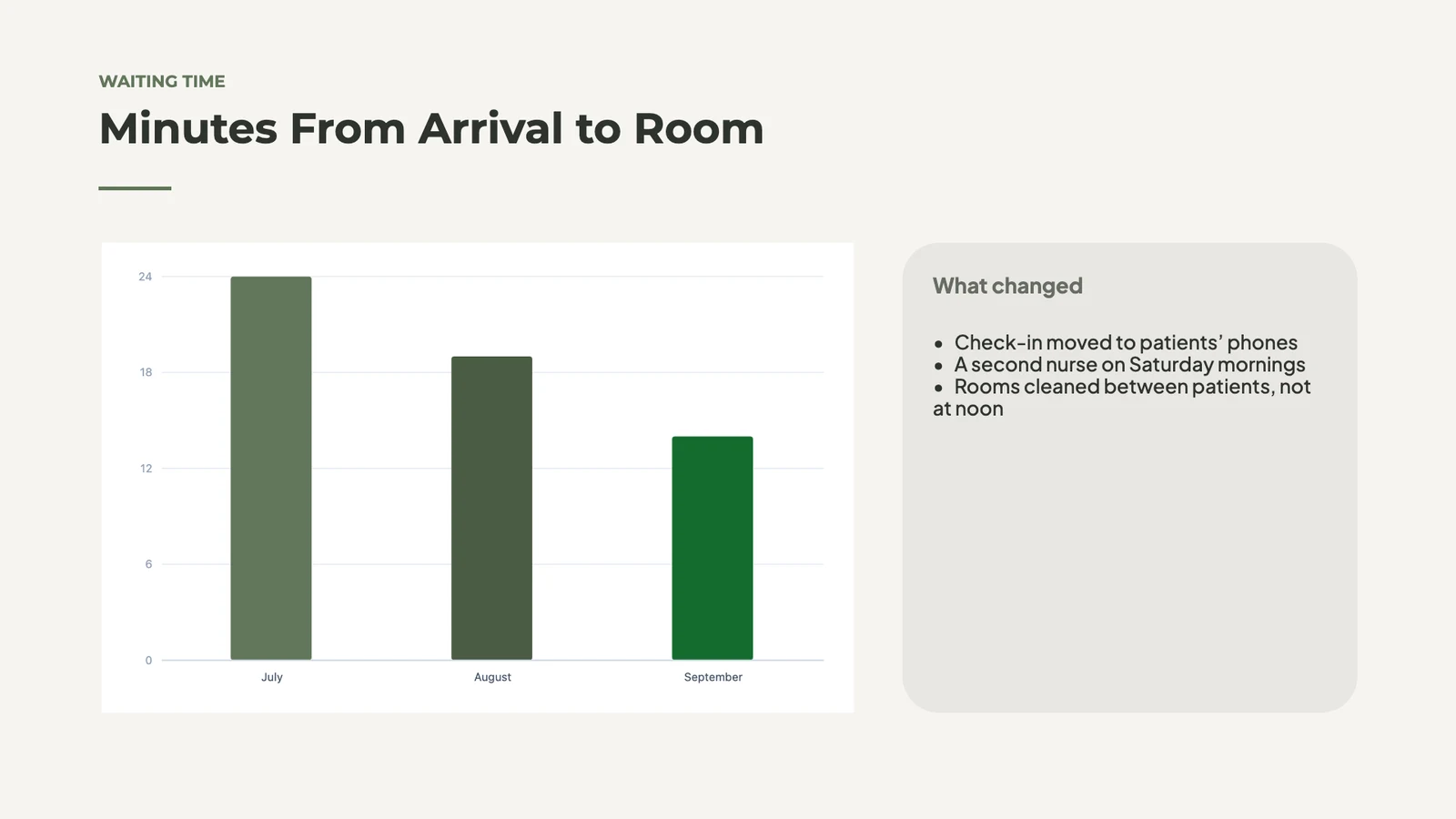
The team went through the quarter’s patient survey: waiting time is the first complaint, and Saturday slots fill a week ahead. They agreed to open Saturday mornings for physiotherapy and to send a reminder the day before each visit.
DecisionsAdd Saturday morning physiotherapy slots from next month.Text a reminder the day before each visit.Key Points- Average wait at the front desk is 14 minutes.
- Saturday slots are booked 8 days ahead.
- Most complaints mention parking.
- Casa Pereyra: Design Review09/11/2026 · 62 min · 6 chaptersIn the transcript23:14…if we move the skylight over the stairs, the hall gets morning light…
- Weekly Studio Meeting06/11/2026 · 44 min · 4 chaptersIn the transcript08:51…the skylight supplier can deliver in three weeks, not six…
- Site Visit: Palermo Loft01/11/2026 · 27 min · 3 chaptersIn the transcript15:02…the old skylight leaks at the north corner, see the photo…
- Client Call: Díaz Kitchen29/10/2026 · 33 min · 4 chaptersIn the transcript19:47…a small skylight over the island instead of pendant lights…
- Budget Review: Casa Pereyra25/10/2026 · 38 min · 5 chaptersIn the transcript30:22…the skylight is the one line we could still cut…
- Studio Retreat Planning20/10/2026 · 51 min · 5 chaptersIn the transcript41:09…the cabin with the skylight in the reading room…
Record a video message and send it as a link
Record your camera or your screen in the browser and send the link to a client or a teammate. It is transcribed and summarized like a meeting. A recording not yet uploaded stays on your device until it is.
Luca BianchiLuca walks Elena through three logo directions for Ricci Gelateria and recommends the second. Elena is asked to choose one before the menus are drawn.
Watched With Its Transcript
The viewer plays it with its transcript and summary beside it.
Hannah explains the three figures on Murray Joinery’s VAT return, why the quarter is lower than last year, and that nothing needs paying before the 7th.
Inspect a job and guide a technician by video
Start a video call from a task in Trades or a visit in Orderflow. The client joins free from the emailed link while you walk the inspection beside the call, taking photos from their camera onto its items. The task lists its calls.
Anna KowalczykTNTomasz NowakMark Up What You See
Freeze what the technician’s camera shows, mark it up and send it to everyone in the call.
 A picture marked up for youAdd to the JobCloseMargaret EllisJMJack Mitchell
Onto the Job, With Dispatch
The host adds a marked-up picture to the task’s work photos.
Added to the Job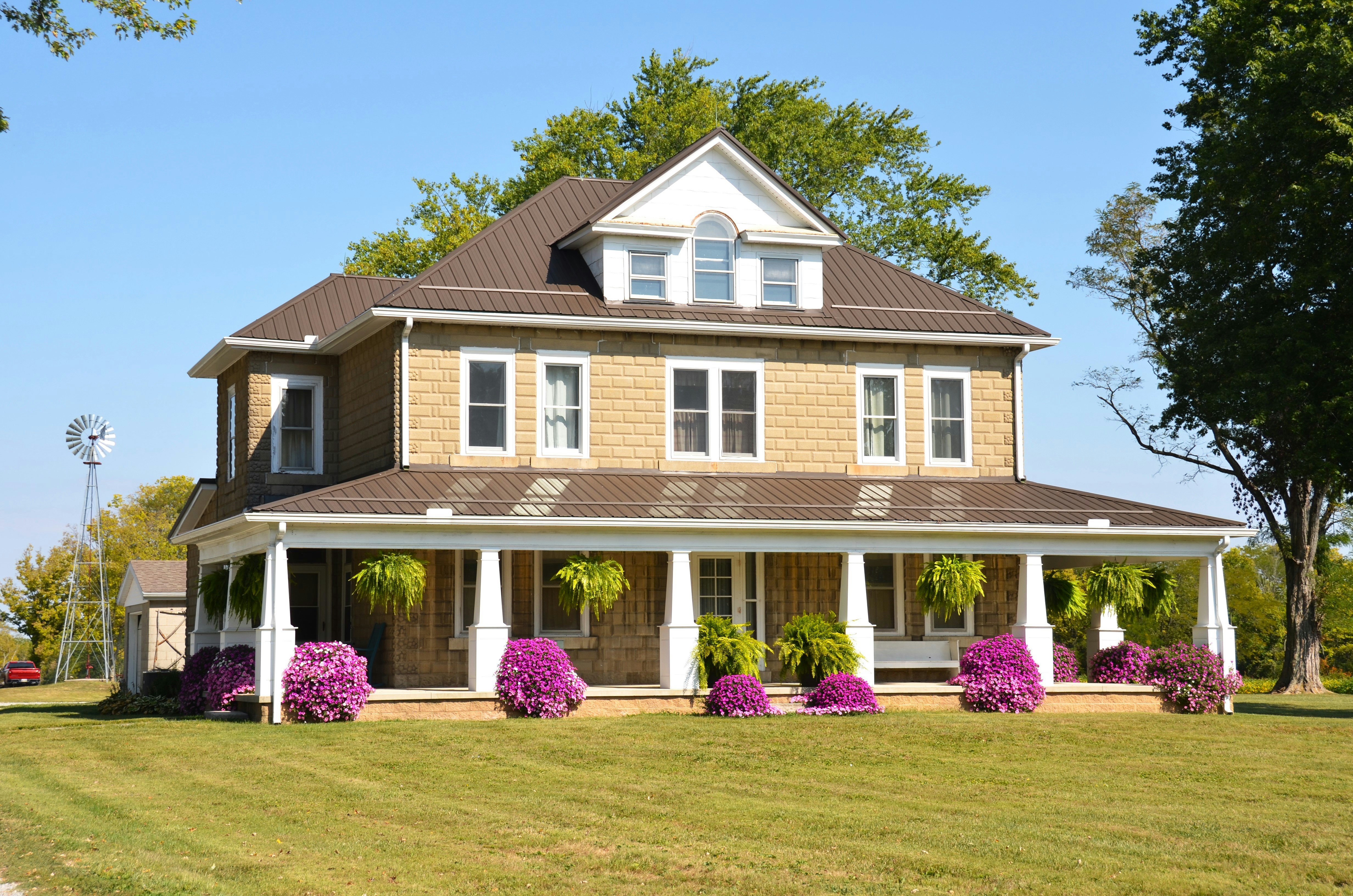

Bring In an Expert
Invite an expert by email, the way the client is invited.
- Compressor starts, then stops after 40 seconds
- Outdoor fan turns
- Error E6 on the display
A picture marked up for youAdd to the JobCloseMargaret EllisJMJack MitchellMeet, record and catch up from your phone
Start a meeting, open your room or record a video message from the first screen, then see what is live now, what is coming up and your recent recaps. Keep the lists and recaps you opened on the phone and read them with no signal.
Where Live touches everything else.
4 of these 8 connections are in your plan today; the others are their own apps.
Equipo
Call and Video Call in a conversation ring its people on Live, and the call opens in place.
Depot
Each recording and its recap are filed in a Hub, and a meeting’s chat and summary are messages in the store Depot holds.
Connect
A client’s meetings sit in their thread beside their emails, calls and chats.
Agenda
A recap’s action item you turn into a task is assigned to you, so it is in your Agenda.
Deals
Live’s sessions list opens inside Deals, and a webinar registrant who asks for a consultation becomes a lead.
Automations
A webinar’s confirmation and reminders, the recap email and the team’s notices are rules you pause or edit.
Video
Make Clips opens a recording in Calisto Video with its transcript, and each moment picked becomes a clip.
Display
A TV shows a live broadcast or webinar, with the room’s reactions over it.
No setup cost. Pay when you start using.
Every call and meeting, per person.
Recommended for you
Works well together.
Calisto Equipo
Included with your Account
Public and Private Hubs, group chats and direct messages, threads, voice and video, polls, approvals and the files each Hub keeps, with every member of the business in it.
Learn more →Calisto Depot
Calisto Connect
Included with any Interact app
Everyone you talk to, every way you talk, in one conversation, made of your seats in the apps underneath it.
Learn more →Calisto Agenda
Included with your Account
The tasks every business gives you and your own, one calendar that syncs both ways, booking pages people can book and pay through, and your own contact book.
Learn more →Calisto Deals
Calisto Commerce
The CRM: leads routed and claimed, a pipeline on your own stages, quotes as versions and the contracts they become, people and companies, the day’s follow-ups, the handoff after the sale, commissions and the forecast.
Learn more →Calisto Automations
Calisto Ops
Rules that start from your Calisto apps, a schedule or a date and act across them all, every app’s automatic messages as rules, sequences that follow up until a person acts, and every run on record.
Learn more →Calisto Video
Calisto Display
Calisto Display
Runs the TVs in a business: kitchen displays, pickup and now-serving boards, guest TVs, menu boards, signage and designed screens, with schedules, alerts and performance.
Learn more →Recommended for
The industries that run Live, and what each of them runs it for.
Coaching & TrainingRemote sessions
Remote sessions and group coaching calls.
Coaching & Training on Calisto →Live Music & FestivalsStreaming
Streamed sets and virtual attendance.
Live Music & Festivals on Calisto →Marathons & EnduranceRace-day streaming
Race-day stream and briefings.
Marathons & Endurance on Calisto →Sports Agents & AthletesLivestreaming
Livestream showcases and press conferences.
Sports Agents & Athletes on Calisto →Tours & ExperiencesVirtual tours & briefings
Virtual tours and pre-trip briefings.
Tours & Experiences on Calisto →Everything included in Calisto Live.
- A person starts or joins a call or meeting with their own Live seat, given when they are added to the team or in their services. Guests from outside join free.
- Call, Video Call and Join in Equipo, and a call to a teammate from Voice, run on Live in Live’s own panel.
- Meetings, webinars, broadcasts, showcases, seminars and video messages, each with its own room and tools.
- Every kind at once, by when it runs or ran.
- Meetings, Webinars, Broadcasts and Showcases, each a list, a calendar and its own lens: Registrations, Streams or Leads.
- Scheduled, Live, Ended or Cancelled, with counts on each chip.
- Join or Start, the guest link and PIN, the time in your own zone, attendees and registrants, the recording, Edit and Cancel Session.
- Open before the meeting starts and after it ends, the same thread as in the room.
- A room opened now, its link ready to share.
- A time, a length, invitees and an optional note.
- Each invitee gets a calendar event with their own link and guest PIN; an edit updates it and a cancellation removes it.
- Daily, weekly, every two weeks or monthly; edit or cancel one, this and the following, or all.
- A permanent link and PIN of your own, with Copy and Share; each use is its own session.
- Someone waiting at your room tells you, on your phone too.
- An instant meeting that rings the teammates named, audio or video, tied to the conversation it came from.
- A person on Do Not Disturb is never rung; a call is refused when everyone it would ring is.
- A person rung who did not join in 45 seconds, or before it ended, is told once.
- Six digits, needed with the link; wrong guesses are limited per address.
- A booking page where clients pick a time with you; a virtual booking opens its own room.
- The same sessions list, fully editable, under Interact ▸ Live.
- A meeting can name the client it is about, and it is listed in their thread in Connect.
- Camera, microphone and background checked before anyone sees you.
- The host or a co-host admits each person; the waiting room comes after the lobby.
- A locked room admits nobody new, on every way in.
- Let people into a meeting before the host arrives, or not.
- A room at its limit says so.
- Mute one or all, remove, lock, spotlight, co-host and host transfer.
- Speakers beside the host in webinars, broadcasts and showcases.
- Any window or screen, with marks anyone can draw on it.
- A deck, document, sheet or blank whiteboard on the stage; everyone follows the presenter, guests included.
- Arrow keys, speaker notes, the next slide and annotation; the host can hand presenting over or stop it.
- Opens a room already presenting the file.
- Assigned or chosen by people, a timer that brings everyone back, and Ask for Help to the host.
- Kept, so a late joiner sees it; private messages, files, GIFs and Calisto’s own stickers.
- Two to ten choices, one answer or several, launched and closed by a host or co-host, kept after a reload.
- Questions with one upvote per person; in a moderated webinar a question reaches only the moderators and its asker.
- In every kind of session, and everyone sees who is waiting to speak.
- In the room, and floating over a broadcast on a TV.
- For everyone, guests included, translated into each viewer’s language and kept as the transcript.
- Questions about what was said so far, answered to the asker alone and never stored.
- A summary of the captions while the meeting runs, replaced by the recording’s when it is ready.
- On or off for yourself.
- Blur, your business’s backgrounds, or your own image unless the business keeps to its approved ones.
- Gallery, speaker and sidebar, with a default for every room.
- The host’s alone, in every kind; Record by Default records each new session when it goes live.
- A session live for 90 minutes with nobody left in it is ended for you, never with people in it.
- A page per webinar; each registrant gets their own join link, and a calendar file to add.
- A place limit, a waitlist in arrival order, and places moving up when one frees or the limit rises.
- Each registrant filed on a client record, by email; registering is never marketing consent.
- Asked on the registration page when you want it, recorded with the registration.
- A registrant who ticks I would like a consultation becomes a lead, and in a law firm Legal’s inquiry.
- The confirmation, the place freed, and reminders 24 hours and 1 hour before are rules you pause, edit or delete.
- A private room beside the stage for hosts and panelists; joining it never starts the session.
- One of your recordings played into the session as though live, then stopped to go live.
- A rating, a comment and whether they would come again, read by the host on the recap.
- A webinar recording is a video of the business, so it can be a lesson of a Direct course.
- One to many: the audience watches, reacts and answers polls.
- To a streaming platform preset or any RTMP address, started and stopped by the host or a co-host.
- Every stream running now, in Broadcasts ▸ Streams.
- A broadcast scanned for illegal content as it runs, never held for approval before it starts.
- Campaigns’ email composer beside the broadcast.
- A TV shows a live broadcast or webinar as a viewer, with its reactions; a meeting room’s TV is the meeting’s screen.
- A property’s name, address, price, type and photo beside the video.
- One per viewer who leaves their details, followed up from the Leads lens; also run from Listings.
- Authored and managed in University, run in this room; certificates for each real attendee of a completed seminar.
- Summary, key points, decisions, next steps, action items, the recording and who was there, from the room when it ends or from its session.
- Review and edit the list, then pick which become tasks of the business, assigned to you.
- Create a task, move a deal, book, open a ticket or adjust stock, through the app that holds the record.
- Notes anyone who was there adds to, and notes of your own.
- Who joined, counted once per person, downloadable as CSV.
- The recording split into chapters, its transcript timed line by line.
- A summary that could not be prepared says so, and the host runs it again.
- The recording-ready notice and the recap to the host and signed-in attendees are rules you control.
- Every recorded session of any kind, searched by what was said.
- A recording shared with its own key, never the PIN; Stop This Link ends it.
- A recording downloaded through Live, never a storage link.
- A recording opened in Calisto Video with its transcript, a clip cut from each moment picked.
- The host, those who were there and whoever the owner setting admits: admins, only attendees or the whole team. Owners always.
- Recordings kept as many days as you set, then removed.
- Each recording and its recap filed in a Depot Hub.
- A meeting’s chat, recording and summary are messages beside each person’s emails, calls and chats, read in Connect.
- Your camera or screen recorded in the browser, listed under your own video messages.
- Shared to a client or teammate as a link, in their messages from then on.
- Every video message transcribed and summarized like a meeting.
- A long video sent in resumable parts; a recording not yet saved stays on the device.
- A video shared to Calisto from a phone or opened with it on a desk becomes a video message.
- Its link stops and its file goes to the trash.
- A call from a task or a visit, the client invited by email with the link and PIN, joining free.
- The visit’s inspection beside the call, for the host alone.
- The client’s video frame onto the inspection item open, with a line in the chat.
- Freeze the technician’s camera, mark it up with the one photo editor, and send it to everyone in the call.
- A marked-up picture added to the task’s work photos.
- Overview: sessions, people, minutes and the mix of kinds. Reports: each kind and the monthly trend, downloadable as CSV.
- Sessions by name, the coming ones first, and recordings by what was said.
- Your business’s details and working hours, written to the same records Calendar and Tasks read.
- Who may open recordings, and the business’s other people settings.
- Waiting room, mute on join, layout, join before host, blur, backgrounds, approved backgrounds only, and the participant limit.
- Your business’s approved background library.
- Record by default, the consent notice, and how long recordings are kept.
- A setting locked by Purview or Blueprint shows as locked here.
- The language captions are shown in, your own preference on every device.
- Meet Now, Schedule, My Room and Video Message, then what is live, what is coming and recent recaps.
- Home, Meetings, Video Messages and Recordings; Insights, Schedule Engine and Settings in More.
- Meet Now, Schedule a Meeting, My Room, Record a Video Message and Recordings.
- A Windows widget with what is live and your next sessions.
- Join, Admit and Open My Room from the notice.
- Home, every list, video messages, recordings and recaps once opened, read with no signal; a change waits for a connection.
- A session’s, a video message’s and My Room’s next step at the bottom of the screen.
- A retry never makes a second session or second invitations.
- A join, watch or registration link previews when shared and is never listed by search engines.
- Every room runs on Calisto’s self-hosted video servers, never a vendor’s meetings service.
- People join from a browser; there is no phone number to dial into a meeting.
Questions about Calisto Live
No. Guests open the link in a browser, check their camera and microphone in the lobby, and enter the PIN. On a phone, the same link opens the same room.
Each person in your business who starts or joins a call or meeting, in Live, from a conversation in Equipo, or anywhere else in Calisto. Clients and guests from outside your business join free.
A recorded meeting is transcribed and summarized: an overview, key points, decisions, next steps and action items, with the recording in chapters. You pick which action items become tasks. A meeting that was not recorded can still be summarized from its captions.
The host, the people who were in the meeting, and whoever your business’s owner setting admits: admins, only attendees, or the whole team. A recording shared as a watch link plays from its own key, and Stop This Link ends it.
No. Every participant joins from a browser. A phone number would be billed per minute by the carrier, while a browser participant costs only the connection already paid for.
Each webinar registrant is filed as a client of your business, and attendance is counted once per person. Registering is never consent to marketing; that stays with Campaigns.
On Calisto’s own self-hosted video servers, never a vendor’s meetings service. Recordings are files in your business’s storage, filed in Depot.
Per person, in the price box on this page, which reads the live catalog. A capability Live opens into another app, such as Deals, Automations or Video, is priced in that app.
