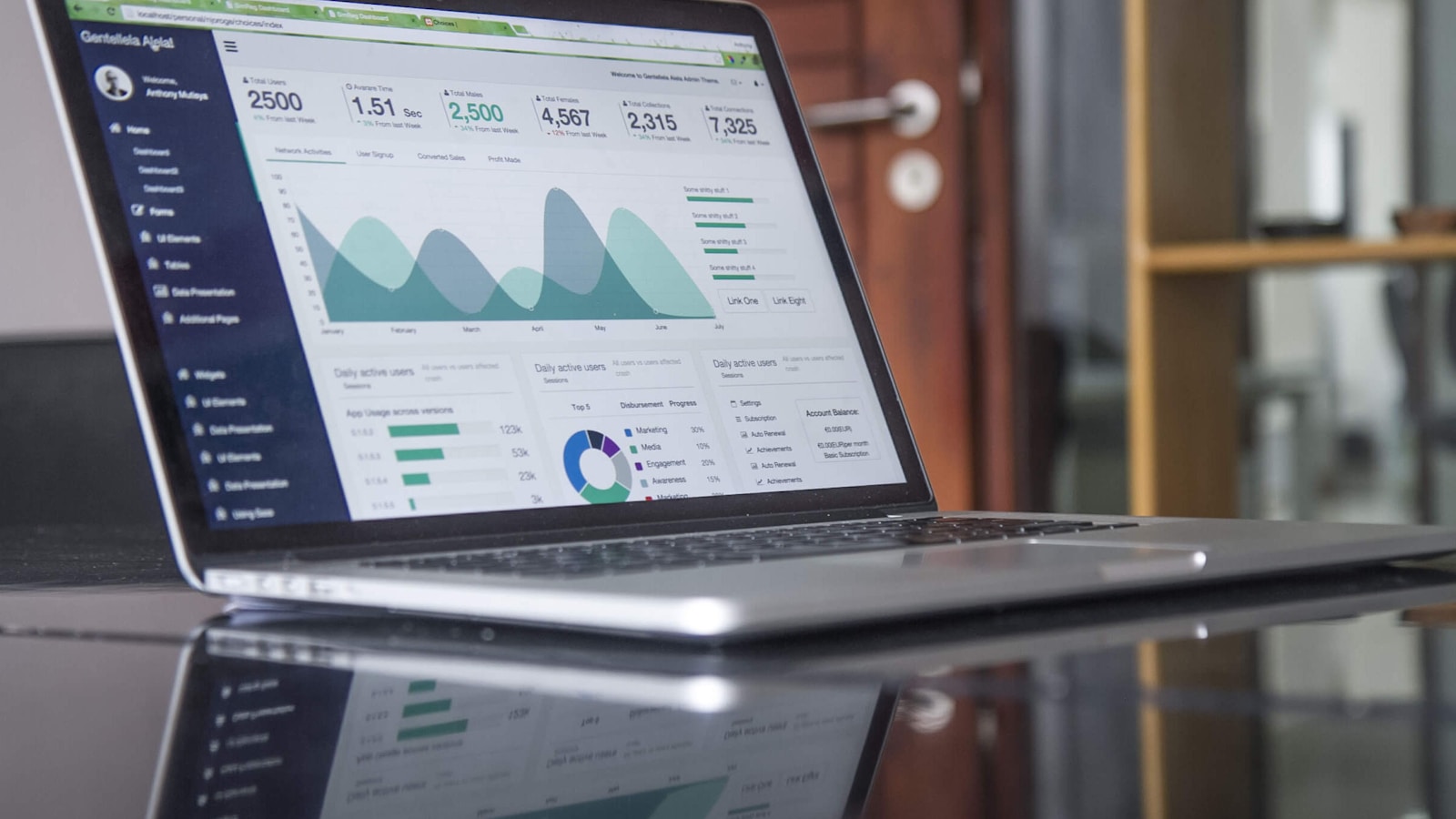
İşletmenizdeki her televizyon, kendi işini çalıştırır.
İşletmenizdeki her TV'ye, mutfaktan misafir odasına kadar bir görev verin ve kendi siparişlerinizi, odalarınızı ve menünüzü değişkenlik gösterdikçe gösterin. Hepsi tek bir yerden, hatta telefonunuzdan çalıştırın.
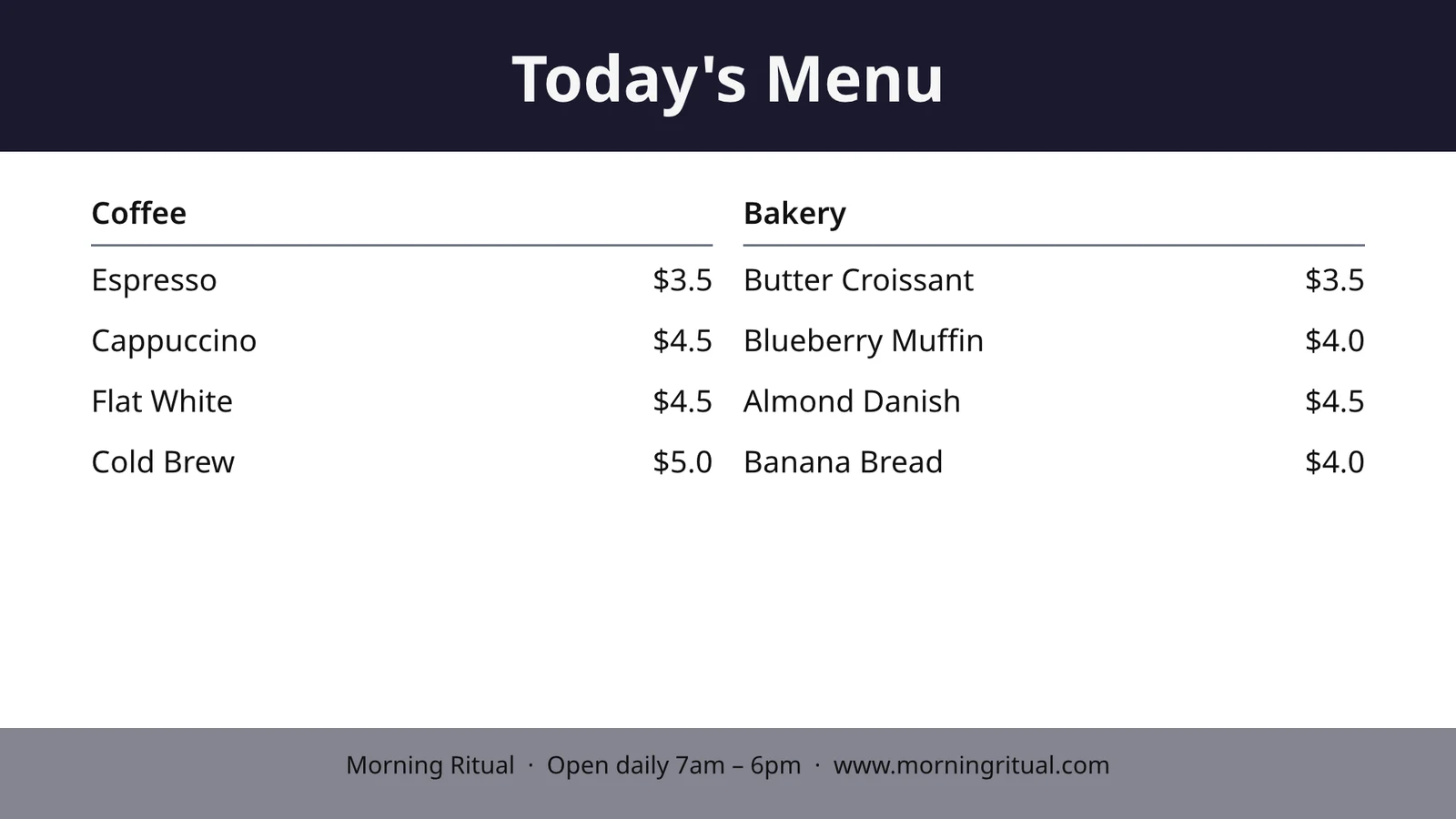
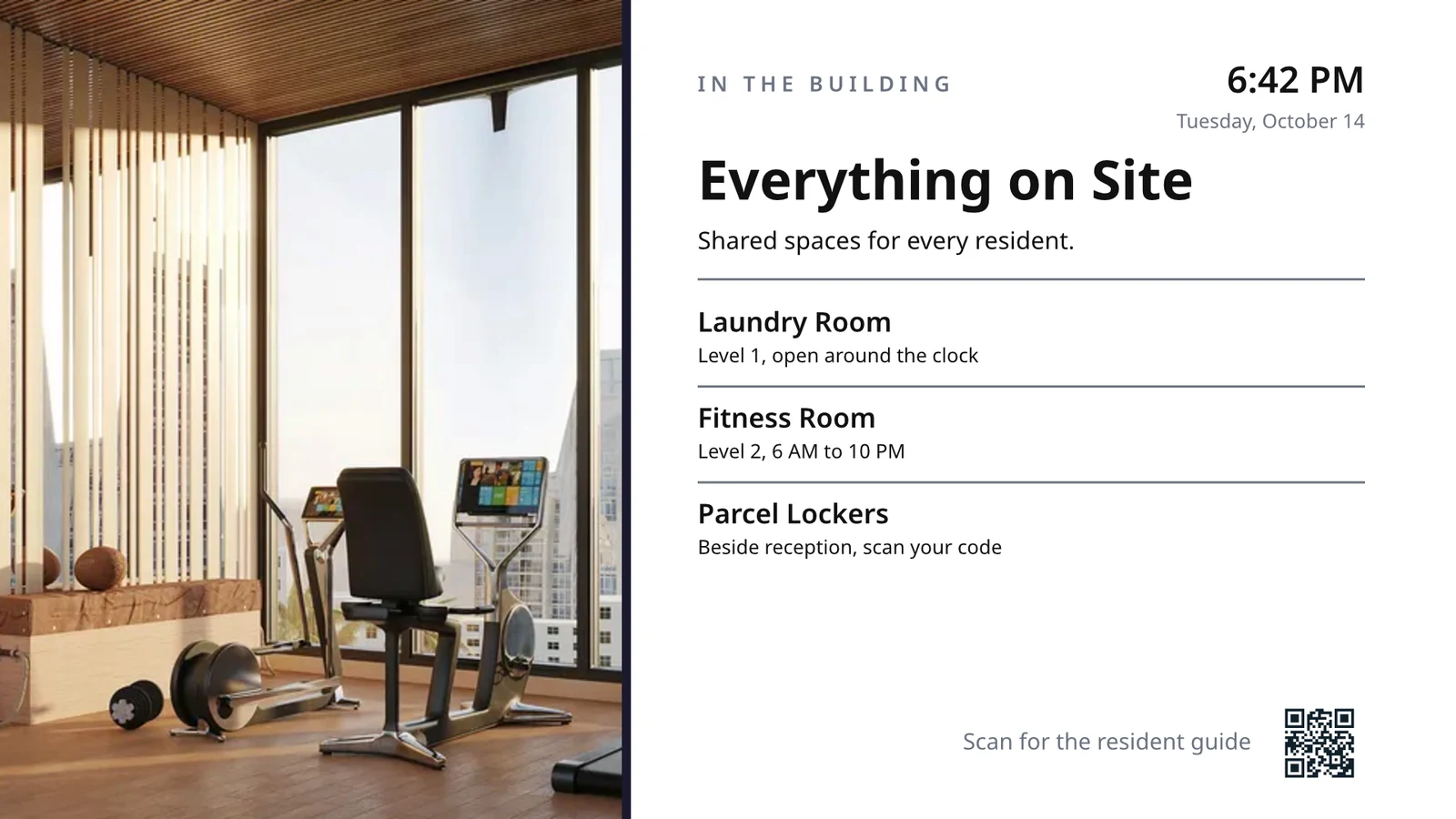
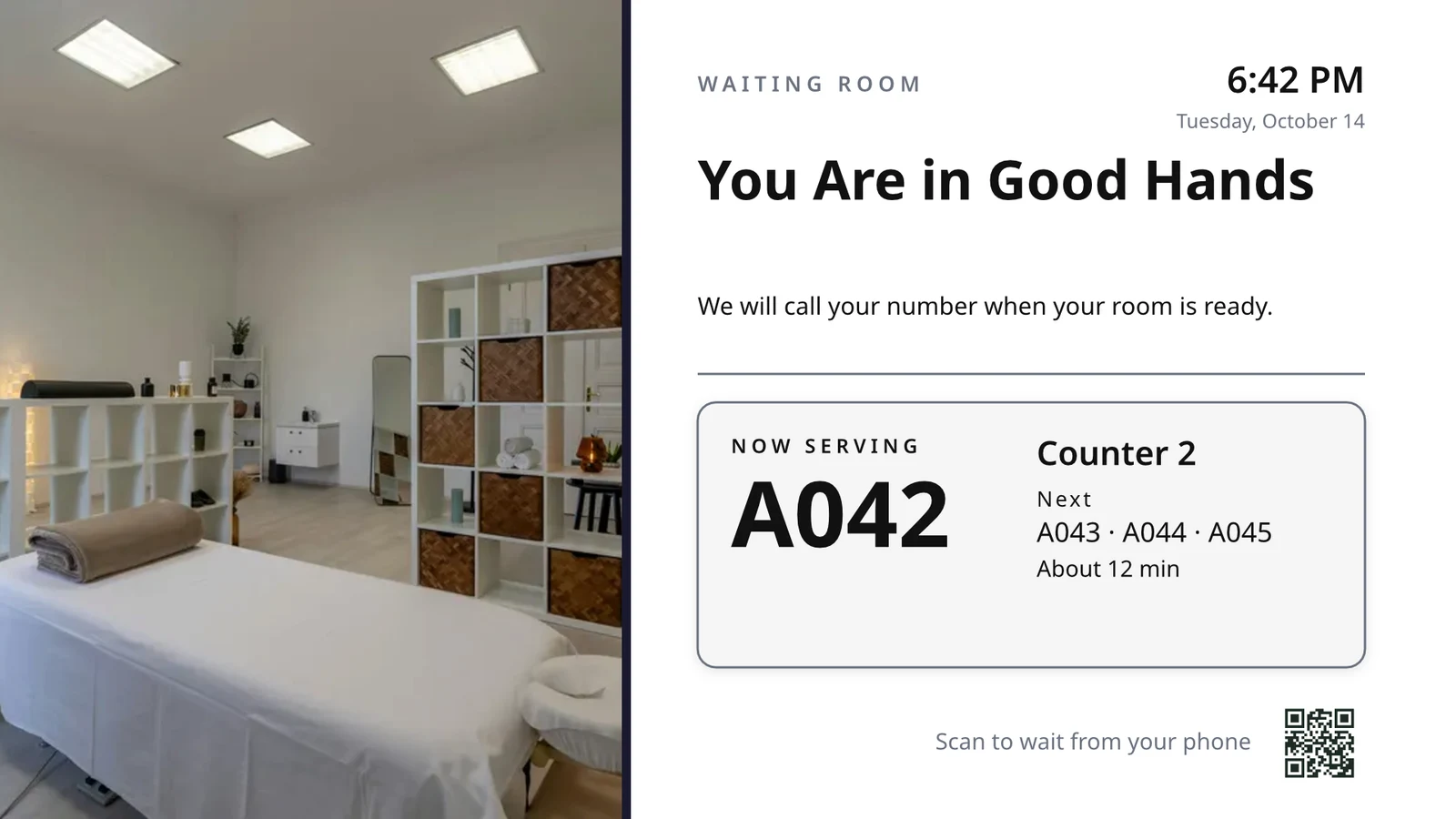
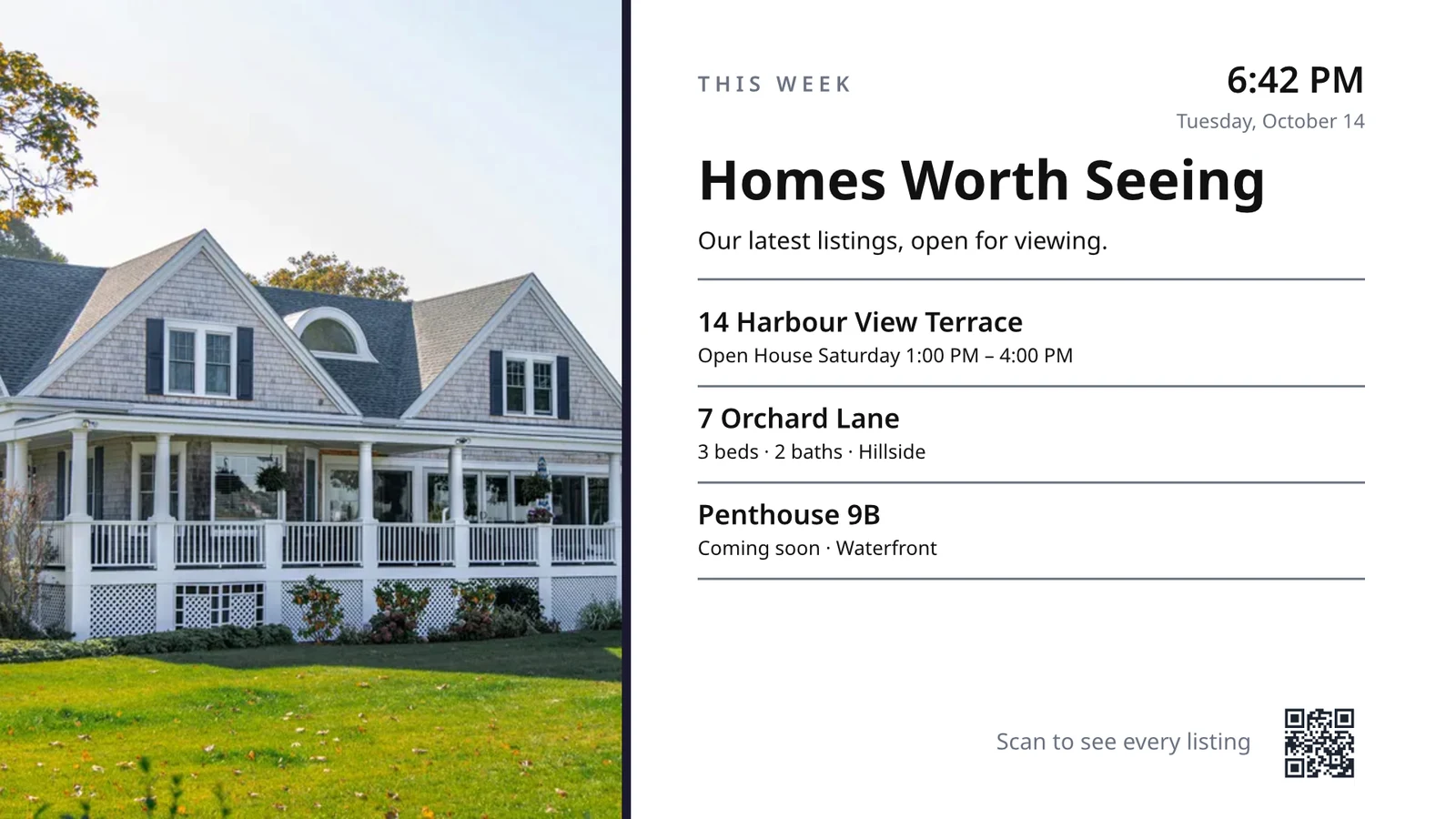
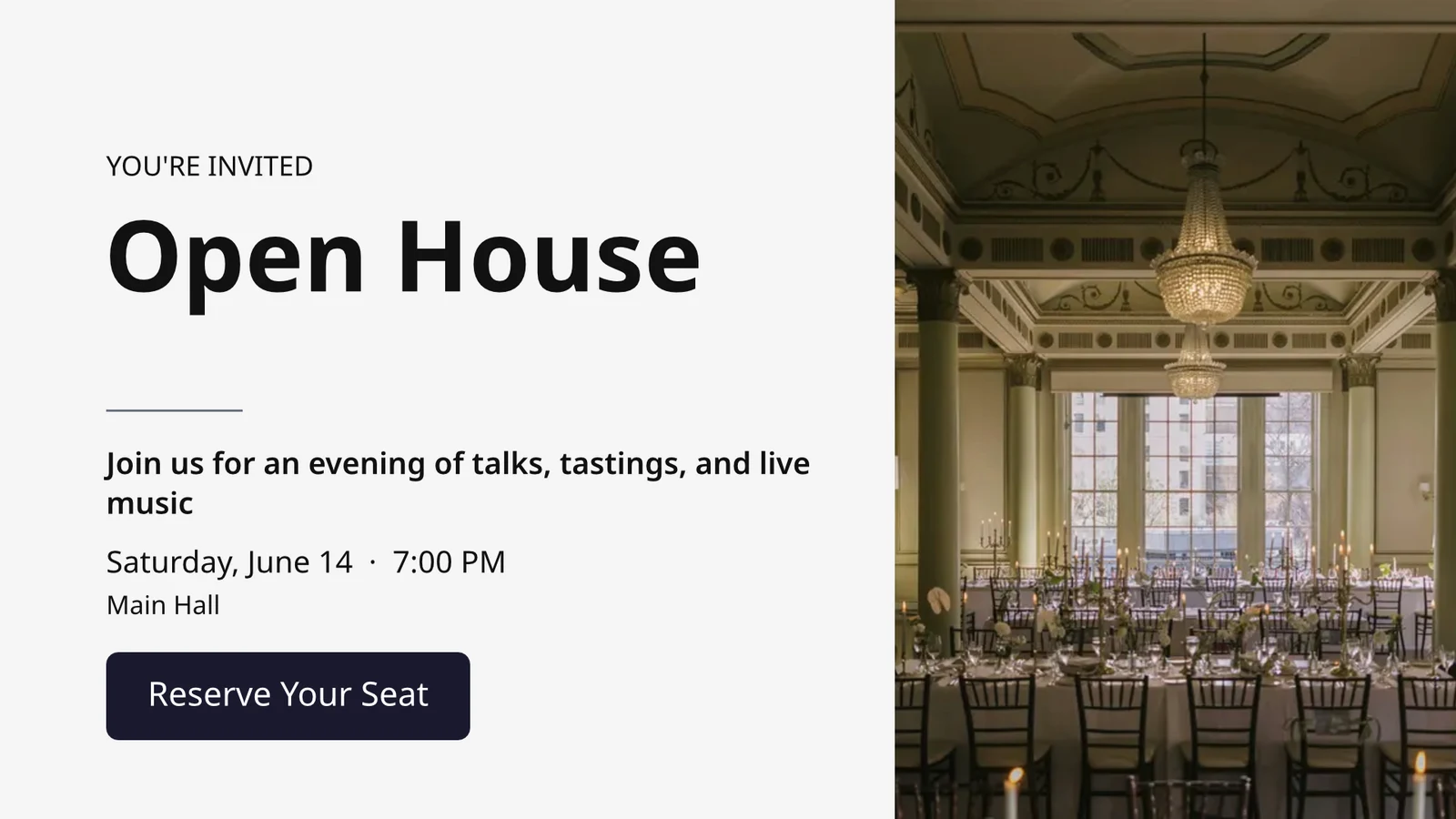
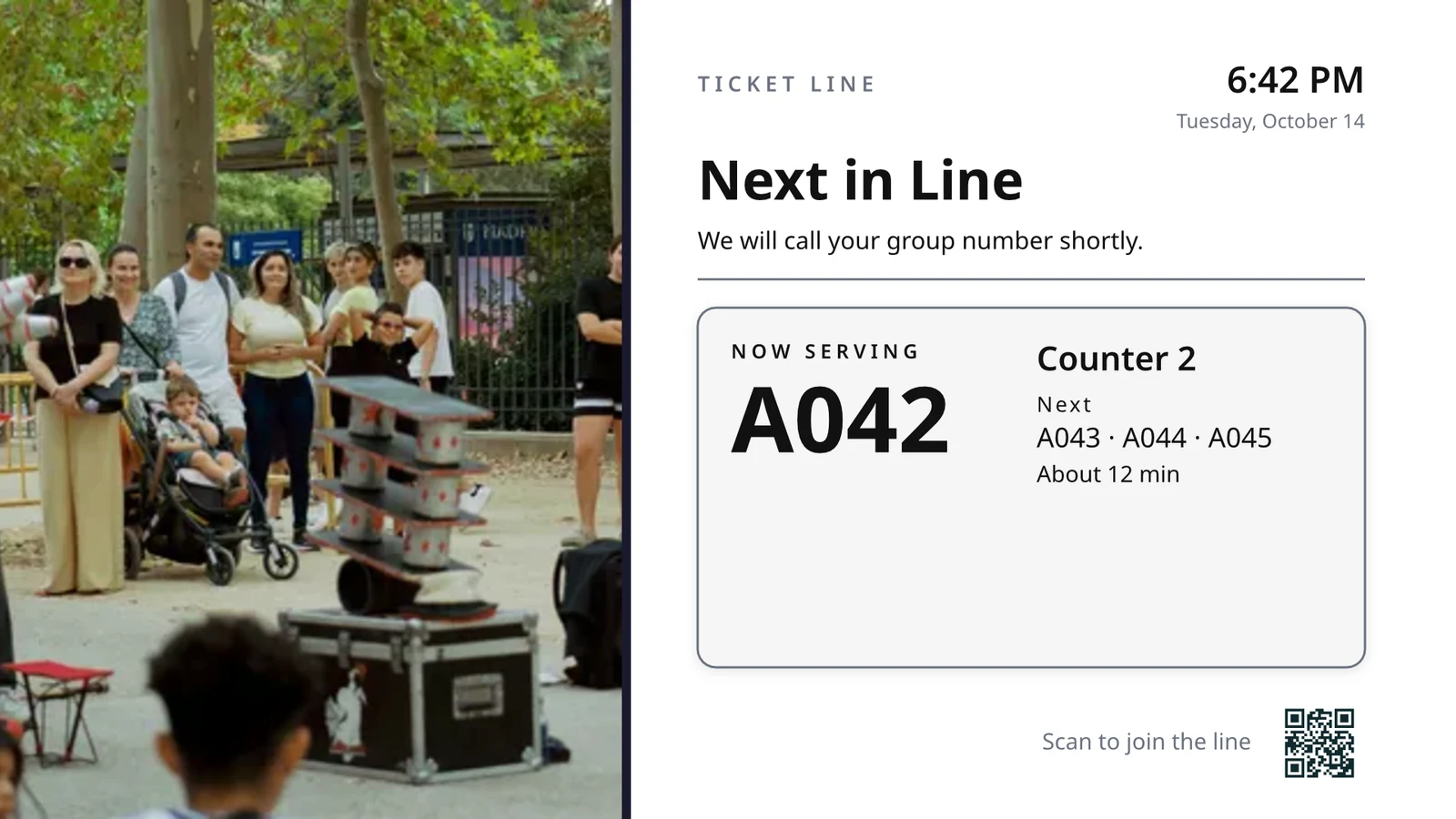
Her TV'nin ne yapacağını seçin, ardından hepsini hepsini çalıştırın
Her TV, şu anda işletmenizde neler olduğunu gösteren, tek bir iş için hazırlanmış bir ekran çalıştırır.
İşe Göre Ekranlar
Mutfak, toplama, sıra, misafir, tabela.
Tasarlanmış Ekranlar
Kendi tasarımınız, canlı verilerle.
TV'leriniz
Bir kod ile eşleştirilerek uzaktan çalışır.
Programlar
Doğru saatte başka bir ekran.
Uyarılar
Her TV'de tek bir mesaj.
Performans
Ne oynadı ve ne kadar süreyle.
TV Uygulaması
TV mağazalarındaki kendi uygulamanız.
Bir Cihazda
Her yerden TV'leriniz.
Her TV'nin ne yaptığını, görevinden seçin
Bir iş seçin ve iş, işletmeniz için ilk işler veya işletmeniz kullandığı tüm ekranı aynı anda ayarlayın. Her ekran kendi amacını, nerede çalıştığını, içeriğini, görünümünü, TV'lerini ve programını korur.
TV'niz ne yapacak?
Görevi seçin. Çalışacağı yeri ayarlayın. TV'de Kodu girin ve canlı verilerinizde çalışacaktır.
Mutfak ekranı personeli değişimi, temizlik ve oda durumu, resepsiyon, bugünkü randevular, golf başlangıcı, kapı sayısı, sipariş yerine getirme ve satış hedefleri.
Mutfak Ekranı
İstasyonlara göre biletler ve zamanlayıcılar. Şefler başlar, biter ve yer değiştirir; ekspediyon gönderir.
Ev temizliği
Her odanın durumu (kirli, temizlikte, temiz, denetlenmiş) ve önce neyin dönmesi gerektiği.
Resepsiyon
Bugün kim giriş yapıyor ve kim çıkıyor, hangi odalar hazır, kimin check-out'u gecikti.
Bugünkü Randevular
Bugünkü her randevu, sandalye, oda veya sağlayıcı bazında: kim burada, kim sıradaki.
Golf Başlangıcı
Turneye çıkmaya hazırlanan sonraki gruplar, check-in yapanlar, oyun temposu. Onları gönderin.
Kapı Sayısı
Kapasiteye karşı kaç kişi var, kapı başına tarama, sıra ne kadar hızlı ilerliyor.
Sipariş Tamamlama
Gelen siparişler ve her birinin ne kadar sürdüğü: neyin geciktiği, neyin sıradaki olduğu.
Satış Hedefleri
Hedefe karşı ay, çeyrek veya yıl, liderlik tablosu ve en son kazançlar.
Üzerinde canlı verilerle bir TV boyutlu ekran tasarlayın
Editör Studio'da, 16:9 veya 9:16 oranında, boş veya sektörünüz için Calisto'nun düzenlerinden veya fotoğraflardan taslak tasarlayın. Canlı Veri, menünüzü, programı, teklifleri, listeleri, saati, hava durumunu, Wi-Fi'yi ve servis edilen sayıyı, bunları TV'de kayıtlarınızdan çizer.
Sektörünüz İçin Düzenler
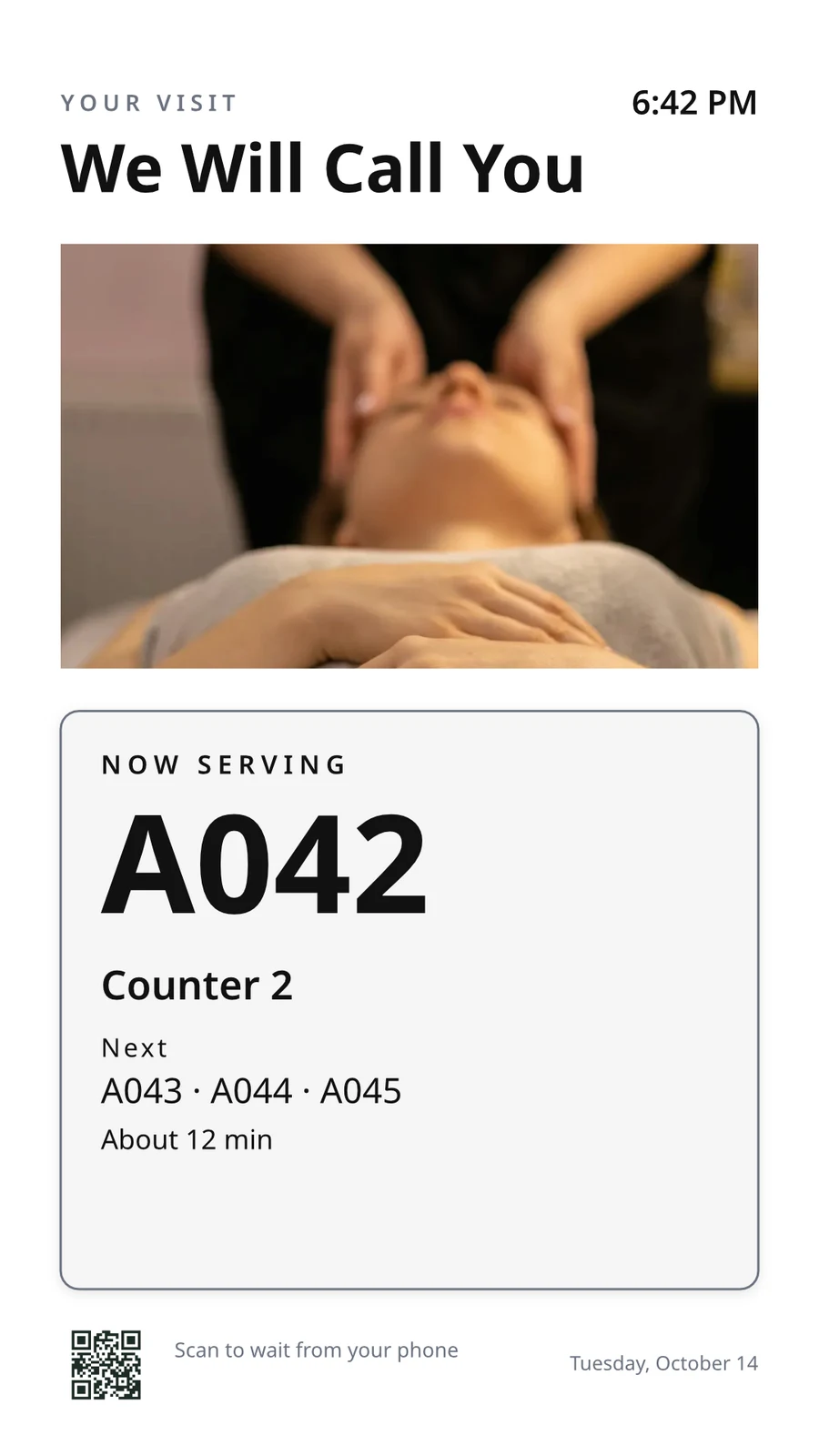
Boş veya 160 farklı yatay ve dikey düzen ile başlayın; her biri fotoğraflara sahip ve bir sektöre özel hazırlanmış, sizinki ilk olacak.
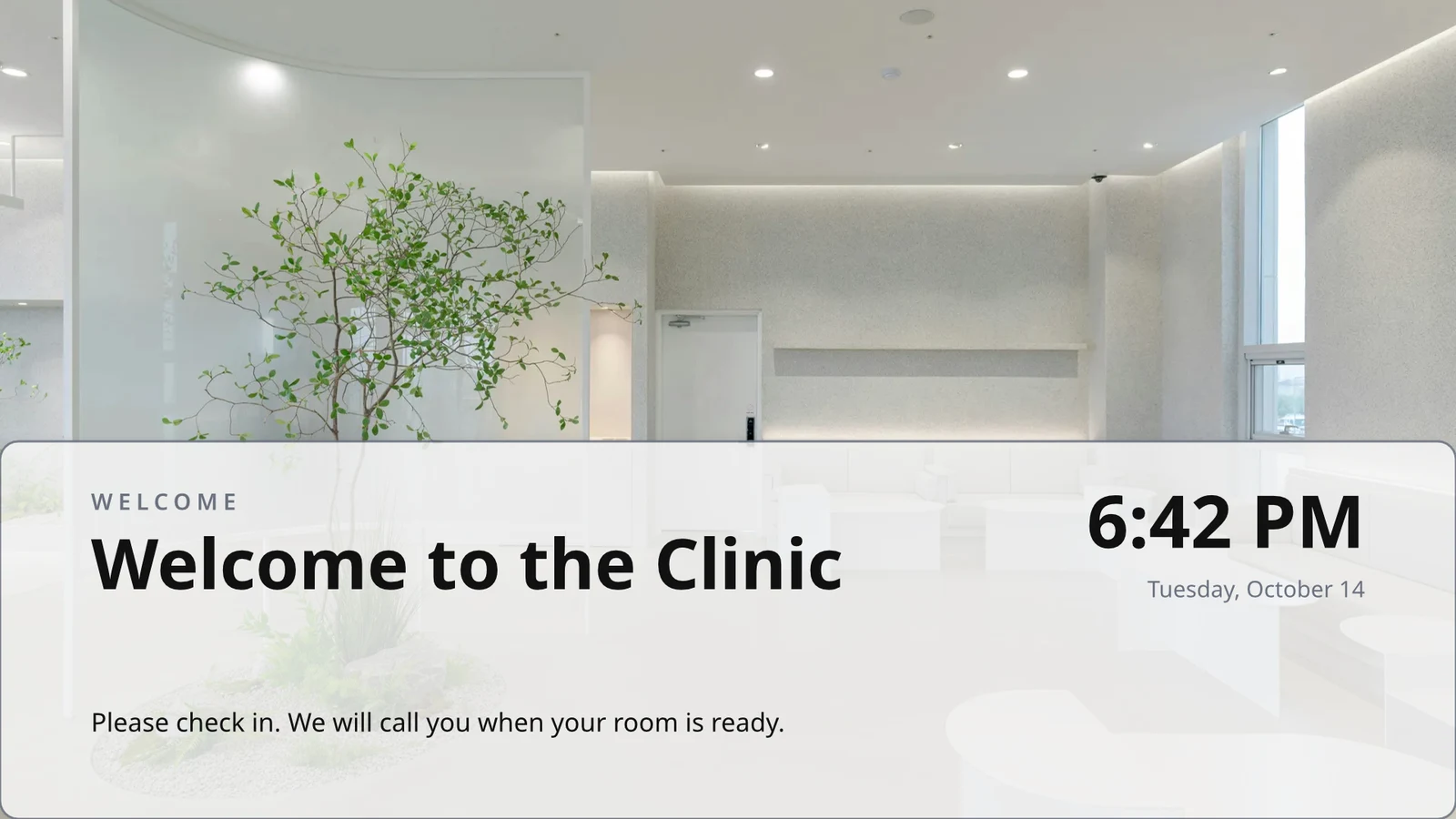
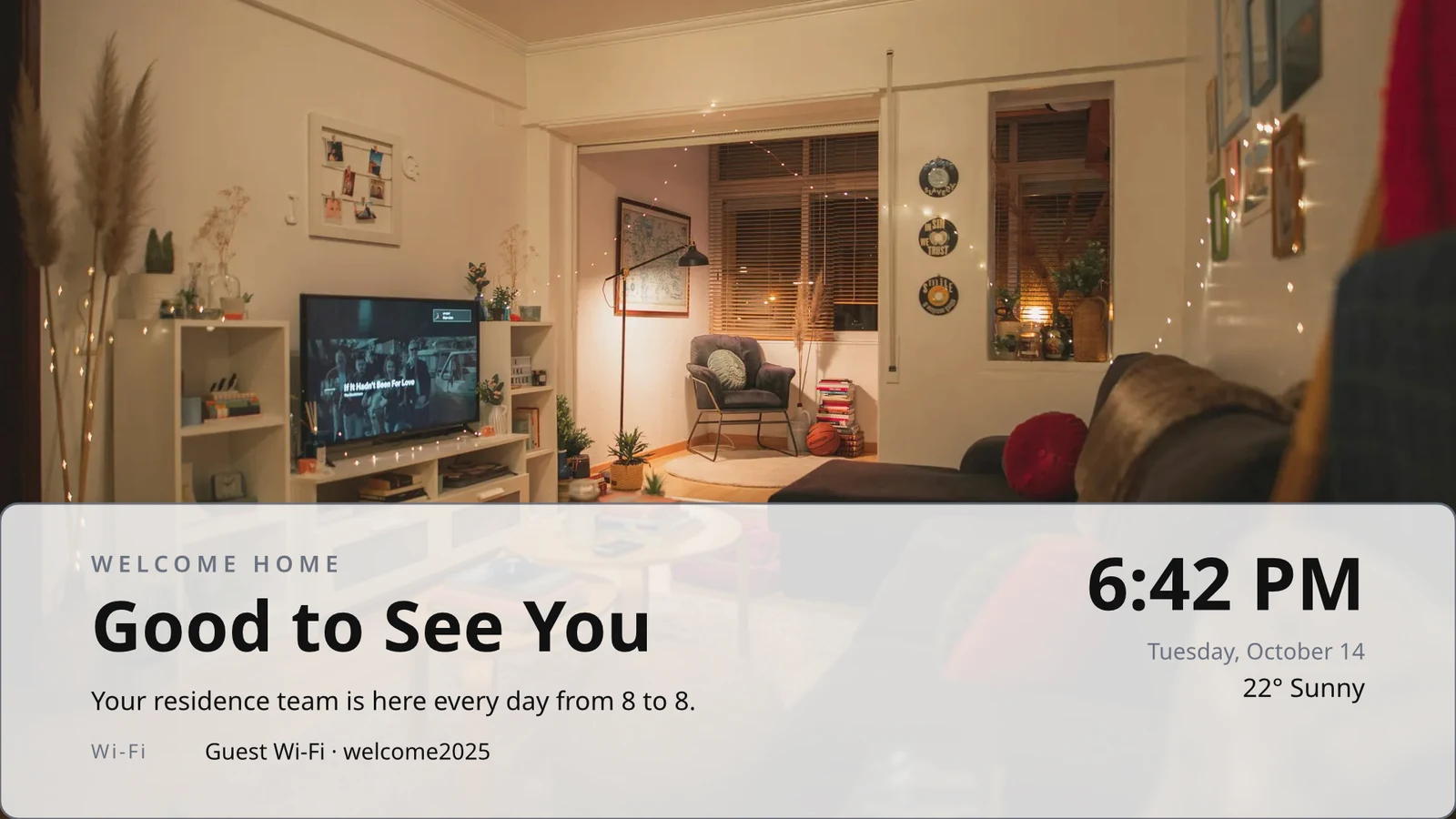
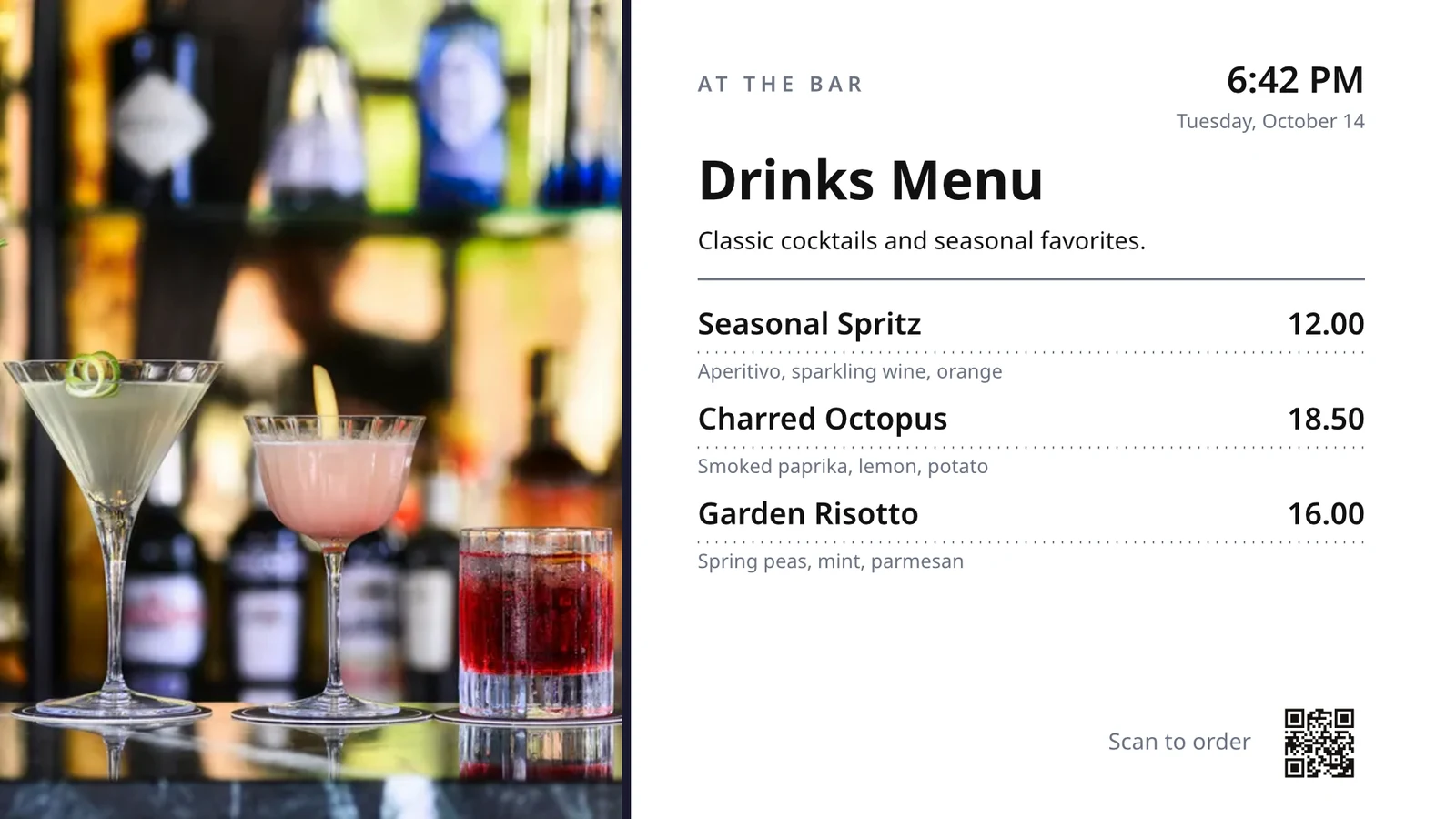
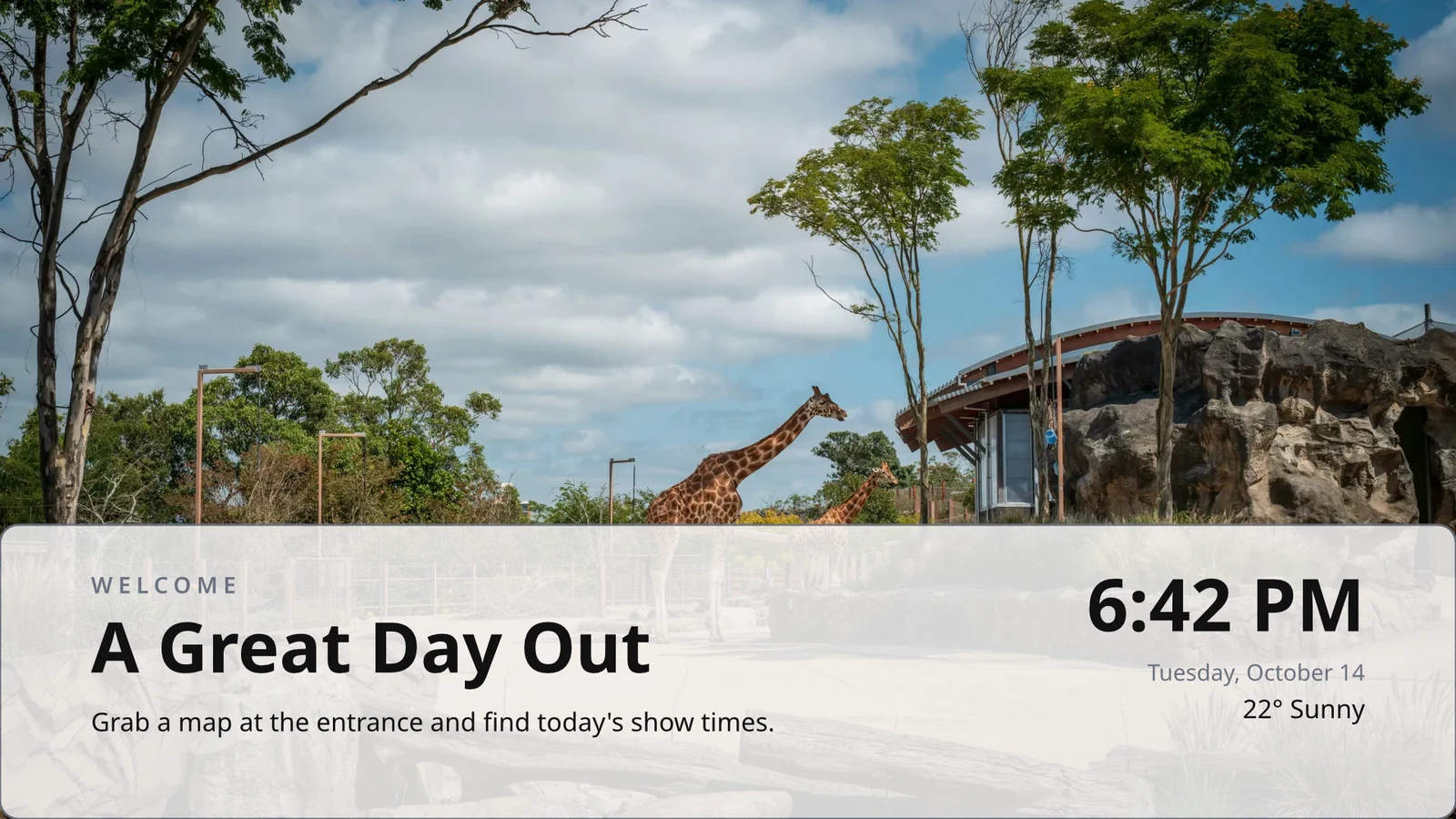
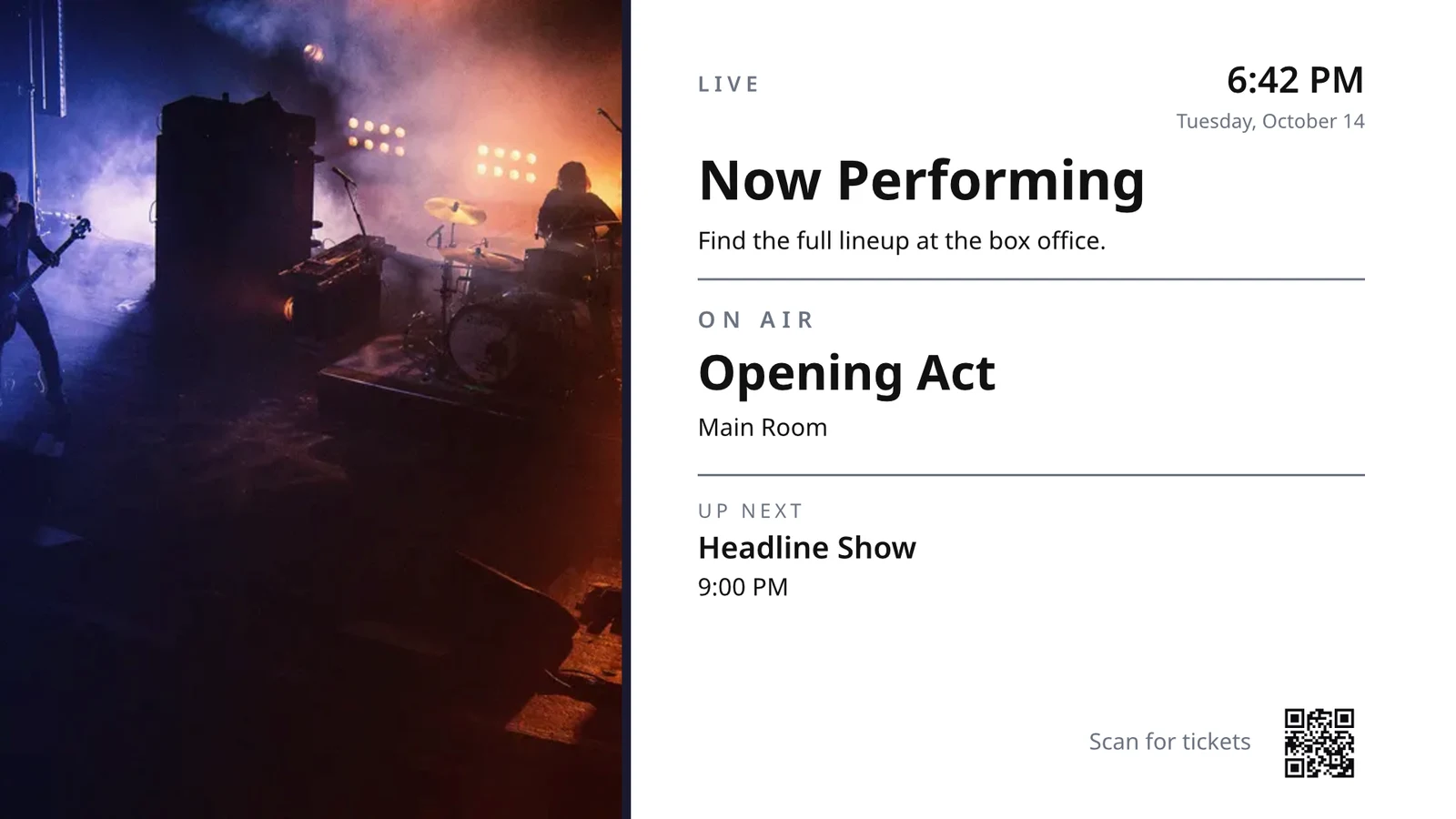
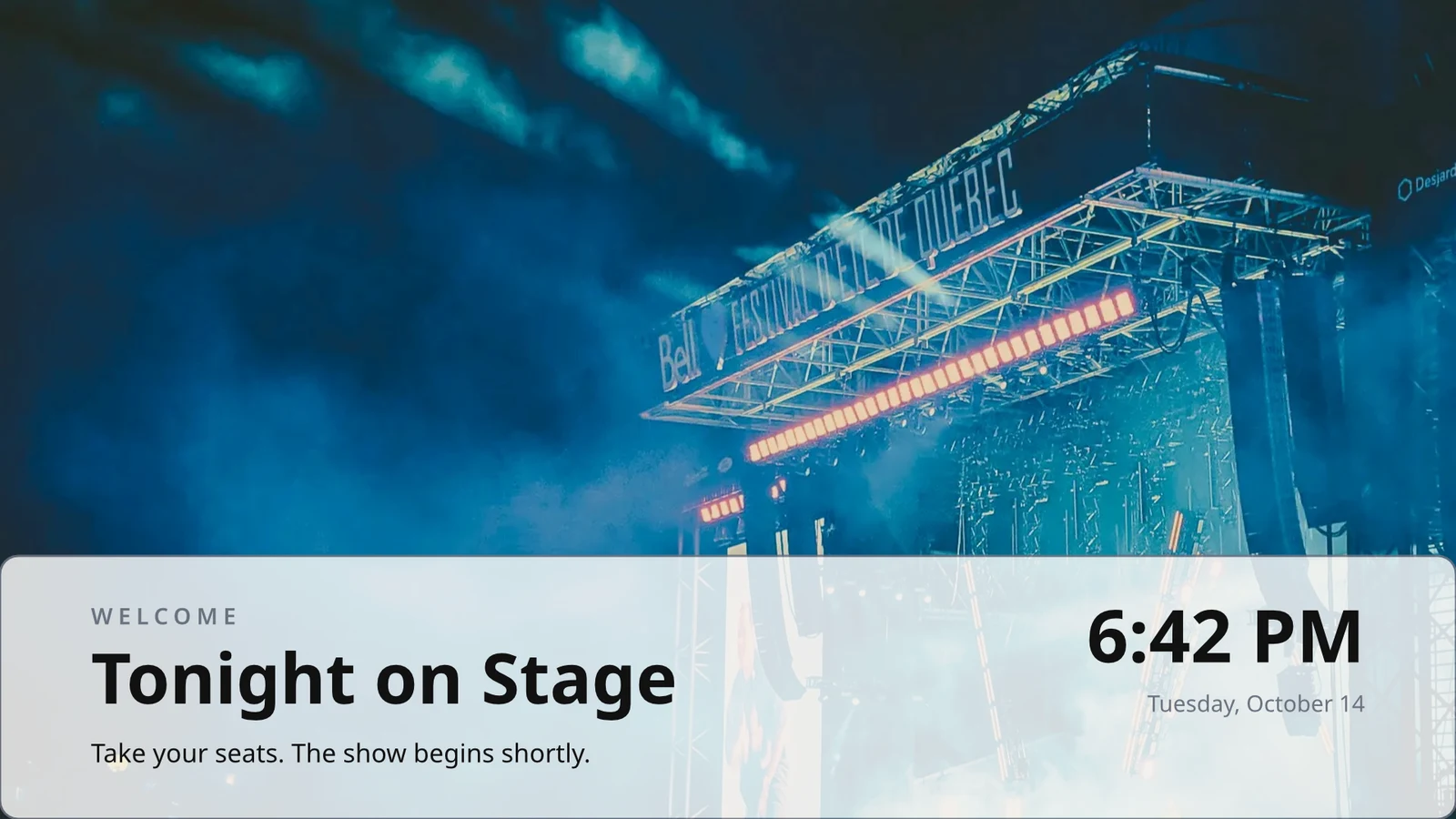
Bir Kez Tasarladığınız Satırlar
Bir menü satırı, programlama veya teklifler listesi tasarlayın; TV her kayıt için sayfa sayfa olarak bunu tekrarlar.
Temalar
Calisto'nun 48 Teması ve kendi temanız, tasarıma göre ayarlanmış ve Tema olarak kaydedildi.
Ekranlara Yayınla
Her sayfa 4K'da çizilir; Update Screens, tasarımı oynatan her TV'ye aynı anda ulaştırır.
123Her sayfa ekranlarınız için 4K'da çizilir. Menü, fiyatlar ve saat gibi canlı veriler de canlı kalır.
Sayfalar, her birinin geçişine göre döner. Her ekran birlikte döner.
Sayfalar Taşınıyor
Animate ile animasyonlu bir sayfa, sayfa kadar TV'de bir video olarak oynar.
Page 2 of 3 · 10 saniyeHer Lokasyon İçin Bir Kopya
Her lokasyon kendi kopyasını alır, kilitlediğiniz kısımları korur ve onlara yaptığınız değişiklikleri uygular.
 Kopyalar için kilitlemeKopyalar için kilitleme
Bir TV'yi koduna eşleştirip uzaktan çalıştırın
TV altı karakterlik bir kod gösterir ve TV Ekle onu eşleştirir. Platformu, paneli, dokunmatik ekranını, uzaktan kumandasını ve sesini bildirir. Her TV'nin sayfası sağlığını, odasını ve şu anda ve bir sonraki çalıştırılacak içeriğini gösterir; ayrıca tanımla, ekran görüntüsü al, yeniden başlat ve yenile seçenekleri sunar.
Uzaktan Kumanda
Çalışanları
Lunch menuMenu board · Promote & inform"Lunch menu on the pass" zaman çizelgesinden yayında.Sonraki: 17:00 saatinde Dinner menuSağlık
- Durum
- Online
- Son Görülme
- 12 seconds ago
- Up Today
- 9 h 41 min
- Gösteriliyor
- Lunch menu
- Platform
- Android TV
- Model
- 55" UHD panel
- App Version
- 3.14.2
- System Version
- Android TV 12
Yapabilecekleri
TouchUzaktanSoundFaturalandırma
ReklamsızSahip Olduğunuz TV'lerde
Apple TV, Android TV, Google TV ve Fire TV, Samsung ve LG akıllı televizyonları veya herhangi bir tarayıcı.
K7QX4MBu ekran onaylandıktan sonra otomatik olarak başlayacaktır.TV Ekle
Hesabınızla eşleştirmek için TV'nizin gösterdiği kodu girin.
TV'de doğru saatte başka bir ekran açın
Bir program, belirli tarihler arası, seçilen günlerde ve saatlerde, her televizörün kendi saat diliminde, seçilen televizyonlara veya televizyon gruplarına bir ekran veya oynatma listesi koyar. En spesifik program kazanır. İşletmeniz onay istediğinde, bir program sadece onaylandıktan sonra oynatılır.
Programlar
TV'lerinizin oynattığı ve ne zaman
| Takvim | Açıklama | Ne Yapar | Oynanıyor | Onay | Durum |
|---|---|---|---|---|---|
| Breakfast menu in the restaurant | Weekdays from 6:30 | Play the content chosen below | 3 TVs · 1 TV group | Onaylandı | Aktif |
| Sunset spa ritual offer | Lobby and pool bar, evenings | Play the content chosen below | 2 TV groups | Onay Bekliyor | Aktif |
| Rainy day activities | Only when it rains | Play the content chosen below | 1 TV group | Onaylandı | Aktif |
| Weekly restart | Mondays at 4:00 | Restart the TVs when it opens | TVs that run no screen of their own (account default) | Onaylandı | Aktif |
| Nyepi quiet day | Every TV off for the day of silence | Turn the TVs off for the whole window | 4 TV groups | Onaylandı | Aktif |
| Cooking class promo | Restaurant TVs, afternoons | Play the content chosen below | 2 TV | Geri Gönderildi | Aktif değil |
| Wedding weekend welcome | Lobby, Friday to Sunday | Play the content chosen below | 1 TV group | Taslak | Aktif değil |
| Galungan offerings guide | Lobby and villas, festival week | Play the content chosen below | 2 TV groups | Onaylandı | Aktif |
| Refresh before check-in | Daily at 13:45 | Refresh the TVs when it opens | 1 TV group | Onaylandı | Aktif |
| Kids’ club afternoons | Pool bar TVs, 14:00 to 17:00 | Play the content chosen below | 2 TV | Onay Bekliyor | Aktif |
Belgeler, Elektronik Tablolar ve Sunumlar
PDF'ler, belgeler, tablo programları ve sunumlar sayfalar olarak oynar ve kaydedildiğinde her zaman bir Slayt paketi olarak tekrar oynar.
Medya
Web Sayfaları ve Yayınlanan Panolar
Televizyonun boyutunda çizilmiş ve aralığınızda yenilenen, web'e yayınlanmış bir halka açık web sayfası veya panosu.
Medya
Kamu sayfası: web siteniz veya bağlantı ile paylaşılan bir yönetim paneli. TV'nin boyutunda çizilir ve resim olarak gösterilir.
Analitik Araçlarınızdan Panolar
Her aracın kendi görüntü dışa aktarımı üzerinden çizilen giriş yapmış paneller, kendi bağlantınızla, sırrı gizli tutularak.
Canlı TV ve Akışlar
TV sağlayıcınızdan gelen kendi kanalınız veya akışınız, sesi açık veya kapalı olarak.
Members’ bar screen
Bir Tablodan Veri
Yayınladığınız bir Sayfadan, bir CSV veya JSON dosyasından veya sayfa sayfa bir kez.
Sosyal Gönderileriniz
Yayınladıklarınız ve her kanalınızdaki son paylaşımlarınız.
Yayınınız, Canlı
Yayını veya web seminerini canlıyken, salonun tepkileri ve katılma kodu ile gösterin.
Medya ve Çalma Listeleri
Medya kütüphanesindeki fotoğraflar ve videolar, stok fotoğraflar ve her öğeyi zamanlayan çalma listeleri.
Medya
Onayla veya Geri Gönder
Programı Onaylar panelinden veya bildirimden kendisi üzerinden belirleyin.
Fado night on the lobby TVs
Programlama Bilgileri
- Açıklama
- Thursday to Saturday evenings
- Onay
- Onay Bekliyor
- Last Modified
- 21/11 · Inês Carvalho
Pencere
- Daily Window
- 18:00 to 23:00
- Active Days
- Thu, Fri, Sat
- Evaluated in
- Each TV’s own time zone
- Öncelik
- 20
İçerik
- Çalma listesi
- Fado nights
- Screen content
- Keep each TV’s own content
Nerede
- Plays on
- 2 TVs · 1 TV group
- TV grupları
- Lobby TVs
Aktivite
Hesap Varsayılanı
Kendi ekranı olmayan bir TV'nin çalıştığı yerlerde yalnızca TV'siz bir program çalar.
Yeni Takvim
TV'lerinize neyin ve ne zaman oynatılacağını seçin
Nerede
Bu programı oynatan TV'ler. Herhangi bir ekranı kendi başına çalıştırmayan tüm TV'lerde varsayılan olarak oynatmak için her iki alanı da boş bırakın.
Sadece Bazı Havalarda
Gökyüzü açık veya yağmurlu olduğunda, sizin söylediğinizden daha sıcak veya daha soğuk olduğunda, bir program veya bölge öğesi yalnızca o zaman çalışır.
Yeni Takvim
TV'lerinize neyin ve ne zaman oynatılacağını seçin
Hava durumu
İşletme ihtiyaçlarına göre yapay zeka destekli şablon önerileri
Yeniden Başlat veya Kapat
Bir pencere, açıldığında TV'leri bir kez yeniden başlatır veya yeniler, veya kapatılana kadar kapatır.
Yeni Takvim
TV'lerinize neyin ve ne zaman oynatılacağını seçin
Ne Yapar
Her TV'ye bir mesaj koyun, ardından onu aşağı alın
Uyarı, seçilen TV'lerin oynattığı her şeyin üzerine gider ve temizlenene veya süresi dolana kadar devam eder. Taslak olarak kaydedin, gerektiğinde aktif hale getirin ve sayfasından veya bildirimden temizleyin. Metni, kod olarak değil, yazıldığı gibi gösterir.
Her TV'nin ne oynattığını ve ne kadar uzun oynattığını görün
Her TV, her girişte oynattığını raporlar. Performans, oynatmaları, TV'nin açık olduğu dakikaları ve yakaladığı hataları, seçtiğiniz pencere boyunca günde ve TV'ye göre sayar. Karanlığa geçen bir TV, karanlık olarak okunur. Raporlar onun yanında durur.
Performans
Impressions, uptime and errors across your TVs, day by day.
| Tarih | TV | İzlenimler | Çalışma Süresi (dk) | Hatalar |
|---|---|---|---|---|
| 21/11/2026 | Lobby Welcome TV | 1284 | 1022 | 1 |
| 21/11/2026 | Restaurant Menu TV | 962 | 958 | 2 |
| 21/11/2026 | Front Desk TV | 1118 | 1440 | 1 |
| 21/11/2026 | Room 204 TV | 46 | 312 | 3 |
| 20/11/2026 | Lobby Welcome TV | 1301 | 1031 | 1 |
| 20/11/2026 | Restaurant Menu TV | 977 | 965 | 2 |
| 20/11/2026 | Housekeeping TV | 1440 | 1440 | 1 |
Çalışma Süresi
Her TV'nin girişlerinden krediye yazılır, hiç varsayılmaz.
Performans
Which TVs stayed up, and which dropped out.
| TV | Çalışma Süresi | Hatalı Günler | Son Hata |
|---|---|---|---|
| Cold Prep TV | 95.8% | 2 | Yesterday |
| Rider Pickup TV | 97.1% | 1 | 2 days ago |
| Packing TV | 99.2% | 1 | 6 days ago |
| Office TV | 99.6% | 1 | 11 days ago |
| Expo TV | 99.7% | 1 | 19 days ago |
| Grill Line TV | 99.9% | 1 | 26 days ago |
Durduran Bir TV
Bir TV karanlığa girdiğinde yöneticilere bir kez, geri döndüğünde de bir kez bildirilir.
Kurallarınız
Her bildirim, değiştirebileceğiniz veya kapatabileceğiniz bir Otomasyon kuralıdır.
Otomasyonlar
| Otomasyon | Ne zaman | Sonra | Son 7 gün | Son çalıştırma | Durum |
|---|---|---|---|---|---|
| Tell the admins when a screen stops checking in | Ekran karardı | Bir ekranın karardığını yöneticilere bildirin | 3 | 2 saat önce | Açık |
| Tell the admins when a screen is back | Ekran geri döndü | Bir ekranın geri geldiğini yöneticilere bildirin | 3 | 1 saat önce | Açık |
| Tell the admins when a schedule ends | Program bitti | Yöneticilere bir zaman çizelgesinin bittiğini bildirin | 1 | 9 days ago | Açık |
| Tell the admins when an alert goes live | Uyarı yayına girdi | Uyarının yayında olduğunu yöneticilere bildirin | 2 | 3 gün önce | Açık |
| Tell the admins when an alert is taken down | Uyarı kaldırıldı | Yöneticilere bir uyarının kaldırıldığını bildirin | 2 | 3 gün önce | Açık |
| Onaylayıcılara bir zaman tablosunun onay beklediğini bildirin | Programlama onay bekliyor | Onaylayıcılara bir zaman tablosunun onay beklediğini bildirin | 4 | Dün | Açık |
| Tell the sender their schedule was approved | Program onaylandı | Göndericiye programlarındaki kararı bildirin | 3 | Dün | Açık |
| Tell the sender their schedule was sent back | Takvim geri gönderildi | Göndericiye programlarındaki kararı bildirin | 1 | 2 hafta önce | Açık |
| Bir TV uygulaması derlemesinin bittiğini yöneticilere bildirin | TV uygulaması yapımı tamamlandı | Bir TV uygulaması derlemesinin bittiğini yöneticilere bildirin | 1 | 1 month ago | Açık |
Oyun Kanıtı
Her TV, her girişte oynattığı içeriği kaydeder ve başarısız olan bir ekran, markalı yedek ekranınızı gösterir ve hata olarak sayılır.
Performans
Proof of play: how often content and ads were on screen.
| Tarih | İzlenimler | TV | Reklam Görüntülemeleri | Oyun başına kitle |
|---|---|---|---|---|
| 21 nov 2026 | 1,421 | Pickup TV | 366 | 14.8 |
| 21 nov 2026 | 1,304 | Menu Board Left | 341 | 12.1 |
| 21 nov 2026 | 1,298 | Menu Board Right | 339 | 12.1 |
| 20 nov 2026 | 1,377 | Pickup TV | 352 | 13.5 |
| 20 nov 2026 | 1,270 | Menu Board Left | 330 | 10.9 |
| 20 nov 2026 | 1,262 | Menu Board Right | 328 | 10.9 |
İzleyici
Her görüntüleme, Erişim'in saydığı TV'nin odasındaki kişileri sayar ve ortalama görüntüleme olarak gösterilir.
Performans
Proof of play: how often content and ads were on screen.
| Tarih | İzlenimler | TV | Reklam Görüntülemeleri | Oyun başına kitle |
|---|---|---|---|---|
| 21 nov. 2026 | 612 | Event Hall TV | 148 | 23,6 |
| 21 nov. 2026 | 588 | Floor 2 Lounge TV | 141 | 9,1 |
| 21 nov. 2026 | 541 | Kitchen TV | 129 | 6,8 |
| 21 nov. 2026 | 524 | Reception TV | 126 | 4,2 |
| 20 nov. 2026 | 597 | Event Hall TV | 143 | 31,0 |
| 20 nov. 2026 | 579 | Floor 2 Lounge TV | 139 | 8,4 |
Ekrana Göre
Her rakam için bir satır, her TV için, reklam görüntülemeleri ve tıklamalarla.
Performans
Every figure, one row per screen.
| TV | İzlenimler | Reklam Görüntülemeleri | Reklam Tıklamaları | Çalışma Süresi (saat) | Hatalar |
|---|---|---|---|---|---|
| Departures TV · Bávaro Office | 14,822 | 3,706 | 118 | 712 | 1 |
| Check-in Line TV | 12,406 | 3,101 | 96 | 698 | 1 |
| Dock Pier 2 TV | 11,930 | 2,982 | 74 | 655 | 2 |
| Beach Bar TV | 9,718 | 2,430 | 61 | 640 | 1 |
| Shop Window TV | 8,604 | 2,151 | 48 | 702 | 1 |
| Marina Lobby TV | 6,800 | 1,032 | 15 | 690 | 1 |
Performans
Which TVs stayed up, and which dropped out.
| TV | Çalışma Süresi | Hatalı Günler | Son Hata |
|---|---|---|---|
| Cold Prep TV | 95.8% | 2 | Yesterday |
| Rider Pickup TV | 97.1% | 1 | 2 days ago |
| Packing TV | 99.2% | 1 | 6 days ago |
| Office TV | 99.6% | 1 | 11 days ago |
| Expo TV | 99.7% | 1 | 19 days ago |
| Grill Line TV | 99.9% | 1 | 26 days ago |
TV mağazalarında kendi uygulamanızı yayınlayın
TV Uygulaması oluşturucusu, Apple TV, Android TV ve Fire TV için markalı uygulamanızı tasarlar: görünümü, içeriği ve kanalları, bir TV'de önizleme, derleme, mağaza listelemesi ve analitikleri. Calisto, her platformun uygulamasını oluşturur ve bir derleme bittiğinde size bildirilir.
TV Uygulaması
Your branded app for Apple TV, Fire TV and Android TV. Design, build and publish it.
Tasarım ve İçerik
Renkler, tür, navigasyon, video ve kanallar, bir TV bunları çizerken önizlenir.
TV Uygulaması
Your branded app for Apple TV, Fire TV and Android TV. Design, build and publish it.
#7b2cbfArka Plan Rengi#120a1cArka Plan StiliSolidGradientBulanıklaştırTV'lerinizi bir telefon üzerinden yönetin
Bir telefonda, Display televizyonlarınızda ve sizi gerektirenlerde açılır, en kötüsü önce, duvardaki her uyarı ve onayı bekleyen programlar. Bir ekran ve bir televizyon kendi sayfaları olarak açılır.
Sinyal Yok
Ana sayfa, TV'ler, bir TV'nin sayfası ve Uyarılar, seçtiğiniz bir cihazda çevrimdışı olarak açılır.
TV Durumu
Windows Widget Panosunda: Çevrimiçi TV'ler, sizin için gereken TV'ler, gösterilen uyarılar ve bekleyen onaylar.
Fotoğrafları Paylaş
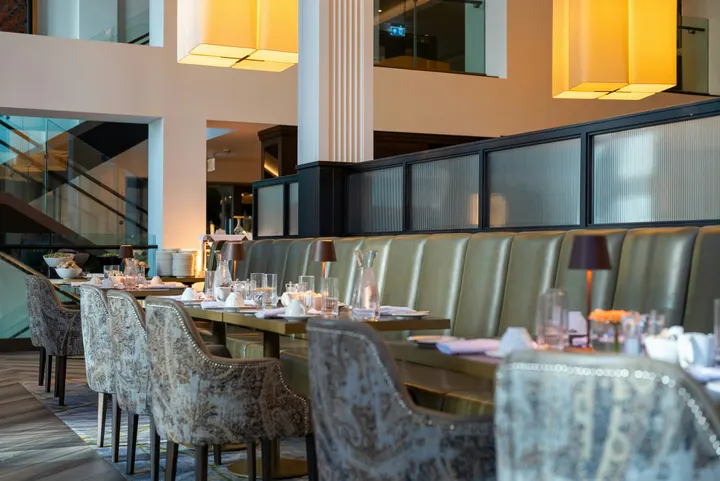 fine-dining-01.jpgGörsel · Tam şimdi
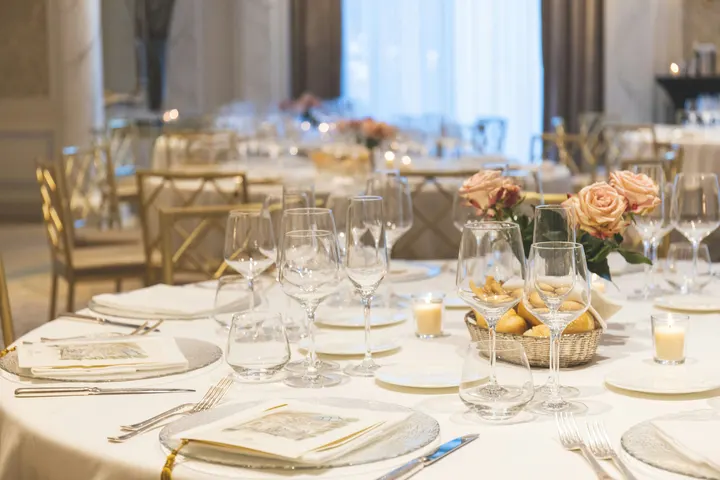 fine-dining-02.jpgGörsel · Tam şimdi
 restaurant-01.jpgGörsel · Tam şimdi
 fine-dining-04.jpgGörsel · Dün
 restaurant-03.jpgGörsel · 3 gün önce
 restaurant-02.pngGörsel · Geçen haftaBistro Kogarashi · Tokyo
Telefondan paylaşılan fotoğraflar ve videolar Medya kütüphanesine yerleşir.
Kısayollar
TV'ler, Uyarılar, Programlar, TV Ekle, Ekranlarım ve Uygulamanın ikonundan Canlı Önizleme.
Uyarıdan Temizle veya Onayla
Bildirimden başka bir yönetici tarafından yükseltilen bir uyarıyı temizleyin veya bekleyen bir programı onaylayın.
Display, her şeyin diğerine dokunur.
4 of these 8 connections are in your plan today; the others are their own apps.
Dine
The kitchen display shows and bumps the kitchen’s own orders, and the menu board reads the menu set up in Dine.
Stays
A guest TV reads the stay in its room, and the housekeeping TV is the same board as Stays’ Housekeeping.
Coworking
A meeting room’s door sign is made and paired from Coworking’s Spaces, each paired with the room it hangs outside.
Kiosks
Kiosks and TVs are set up through the same screen records, and play the same designed screens and live feeds.
Orderflow
Room service ordered from a guest TV goes to Orderflow, and the order fulfillment screen is Orderflow’s queue on a TV.
Studio
Designed screens are made in the same design editor Studio opens, and a Studio design at TV size plays as one.
Automations
Every notice Display sends is an Automations rule, and other apps’ rules can repaint a board.
Ads
A free TV’s ad band is filled through Ads, the one place a screen’s ads are chosen.
Kurulum maliyeti yok. Kullanmaya başladığınızda ödeyin.
Every TV free with Calisto’s ad band, or ad-free per TV.
Calisto Display
Runs the TVs in a business: kitchen displays, pickup and now-serving boards, guest TVs, menu boards, signage and designed screens, with schedules, alerts and performance.
Size önerilenler
Birlikte iyi çalışır.
Calisto Dine
Planlarınızla Dahil
Core uygulamanız, Commerce ve Ops planlarınızda açılan her şeyi gösterir.
Learn more →Calisto Stays
Planlarınızla Dahil
Core uygulamanız, Commerce ve Ops planlarınızda açılan her şeyi gösterir.
Learn more →Calisto Coworking
Planlarınızla Dahil
Core uygulamanız, Commerce ve Ops planlarınızda açılan her şeyi gösterir.
Learn more →Calisto Kiosks
Calisto Kioskları
One job per kiosk, from check-in and ordering to wayfinding, set up on any tablet at your own kiosk address, with each screen’s own card terminal and printer.
Learn more →Calisto Orderflow
Calisto Studio
Calisto Create
A Studio seat designs anything at every size, from Calisto’s templates or a blank page: layers, photos, Copy & Resize, Bulk Create, mockups, QR codes, print-ready PDFs, sharing and whiteboards.
Learn more →Calisto Automations
Calisto Ads
Calisto Engage
Run campaigns on the websites, apps, kiosks, TV screens and member portals other Calisto businesses publish, and sell the ad space on your own.
Learn more →Önerilenler için
Display işleten sektörler ve her birinin neden işlettiği.
Oteller & RezortlarLobby & meeting screens
Lobby, meeting floor and restaurant screens.
Calisto'da Oteller & Rezortlar →RestaurantsDigital menu boards
Kitchen display and guest-facing menu screens.
Calisto'da Restaurants →Gayrimenkul GeliştirmeSales gallery screens
Sales gallery screens and site hoardings.
Calisto'da Gayrimenkul Geliştirme →Salonlar & BerberlerLobby screen
The waiting area reads the same queue as the desk.
Calisto'da Salonlar & Berberler →Live Music & FestivalsStage & wayfinding screens
Stage, wayfinding and sponsor screens.
Calisto'da Live Music & Festivals →Marathons & EnduranceStart, finish & expo screens
Start, finish and expo screens.
Calisto'da Marathons & Endurance →Venue ManagementWayfinding & room screens
Wayfinding, room and sponsor screens.
Calisto'da Venue Management →Stadyumlar ve ArenalarConcourse & stand screens
Wayfinding, concourse and sponsor screens.
Calisto'da Stadyumlar ve Arenalar →Kamu Golf SahasıClubhouse screens
Tee sheet, leaderboard and clubhouse screens.
Calisto'da Kamu Golf Sahası →Golf KulüpleriClubhouse screens
Tee sheet, leaderboard and clubhouse screens.
Calisto'da Golf Kulüpleri →Ortak Çalışma AlanlarıRoom screens
Room availability and community screens.
Calisto'da Ortak Çalışma Alanları →In-Person RetailersIn-store screens
Window, shelf-edge and queue screens.
Calisto'da In-Person Retailers →Calisto'da her şey dahil Display.
- New: every job a TV can do, ordered for your industry, each shown running on sample data, with the one choice that makes it this screen and where it works.
- Set Up Every Screen: your kind of business’s set at once, a screen set for each of the 38 kinds of business.
- Run the operation: kitchen display (prep, expo and bar, with bump), housekeeping and room status, front desk, today’s appointments, golf starter, door counter, order fulfillment (Orderflow’s queue, with accept, reject and bump) and sales targets.
- Move customers: order pickup, now serving on any app’s walk-in line, check-in welcome, meeting room sign, departures and tours, wayfinding, tournament and race leaderboard, class schedule.
- Serve guests: the guest TV in a hotel, apartment or short-stay room, and the resident and member TV.
- Promote and inform: designed screen, digital signage with zones and playlists, menu board, offers and upgrades, property window, on air.
- A screen’s record: Purpose, Where (location, station, counter, room, course or event, filled in when there is one), Content, Look (dark or light, your logo and color), TVs and Schedule, beside the screen running live on your data.
- Put It on a TV: the one step that puts a screen on its TVs, refused with the reason when something it needs is missing.
- My Screens: each screen, what it runs and on how many TVs.
- Other apps put their own screens on a TV from their own desk: now serving from a walk-in line, a leaderboard from a competition, room signs from Coworking’s Spaces and every Events host’s Rooms.
- The kitchen display reads and moves the kitchen’s orders, the same orders Dine’s kitchen screen and Station work from.
- The menu board reads the menu set up in Dine.
- Room service ordered on a guest TV is charged to the stay and handed to Orderflow, whose accept fires the kitchen.
- Late checkout and the property guide come from the stay and the property.
- The housekeeping TV is the same board as Stays’ Housekeeping, moving each room’s tasks.
- Staff act from a staff screen of their own account; a guest acts only from the room TV while its stay is checked in.
- A TV reads only its own screen’s data, scoped on the server to its station, counter or room.
- The design editor Studio uses, at 16:9 landscape or 9:16 portrait; a Studio design at a screen’s shape is a designed screen too.
- Start blank or from 160 layouts, 81 landscape and 79 portrait, each tagged with its industries and carrying photographs, your own industry first.
- Themes: Calisto’s 48 and your own, chosen and tuned per design, Save as Theme; a design that picks none keeps its own look.
- Live Data: the menu, the schedule (classes, sessions, events, tours, race waves, today and the next six days), offers running now, homes on the market, a dish’s price, the offer on now, clock, date, weather, guest Wi-Fi, a QR code, the number being served and what is on air.
- Lists are one designed row, repeated for every record in the list’s columns and gaps, paging by its area; a list with no records draws nothing.
- Publish to Screens draws each page at 4K and keeps the live layer apart; Update Screens reaches every TV and kiosk playing the design at once.
- Each page shows for its own length; pages turn together across a bank of TVs.
- A page animated with Animate plays as a video made on your device or Calisto’s servers, from the start each time the page comes on.
- Played full screen, or as an item in any signage zone.
- People Inside: how many are in the screen’s room now, its limit, the places left and how full it is, where Access counts the room.
- A copy for each location keeps the parts its original locks for copies, and takes their changes; your business chooses who may lock them.
- Add a TV: the TV shows a six-character code; you enter it and give the TV a name and, in a room, its room.
- The TV reports its platform, panel resolution, touch, remote and sound at pairing and on every check-in.
- Apple TV, Android TV, Google TV and Fire TV run the Calisto TV app from their stores; Samsung Tizen and LG webOS open it from their own app; any browser opens the TV address.
- A TV that cannot get a code keeps asking and replaces a lapsed code by itself.
- TVs: every TV, its platform, location, what it runs, its state and when it was last seen, searched, filtered and sorted on the server however many you have.
- A TV’s page: health, capabilities, room, what it runs now and next, Choose What This TV Runs, remote control, billing and unpair.
- Remote control: identify, screenshot, restart and reload, answered by the TV on its next check-in; on a commercial display that lets Calisto control it, turn on, turn off, switch input and volume.
- Video walls: TVs mounted together play one screen across the wall, each its slice, with the panels’ frames allowed for.
- One clock for every TV: page turns, zone rotations, looping videos and music play in step across screens.
- Audio zones: your own tracks or your music service’s stream under whatever a set of TVs shows, every TV at the same moment, quieter for a chime, silent while a TV sleeps.
- TV hours: TVs follow the place’s opening hours or your own; outside them they go dark and wake for opening.
- Meeting rooms: a room’s TV shows the Calisto Live meeting booked in it, a code to join before it starts and the meeting once it is live.
- Runs as the digital signage of the video-meeting displays in your rooms.
- TV Groups: a floor, a building or a brand as one target.
- A TV with nothing to run shows your logo, your name and the time where it hangs.
- Starts from what it last received when it powers on with no network.
- Spaces: a TV assigned to an archived Space stops; one that cannot be read for a moment keeps playing.
- Unpair reaches the TV on its next check-in.
- Live Preview: what a real TV is showing right now.
- A schedule puts a screen, or a playlist in a signage screen’s main zone, on chosen TVs and TV groups between dates, on chosen days and hours.
- Each TV keeps its own time zone; a schedule may set one.
- The most specific schedule wins (a TV, then its group, then the account default), then priority, then the latest start.
- A schedule with no TVs is the account default: it plays only on a TV that runs no screen of its own.
- Approvals: when your business asks for them, a schedule plays only once approved; Approve, or Send Back with a note, on its page, in the Approvals panel or from the notification.
- A schedule that is on is turned off before it can be deleted.
- Media: photos and videos (JPEG, PNG, WebP, GIF, MP4, WebM), audio, stock photos and playlists that time each item by its seconds.
- Documents, decks and web pages: PDFs, documents, spreadsheets, presentations and Slides decks play as pages; a public web page or a published dashboard is drawn at the screen’s size and refreshed on your interval.
- Dashboards: your analytics tools’ dashboards drawn through each service’s own image export with your own connection, its secret kept sealed, refreshed on your interval.
- Zones also play live TV and IPTV streams, your Live broadcast with its reactions, rows from a published Sheet or a CSV or JSON file, and your published social posts.
- A schedule or a zone item can play only in some weather: rain, snow, sun, warmer or colder than you say.
- An alert goes over whatever its TVs are playing until it is cleared or its time runs out.
- Info, warning or critical, with its colors and how long it stays.
- Saved as a draft, activated when needed, cleared from its page, the list or the notification.
- Each alert names who raised and who cleared it; its text shows as written, never as code.
- An Access alert (a lockdown, an evacuation) goes over the TVs where it is raised and comes off at the stand-down.
- Official warnings from public alerting authorities go over the TVs at the places they cover until they end.
- Your own alert system, such as a campus or building system, posts to a private address, in CAP or JSON, and its alerts go over the TVs at the places you choose until it cancels them.
- Rules put a screen on the TVs for a while when something happens: a visitor checks in, a badge is shown at a door, a zone fills up.
- Overview: plays, minutes on and errors, in total and by TV and day, over all time, 7, 30 or 90 days.
- Impressions, Uptime and By Screen views, and Reports.
- Proof of play: each TV files what it plays on every check-in; a screen that fails is shown as your branded fallback and reported as an error.
- Uptime is credited from check-ins, so a TV that was dark reads as dark.
- Audience: each play counts the people in the TV’s room where Access counts it, shown as the average per play.
- Notices as Automations rules you can change or turn off: a TV stopped checking in or is back, a schedule ended, an alert went live or was cleared, a schedule waits for approval, was approved or sent back, a TV app build finished.
- The fleet is checked every 15 minutes, on Calisto’s database or your own.
- Every paired TV is free with 15% of the screen given to an ad band, on customer and guest screens.
- Staff screens never show ads, and a guest navigating a room TV sees none.
- Remove Ads makes one TV ad-free at the per-TV price, agreed once before anything is billed.
- An ad-free TV may opt back in: its band sells with you as the seller, sharing what it earns, and your own ads fill the rest.
- Ad Surfaces: your own house ads.
- Your branded app for Apple TV, Android TV and Fire TV.
- Overview, Design, Content, Preview, Build, Store Listing and Analytics in one workspace.
- Built by Calisto’s build pipeline for each platform; Display holds no store keys.
- Analytics: installs, active TVs and watch time by month.
- Tabs for Home, TVs, Alerts and Schedules, and More for the whole menu.
- Home: the fleet’s counts and the TVs that need someone, worst first, any alert on the walls and schedules waiting for approval.
- A screen and a TV open as their own pages, with Put It on a TV and Choose What This TV Runs; alerts and schedules are edited from their own pages.
- Designed screens and the TV App’s artwork open in the phone design view: pages, Edit Words and Photos, Publish to Screens.
- Shortcuts: TVs, Alerts, Schedules, Add a TV, My Screens and Live Preview.
- Home, TVs, a TV’s page and Alerts open with no signal on a device you choose; raising or clearing an alert, approving a schedule and restarting a TV need the signal, and say so.
- Notifications with buttons: Clear Alert on an alert another admin raised, Approve on a schedule waiting for you.
- TV Status on the Windows Widgets Board: TVs online, TVs that need you, alerts showing and schedules waiting.
- Photos and videos shared from the phone land in Media.
- Calisto’s search finds TVs, screens, schedules and alerts.
- Every create happens once, however often the button is pressed.
Questions about Calisto Display
Bir Apple TV, Android TV, Google TV veya Fire TV, mağazasından Calisto TV uygulamasını çalıştırır; Samsung ve LG akıllı TV'ler kendi uygulamalarından açar; tarayıcısı olan diğer TV'ler adresini açar. TV bir kod gösterir ve siz Ekleyin bir TV'den eşleştirirsiniz. Calisto tesislerinize hiçbir şey yüklemiyor.
Mutfak ekranı, mutfakınızın aldığı siparişleri gösterir ve bunları iletir; Dine'nin mutfak ekranı ve İstasyon işlemlerinden gelen aynı siparişlerdir ve menü tahtası Dine'de ayarlanmış menüyü okur. Başka bir uygulamanın kayıtlarını okuyan bir ekran o uygulamaya ihtiyaç duyar; tasarlanmış bir ekran, tabela ve uyarılar başka hiçbir şeye ihtiyaç duymaz.
Ücretsiz bir TV, ekranının bir bandını müşterilerin ve konukların ekranlarında gösterilen Calisto reklamlarına ayırır. Personel ekranları asla reklam göstermez ve oda TV'si kullanan bir konuk hiç reklam görmez. "Reklam Kaldır" seçeneği, bir TV'yi birim fiyatla reklamdan arındırır ve reklamdan arındırılmış bir TV daha sonra tekrar katılabilir ve pay kazanabilir.
Bir TV, son aldığı veriyi tutar ve ağ olmadan güç verildiğinde bundan başlar. Sayfası, son kez giriş yaptığında ne zaman gösterir ve yöneticiler bir TV karanlığa girdiğinde bir kez ve geri döndüğünde tekrar bir kez bilgilendirilir.
İşin gerektiği yerde. Mutfak personeli mutfak ekranından servis biletlerini çıkarır, temizlik ekibi odalarını kendi panosunda günceller, konuk oda servisi ister veya kalış süresi içinde odadaki TV'den geç saat çıkış talep ederken menü panosu hiçbir işlem yapmaz.
Fotoğraflar ve videolar telefonda bile Medya'ya yüklenir ve oynatma listeleri ile işaret bölgelerinde oynatılır. Pazarlama ekranları, endüstriniz için bir düzenlemeye başlanarak, fiyat veya saat girilmesi gereken yerlerde canlı verilerle yeniden tasarlanır.