Spreadsheets your team builds and works in together.
Skryf formules, teken grafieke en draai die getalle om, en red dieselfde rekenblad op dieselfde tyd as almal ander, op die skrifbord of 'n telefoon. Enige tab kan ook gevul word vanuit die rekords wat jou besigheid hou.
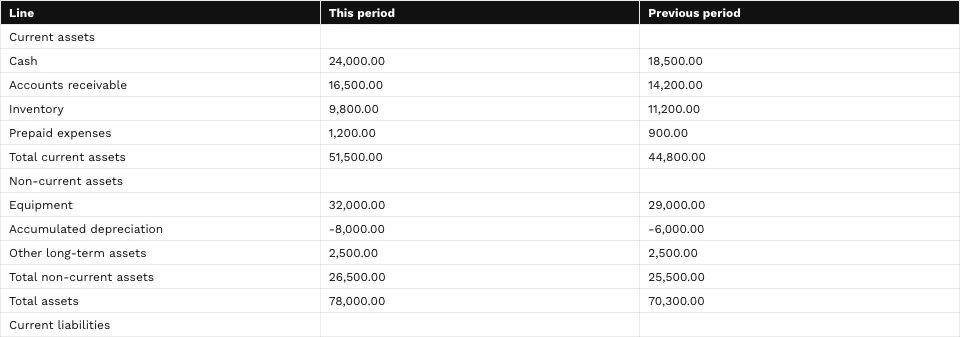
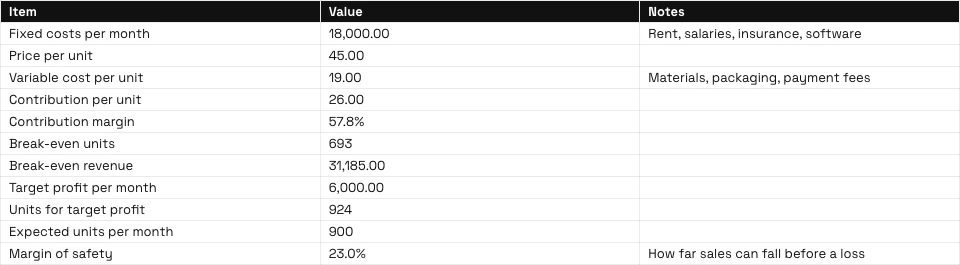
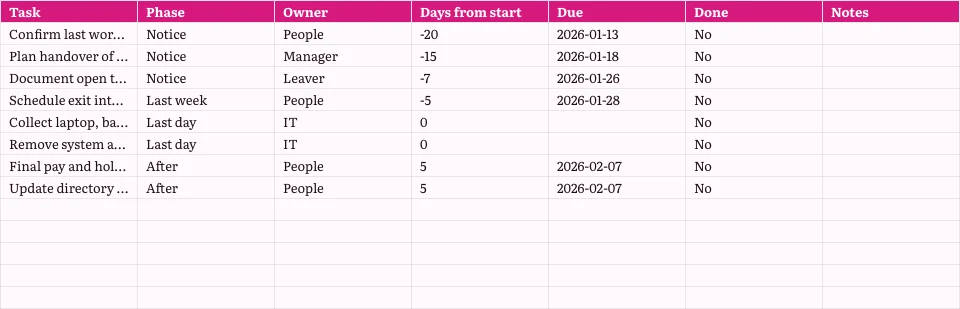
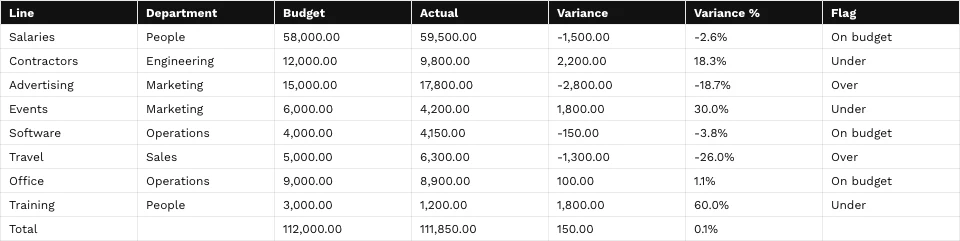
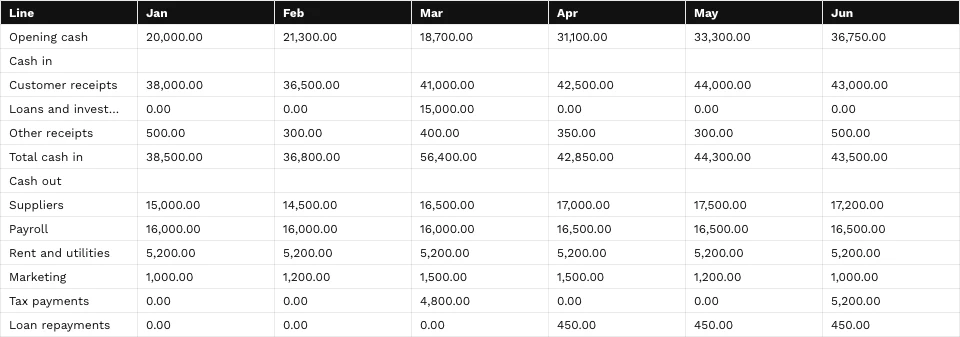
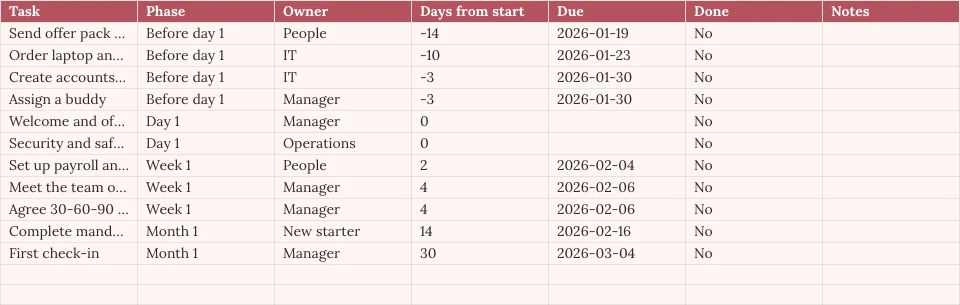
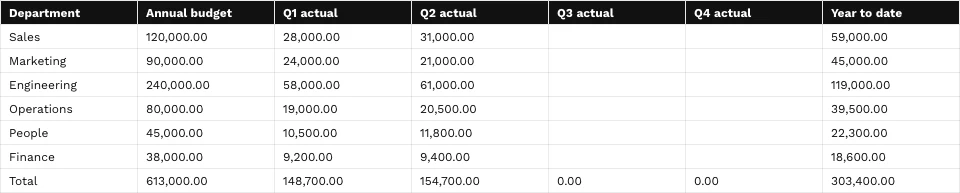
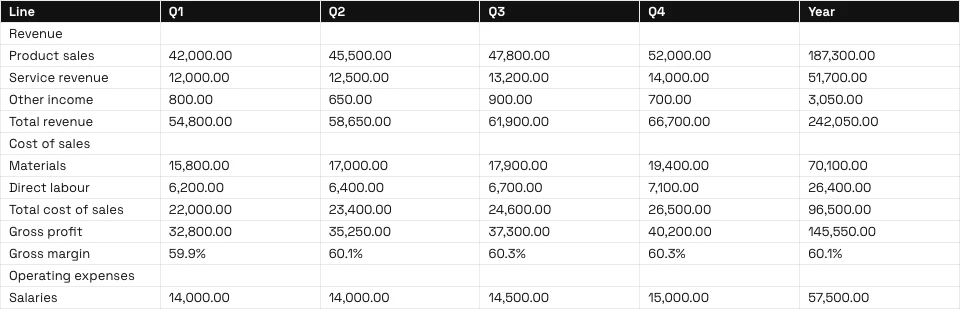
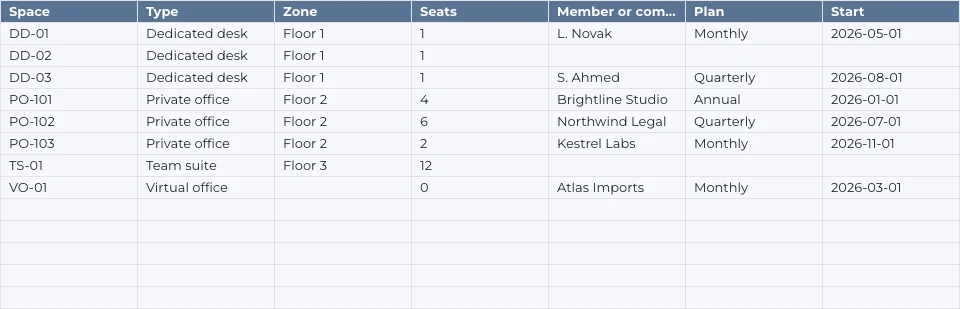
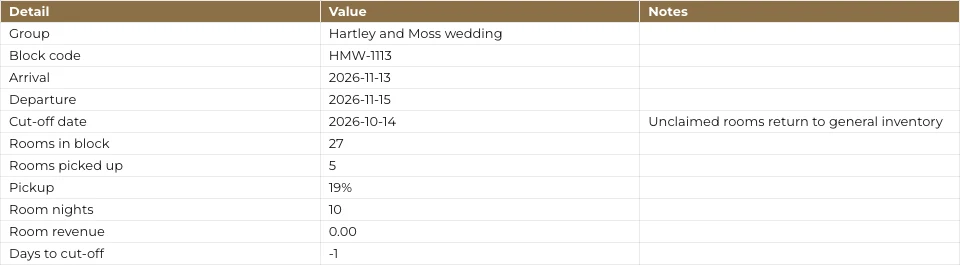
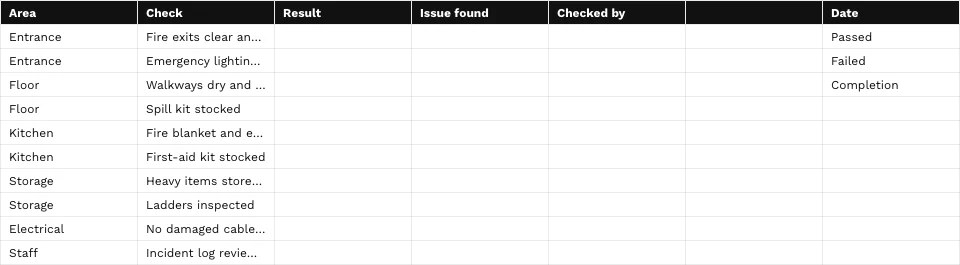
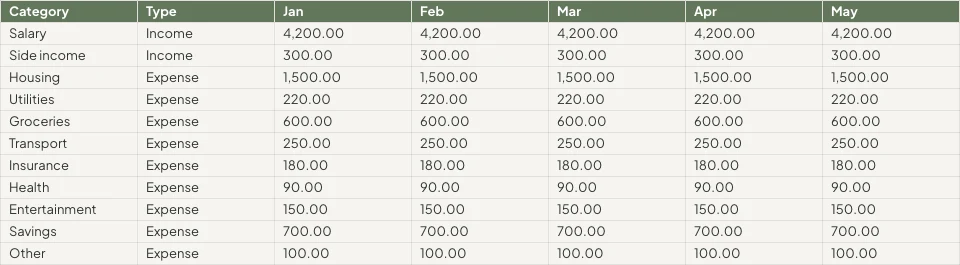
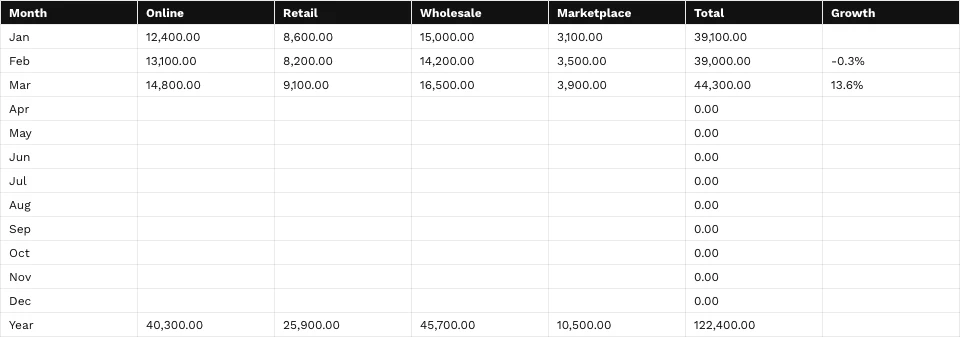

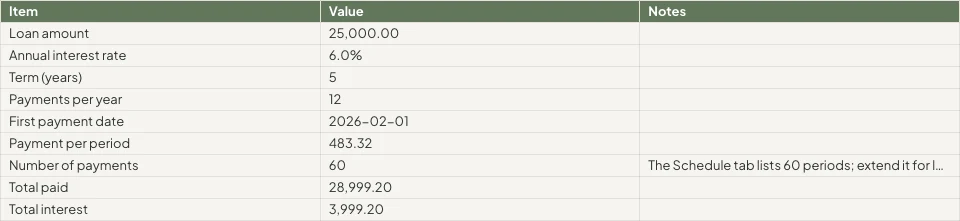
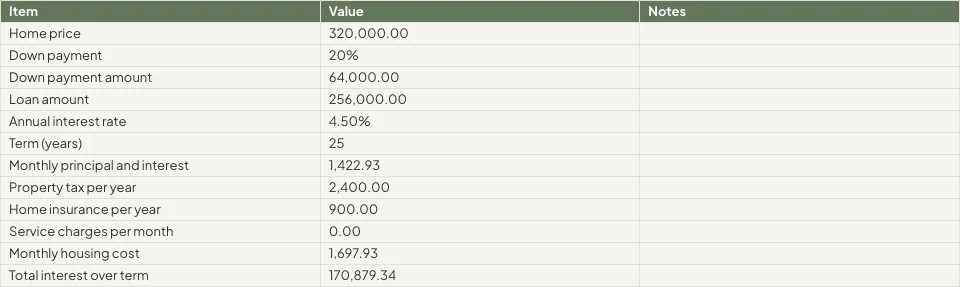
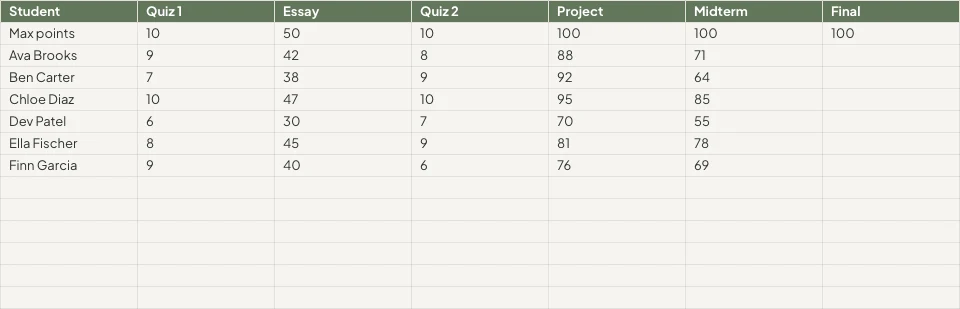


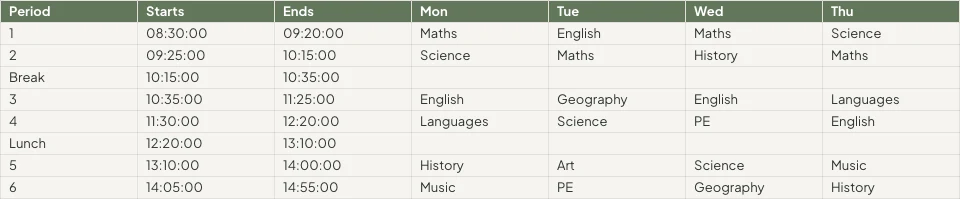
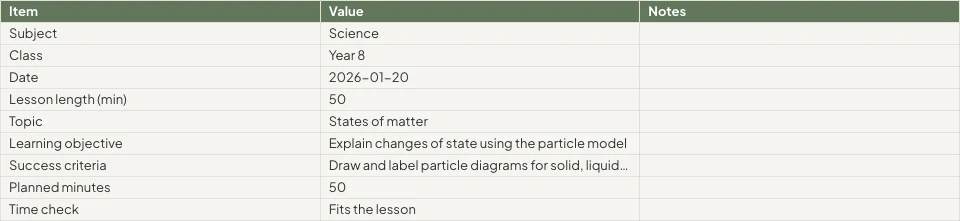
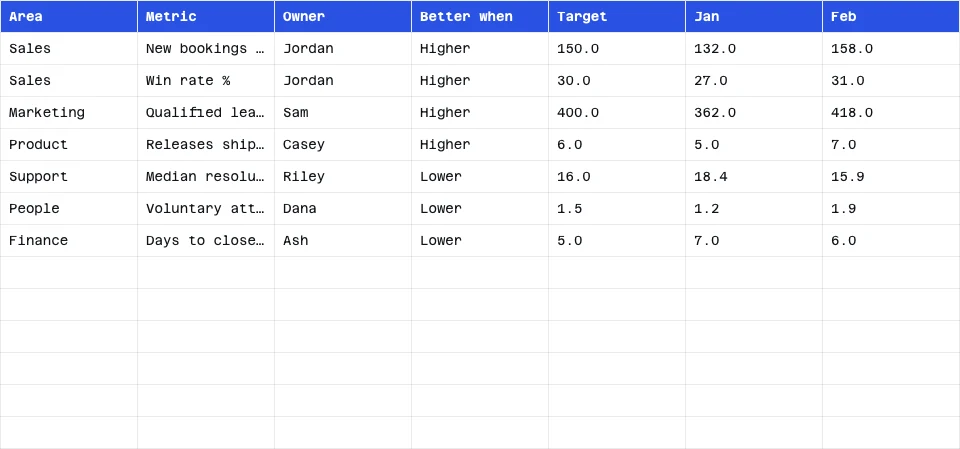

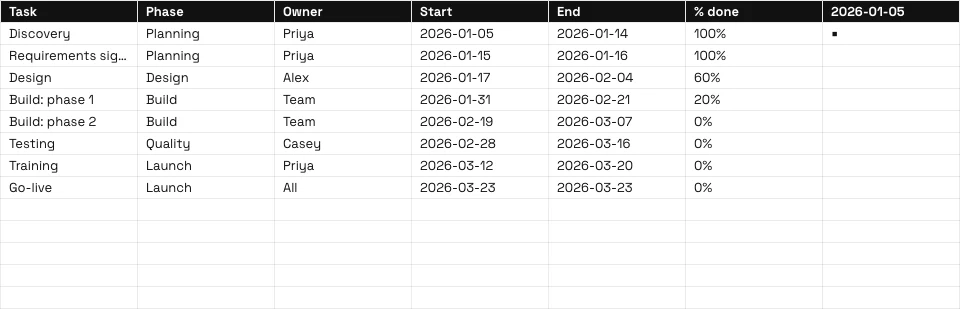
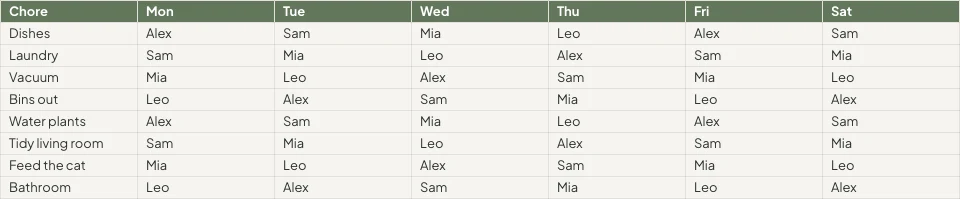

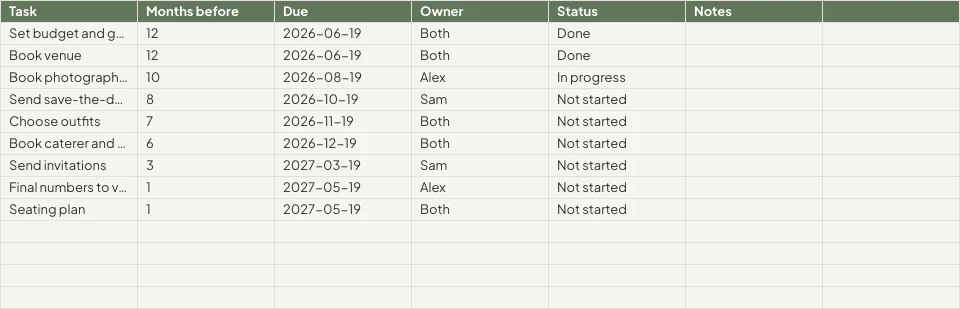
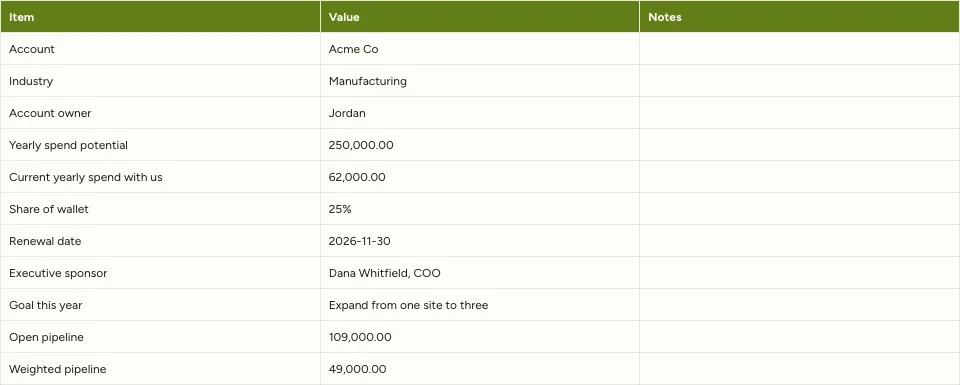
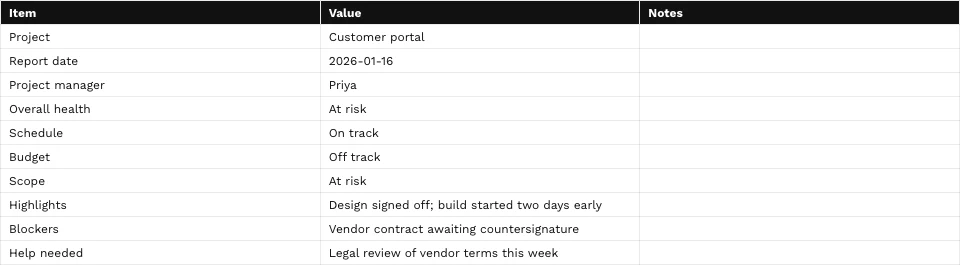
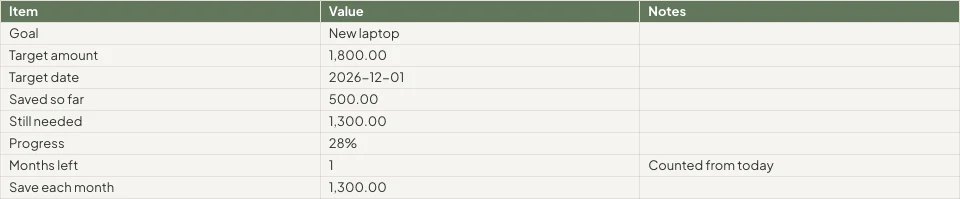

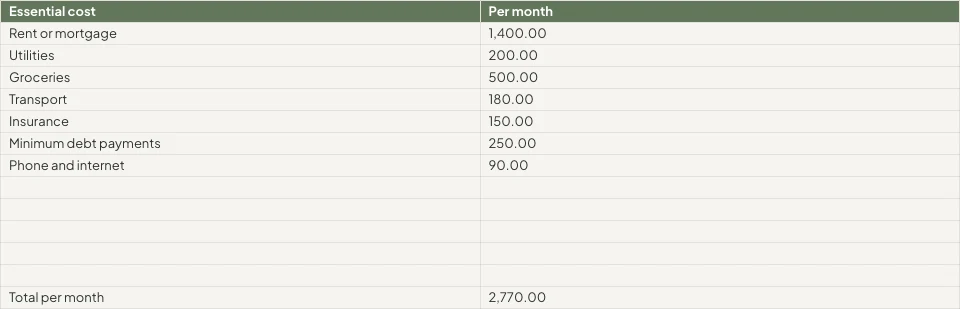
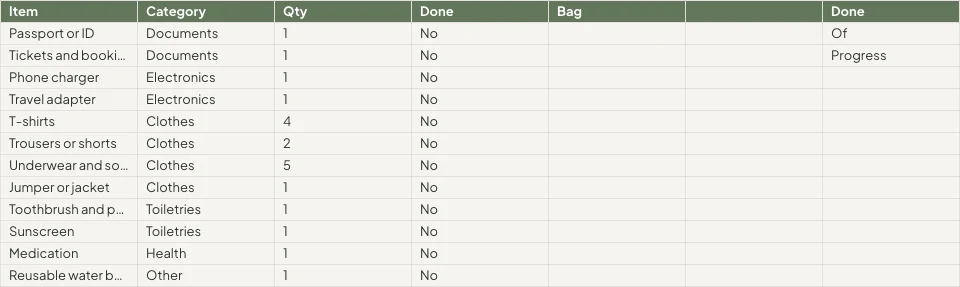
Elke rekenblad wat die besigheid hou, en die rekords daaragter
'n Begroting, 'n pryslis of 'n rooster is hier 'n bladwerkprogram, en enige tabblad kan uit die apps gelees word wat die rekords hou.
Die Rooster
Formules, formate en reëls.
Begin
Leeg, 'n sjabloon of 'n lêer.
Data Van Calisto
'n Vlak gelees uit jou rekords.
Analiseer
Grafieke, pivots en vrae.
Together
Sel vir sel, met kommentaar.
Deel
Mense, 'n skakel, 'n TV, 'n lêer.
Handeling
Rye wat werk word.
Op 'n Telefoon
Lees, redigeer en kommentaar.
Skryf Formules, Formateer Selles en Stel die Reëls in
Tref 'n formule uit 245 funksies, of beskryf wat jy nodig het langs die formule en kry een terug. Formateer vanaf die chip op die geselekteerde selle of die Formaatpaneel. Elke kolom se en ry se menu sorteer, filter, bevries, groepeer en skoon op.
Beskryf 'n Formule
Sê wat jy nodig het, soos die gemiddelde van kolom D waar die status Aktief is, en die formule word vir jou geskryf.
Reëls op Selde
Voorwaardelike opmaak, afwisselende kleure, en geldigmaking met lysies as chips en vinkies.
Benoemde Reekse en Filterweergawes
Noem 'n reeks een keer; slaan 'n gefilterde uitsig op sonder om iemand anders se te verander.
- Fees'Projects'!E2:E14Bewerk
- Hours'Projects'!D2:D14Bewerk
- OpenProjects'Projects'!A2:F9Bewerk
- TaxRate'Settings'!B2Bewerk
- Retainers'Retainers'!A2:D8Bewerk
- Geen (Die Bladsy se Eie Filter)
- Open, by client2
- Over 100 hours
- Owen’s projects
- Invoiced this quarter
Elke Bevel per Naam
⌘K vind enige bevel en enige funksie, deur sy naam of sy familie.
Vind en Vervang
Oor elke tab, per hele sel, per geval of per patroon, en binne formules.
Chips vir Datums, Mense en Lye
'n Datum, 'n kontakpersoon of 'n lêer van Depot as 'n chip in 'n sel.
Opknip
Verwyder dubbelinge, sny spasies af, verdeel teks in kolomme.
Begin Leeg, Van 'n Sjabloon of Van 'n Bestand
Beskryf die rekenblad op Huis en die nabyste sjabloon open, of kies 'n sjabloon volgens tipe en bedryf, of begin leeg. Niets word opgeslaan totdat jy dit opslaan nie. Open 'n XLSX, ODS, CSV of TSV-lêer, van die toestel of van Depot, en sy formules herbereken.
Maak 'n nuwe Rekenblad aan
Hoe wil jy begin?
Of open 'n lêer wat u reeds het: XLSX, ODS, CSV of TSV. Kolomtipes word outomaties opgespoor en geformateer.
Kies LêerBeskryf Dit op Home
Sê waarvoor die rekenblad is, en die naaste sjabloon open in jou tema.
Goedemore, Chloe.
Vul 'n Tab Van die Rekords Jou Apps Behou
Kies boekings, besprekings, betalings, voorraad, lede, kaartjehouers of die rooster, en die tab word gevul uit die rekords self, sonder enige uitvoer. Kies Live om hulle weer te lees by elke opening, Kies Handmatig vir 'n Ververs-knoppie, of Kies Opname.
Chart It, Pivot It en Ask It Vrae
Grafieke behoort aan die werkboek: sewe tipes, geplaas oor die selle, getrek uit die selle soos hulle nou is, en getoon op 'n telefoon en op die gepubliseerde skakel. 'n Pivottabel summaries 'n tab op 'n eie tab.
Grafieke
Kolom, staaf, lyn, area, versprei, taart en donut, geplaas oor die selle.
Pivottabelle
Rye, kolomme en waardes saamgevat op 'n tab van hul eie.
Vra oor hierdie data
'n Vraag in eenvoudige woorde, beantwoord vanaf die rekening.
Unlimited members paid $18,960, PT Bundle $11,880 and 10-Pack $6,420.
Each Unlimited member paid $1,264 on average, across 15 members.
=AVERAGEIF(B2:B41,"Unlimited",E2:E41)Voeg in die Geselekteerde Sel inKopie FormuleSlim Vul en Outomatiese Klassifiseer Kolomme
'n Kolom wat voltooi word volgens sy patroon; elke kolom word sy tipe en nommerformaat gegee.
Verbeter, Samevat of Vertaal
Die gekose selle is verbeter, verkort, in jou merk se stem geplaas, saamgevat of vertaal.
Pastel de nata, saído do forno de hora a hora.Tosta mista no pão da Gleba, com queijo da Ilha.Galão cremoso, em copo alto, com leite dos Açores.Bolo de laranja da avó Lurdes, com calda a escorrer.
VervangProbeer weerKolomstatistieke
Tel, som, gemiddeld, laagste, hoogste en mediaan van enige kolom.
- Vol
- 18
- Leeg
- 2
- Distinct
- 11
- Foute
- 1
- Som
- 14,20,000
- Gemiddelde
- 83,529.41
- Mediaan
- 75,000
- Min
- 25,000
- Maksimum
- 2,50,000
Bewerk Saam, en Besluit Wie Wat Cells sien
Verskeie mense redigeer een rekenblad tegelyk, saamgevoegde sel vir sel. Vast 'n kommentaar aan 'n sel, noem iemand of gee hulle die draad, en vind wat jy moet beantwoord op Huis. Elke opslag is 'n weergawe wat jy kan vergelyk en herstel.
Opmerkings op Selles
Vastgemaak aan 'n sel, met antwoorde en vermeldings, en oorgedra aan iemand om te beantwoord.
Versiegeskiedenis
Verkoop!B2veranderVerkoop!B4veranderVerkoop!D6veranderVerkoop!A9addedGraphic novel workshopVerkoop!B9added24Verkoop!A10removedVerkoop!C8veranderVergelyk twee weergawes sel vir sel en herstel een of die ander.
Beskermde Reëls en Bladsye
'n Tab of 'n reeks wat slegs sy eienaar redigeer, of 'n reeks wat waarsku voor 'n verandering.
Selles Jou Data Reëls Verberg
Purview se Data-reëls hou 'n sel af van om 'n persoon se skerm te bereik, en hou dit ongeskonde wanneer hulle stoor.
Voorwaarskuwings as Reëls
Outomatisering
Stappe wat self loop wanneer iets in jou besigheid gebeur.
| Outomatisering | Wanneer | Dan | Laaste 7 dae | Laaste loop | Status | |
|---|---|---|---|---|---|---|
| Tell the people on a spreadsheet about a new commentComment added | Comment added | Tell the people | 86 | 21/11/2026 11:42 | Aktief | Pauzeer |
| Tell a person when they are mentioned in a commentPerson mentioned in a comment | Person mentioned in a comment | Tell the person | 41 | 21/11/2026 10:15 | Aktief | Pauzeer |
| Tell a person when a comment thread is assigned to themComment thread assigned | Comment thread assigned | Tell the person | 23 | 20/11/2026 17:08 | Aktief | Pauzeer |
| Tell the people in a comment thread about a replyReply in a comment thread | Reply in a comment thread | Tell the people | 52 | 21/11/2026 09:31 | Aktief | Pauzeer |
| Tell people when a spreadsheet is shared with themSpreadsheet shared | Spreadsheet shared | Tell the people | 9 | 19/11/2026 14:50 | Gehalte | Hervat |
| Tell the person who pulls invoices into a sheet that some are overdueOverdue invoices pulled into a sheet | Overdue invoices pulled into a sheet | Tell the person | 3 | 17/11/2026 08:57 | Aktief | Pauzeer |
'n Aandeel, 'n kommentaar, 'n antwoord of 'n noem vertel mense deur reëls wat jy in Automatiseer kan pauzeer.
Turn Rows Into Invoices, Tasks, Decks and Records
Genereer 'n faktuur in Ledger vanuit 'n tab se lyne, skep 'n taak in Dispatch, of toon 'n grafiek in Slides, waar dit gekoppel bly aan hierdie rekenblad. 'n Vorm gekoppel aan 'n rekenblad voeg een ry per antwoord by, met 'n nuwe kolom vir elke nuwe vraag.
Faktuur in Ledger
Die lyne van die tab word 'n faktuur wat jy kontroleer en skep in Ledger.
Faktuur Deels Betaal
Faktuur besonderhede
| Omskrywing | Aantal | Eenheidsprys | Totaal |
|---|---|---|---|
| Group stay, 6 rooms, 3 nights | 18 | R 1 650,00 | R 29 700,00 |
| Cape Malay breakfast, guests | 36 | R 145,00 | R 5 220,00 |
| Airport transfers, minibus | 2 | R 950,00 | R 1 900,00 |
| Bo-Kaap walking tour | 12 | R 280,00 | R 3 360,00 |
| Cooking class, Cape Malay | 12 | R 620,00 | R 7 440,00 |
| Late checkout, 6 rooms | 6 | R 250,00 | R 1 500,00 |
Taak in Versending
'n Taak met sy toewysingsmense, vervaldatum en prioriteit, gekoppel aan die rekenblad.
Grafiek in Slides
'n Deel waarvan die grafiek gekoppel bly aan hierdie rekenblad.
Rye van 'n Vorm
'n Verbonde vorm voeg een ry per antwoord by.
Rye in Otomasies
'n Nuwe ry begin 'n reël, en 'n reël voeg 'n ry by, sodra die herhalinge voltooi is.
Verouderde Fakture Gevind
'n Boekhouding-trek wat oorskoude fakture vind, vertel die persoon wat dit getrek het, as 'n reël kan jy dit pauzeer.
Faktuur Deels Betaal
Faktuur besonderhede
| Omskrywing | Aantal | Eenheidsprys | Totaal |
|---|---|---|---|
| Group stay, 6 rooms, 3 nights | 18 | R 1 650,00 | R 29 700,00 |
| Cape Malay breakfast, guests | 36 | R 145,00 | R 5 220,00 |
| Airport transfers, minibus | 2 | R 950,00 | R 1 900,00 |
| Bo-Kaap walking tour | 12 | R 280,00 | R 3 360,00 |
| Cooking class, Cape Malay | 12 | R 620,00 | R 7 440,00 |
| Late checkout, 6 rooms | 6 | R 250,00 | R 1 500,00 |
Lees, Bewerk en Kommentaar vanaf 'n Telefoon
Dieselfde rekenblad in die vorm van 'n telefoon: bewerk 'n sel, filter 'n kolom, vul 'n tabblad uit jou rekords, beantwoord kommentare en toon 'n grafiek. 'n Rekenblad wat van 'n ander app gedeel word, open in Bladsye.
Waar Blaaie Alles Anders Raak
3 of these 8 connections are in your plan today; the others are their own apps.
Forms
A linked form adds one row per response, with a new column for each new question.
Depot
Every spreadsheet is in Depot and its Hubs, and a spreadsheet file in Depot opens in Sheets.
Slides
Present in Slides makes a deck whose chart stays linked to the spreadsheet.
Ledger
Ledger’s statements, invoices and transactions fill a tab, and Generate Invoice makes the invoice in Ledger.
Workforce
The team and the schedule fill a tab, read again whenever it is opened.
Dispatch
Create Task makes a task in Dispatch from the spreadsheet.
Deals
Deals’ pipeline fills a tab, and Attach to Deal files the spreadsheet on a deal as a PDF.
Display
A published spreadsheet is shown on a TV as a data table.
Geen opsetkoste. Betaal wanneer jy begin gebruik.
Spreadsheets your team works in together.
Calisto Work is one subscription per person for Docs, Sheets, Slides, Forms, Agenda, Equipo, and Depot, with a branded mailbox for each person.
Aanbeveel vir jou
Werk goed saam.
Calisto Forms
Calisto Depot
Calisto Slides
Calisto Ledger
Calisto Workforce
Calisto Dispatch
Calisto Deals
Calisto Commerce
The CRM: leads routed and claimed, a pipeline on your own stages, quotes as versions and the contracts they become, people and companies, the day’s follow-ups, the handoff after the sale, commissions and the forecast.
Learn more →Calisto Display
Calisto-display
Runs the TVs in a business: kitchen displays, pickup and now-serving boards, guest TVs, menu boards, signage and designed screens, with schedules, alerts and performance.
Learn more →Calisto Automations
Aanbeveel vir
Die bedrywe wat Sheets bestuur, en waarvoor elkeen dit bestuur.
OnroerendgoedmakelaarsRapportering
Commission splits and pipeline reporting.
Onroerendgoedmakelaars op Calisto →EiendomsontwikkelingRapportering
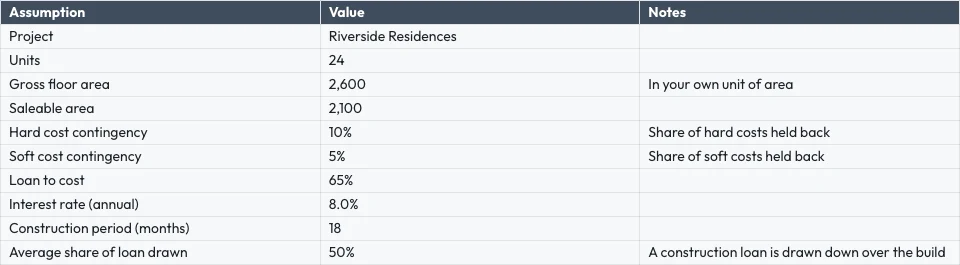
Payment plans, cost tracking, unit reporting.
Eiendomsontwikkeling op Calisto →Grafiese Ontwerpers & KunstenaarsJob costing sheets
Job costing and retainer tracking.
Grafiese Ontwerpers & Kunstenaars op Calisto →Alles wat in Calisto inbegroom word Sheets.
- Calisto’s own spreadsheet engine, with as many tabs as the work needs
- 245 functions by family, found by name in ⌘K
- Describe what you need beside the formula, and get the formula back
- Iterative calculation, set per spreadsheet, so every reader gets the same answers
- Show Formulas, gridlines, Add 1000 Rows, keyboard shortcuts
- Find, and Find and Replace
- The format chip on the selected cells, and one Format panel for everything else
- Number formats in the business’s own currency, percentages, dates and plain numbers; never a currency nobody recorded
- Conditional formatting, alternating colors and color scales
- Data validation: lists shown as chips, tick boxes, numbers, dates, text and custom rules
- Merge, wrap, borders, freeze, hide and group rows and columns
- Each column’s and row’s menu: insert, delete, size, sort, filter, group, stats and clean-up
- Date chips and contact chips that name a customer from your contacts
- Describe it on Home and the closest template opens; or start blank, in a theme, or from a template by type, industry, style and color
- A template is a design worn in a theme; its blanks are asked for before it opens
- Nothing is saved until you save it; leaving with changes asks first
- Open XLSX, ODS, CSV and TSV files, and shared text arrives as a grid
- Open a spreadsheet file from Depot in Sheets
- Make a Copy, Save as Template, Edit Template
- Bookings: every booking, and revenue by channel per currency
- Deals: the open pipeline and what was won
- Payments: transactions
- Inventory: stock on hand, and what is below its reorder point
- Registry: members; Tickets: attendees; Workforce: the team and the schedule
- Ledger Data: the balance sheet, profit and loss, the invoices register and the transaction register
- Catalog Data, and Subscription Metrics (what the business pays Calisto)
- A web address: a public CSV or JSON file
- Live, Manual or Snapshot for each tab, with when it was read
- Money only for people the owner’s settings allow; anyone else reads “Not shared with you”
- Charts kept in the spreadsheet: column, bar, line, area, scatter, pie and donut
- A chart placed over the cells, drawn from the cells as they are now, on every device and the published link
- Pivot tables onto a tab of their own
- Column stats: count, sum, average, lowest, highest and median
- Smart Fill, Auto-Classify Columns and Ask About This Data
- Improve, shorten, summarize or translate the selected cells, or change their tone to your brand’s voice
- Named ranges and filter views
- Editing together, merged cell by cell; everyone in the spreadsheet shown in Share
- Comments pinned to a cell, with replies, mentions and threads handed to someone
- Comments for You on Home: the threads that are yours to answer
- Version history: compare two versions cell by cell, restore, and name a version
- Notices for a share, a comment, a reply, a mention and a handed thread, each a rule you can pause in Automations
- Share with people to view, comment or edit, and change or remove access in place
- Protected tabs and ranges: owner only, or for a range a warning before a change
- Purview’s Data Rules keep a cell from reaching a person’s screen, and keep it intact when they save
- Collections and locks set in Purview apply here too
- Publish a link anyone can open, and take it back
- A published spreadsheet shown on a TV, with Display
- Export XLSX, ODS, CSV, TSV, HTML and PDF, with the page setup, and print
- Send: Email, an Inbox message, Live, a Connect channel, or Attach to Deal (a PDF on the deal)
- Save to a Hub and Folder; every spreadsheet is in Depot
- Copy Link, Star, Details with a description, Trash with 30 days to restore
- Generate Invoice in Ledger from a tab’s lines
- Create Task in Dispatch
- Present in Slides: a deck whose chart stays linked to the spreadsheet
- A linked form adds one row per response, with a new column for each new question
- Automations: a new spreadsheet, a new row, a share and a pulled overdue invoice start rules; a rule adds a row or makes a spreadsheet, each row once whatever the retries
- Refine Design: the theme of a spreadsheet (its colors, the header band, type and row height)
- Brand Check: the words read against your brand guidelines
- The same look on the desk, the phone, the published link, the charts, XLSX and PDF
- The number format new spreadsheets start with, for the business
- Your own preferences, the same in every business: recalculate as you type or on F9, and where Share starts
- Each person chooses which comment notices reach them
- Home, Spreadsheets, Templates and Library in the tab bar; an open spreadsheet fills the screen
- Undo and Redo, Find, the cell’s sheet with its format and filter, Data, Comments and the tabs
- Spreadsheets kept on the device open read-only with no signal; a comment written then is sent later
- Spreadsheets shared from another app open in Sheets
- Notifications that open the comment, with Reply and Mark as Done
- Shortcuts: New Spreadsheet, Recent, Shared with Me and Templates
Questions about Calisto Sheets
XLSX, ODS, CSV and TSV, from the device, from Depot or shared from another app on a phone. Formulas are recalculated by Calisto’s own engine. Legacy XLS files do not open.
Uit die rekords wat die apps hou: boekings, besprekings, betalings, voorraad, lede, kaartdraers, die rooster en Ledger se uittreksels en registers. Live lees dit elke keer weer deur wanneer die rekenblad oopgemaak word, Manual wag vir Verversing, Snapshot verander nooit. Getalle wat 'n persoon nie kan sien lees "Niet gedeel met jou".
Ja. Bewerkings smelt sel vir sel saam, almal in die rekenblad word in Deel getoon, en 'n kommentaar kan aan 'n sel vasgespeld word, iemand noem of aan hulle oorgedra word.
Spreadsheets wat op die toestel oop gehou word slegs-lees, sodat 'n ouer kopie nooit oor nuwer werk gespaar word nie. 'n Kommentaar wat geskryf word sonder 'n sein word gestuur wanneer die verbinding terugkeer. Bewerkings benodig 'n verbinding.
XLSX, ODS, CSV, TSV, HTML and PDF carry the grid. XLSX, PDF and HTML carry its look too. Charts and pictures stay in Calisto, on every device and on the published link.
Sheets is deel van Calisto Work, een abonnee per persoon. Die prysafdeling op hierdie bladsy lees die lewende katalogus. Apps soos 'n rekenblad wat oopmaak, soos Ledger of Dispatch, word in hul eie apps geprys.
@Lucía Hernández Molinos raised the 25 kg sack again. Do we keep 18 or drop to 15 for the week?
Keep 18. Día de Muertos orders start on Thursday.
Masa madre is back in stock at Granos Ruiz. Two packs should cover the sourdough this week.
AntwoordOplosMantequilla price confirmed with San Ángel for November.
Gemerk as gedoenAntwoordHeropen